Guide · T04
Your risk profile
Before you start
- Signed in as a Compliance Officer or Senior Manager (they are the roles that can set the risk profile)
-
Open your risk profile
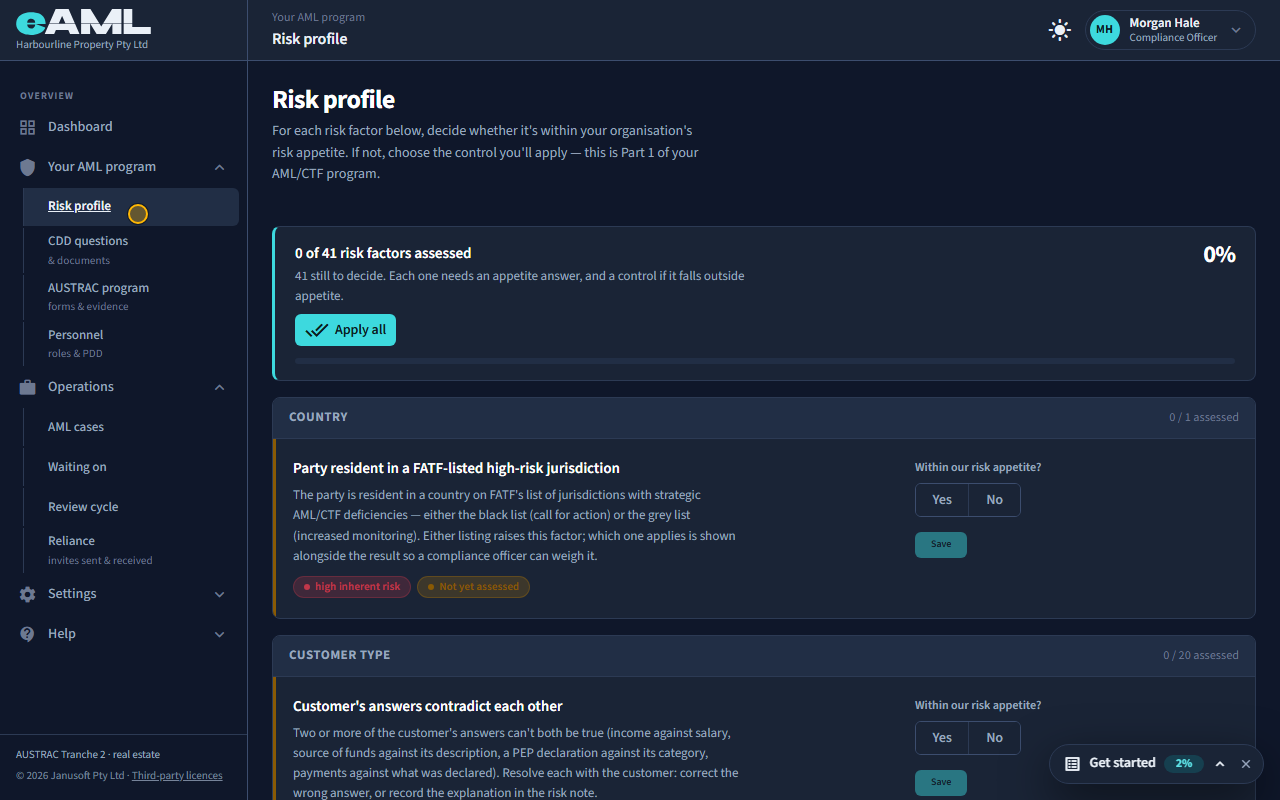
In the menu, under Your AML program, select Risk profile.
Your risk profile is Part 1 of your AML/CTF program: eAML lists the money laundering and terrorism financing risk factors for your business type, and for each one you decide whether it is within your organisation’s risk appetite, and what you will do about it if it is not. The card at the top shows how many you have assessed.
-
Read a risk factor
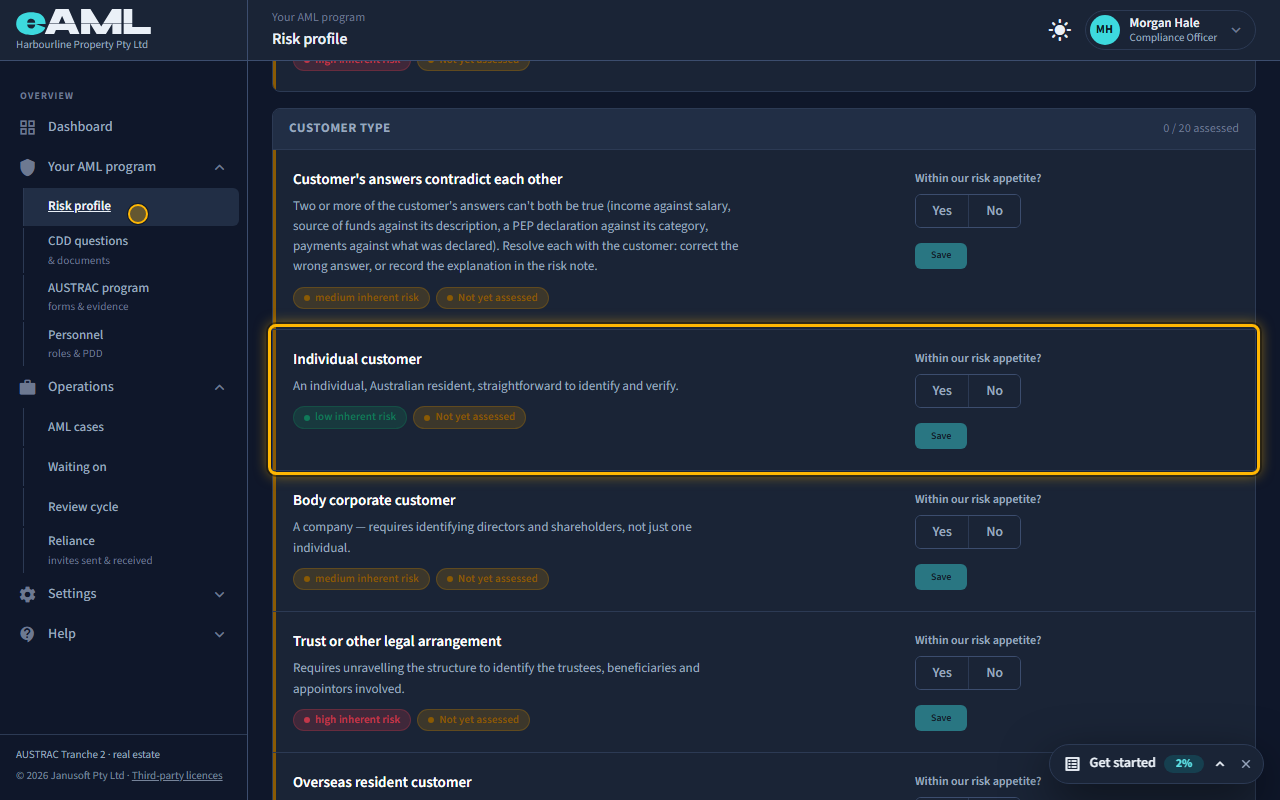
Read the factor, its description and its inherent risk rating.
Factors are grouped: country, customer type, delivery channel, service and so on. Each shows what the risk is, its inherent rating (how risky it is before any control), and whether you have assessed it yet. The question on the right is always the same: is this within our risk appetite?
-
Within appetite: answer Yes and save
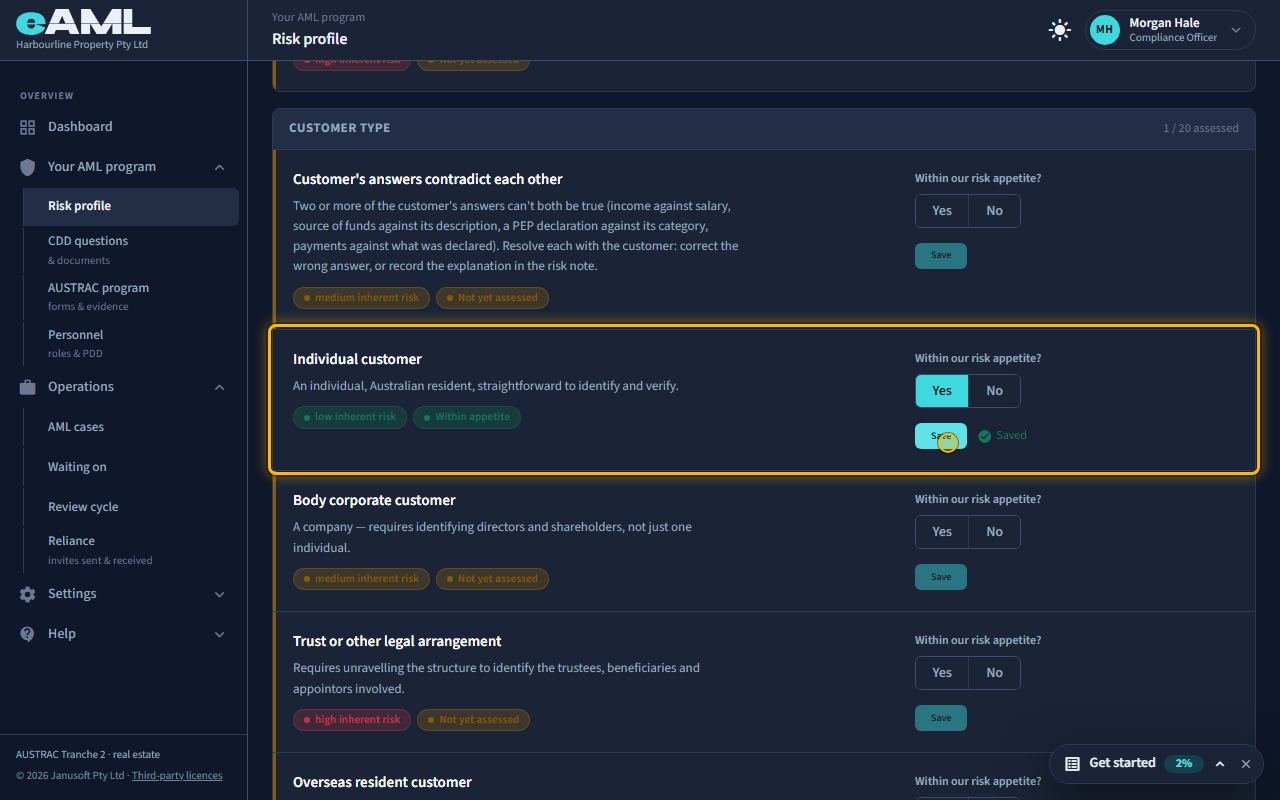
Select Yes under “Within our risk appetite?”, then Save.
Yes means you accept this risk as it is, with no additional control. Nothing else is needed: select Save and the factor shows Within appetite and Saved.
-
Outside appetite: choose a control
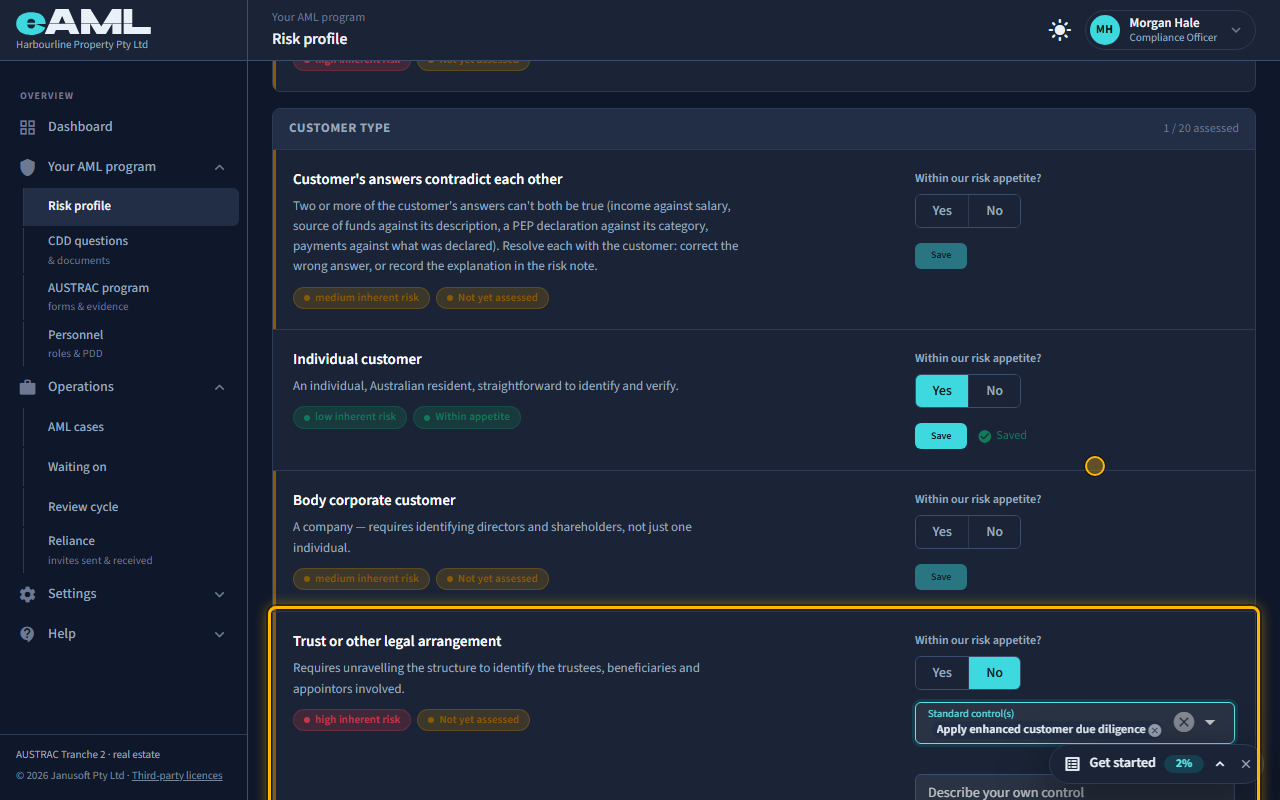
Select No, open Standard control(s), choose the controls, and Save.
No means you are not comfortable with this risk without something done about it. You then choose one or more standard controls, or describe your own. The standard controls are: accept without additional controls, apply enhanced customer due diligence, require source of funds or wealth verification, require payment by bank transfer, require senior manager approval, decline to provide the service, and offboard the customer if they do not comply. Select Save to record it.
-
Apply all: the rest in one step
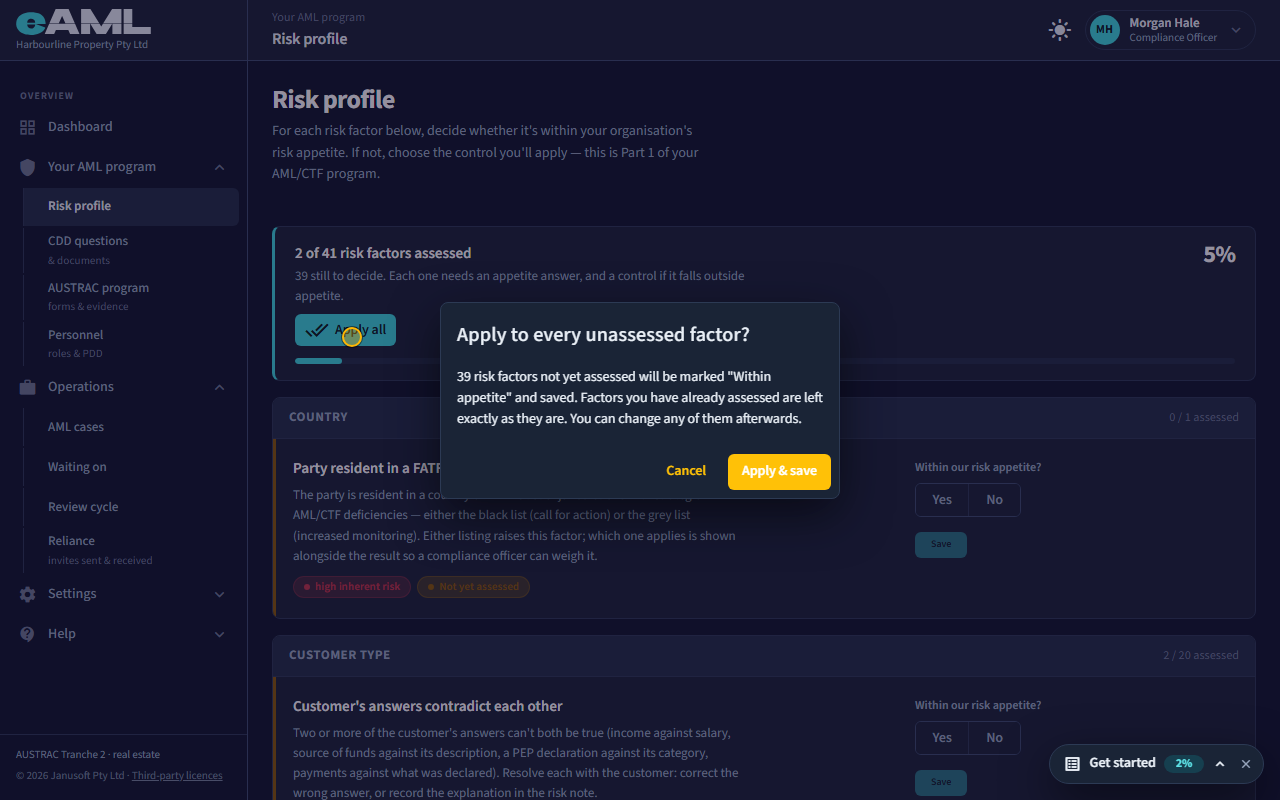
Select Apply all, read the confirmation, and select Apply & save.
If most of the remaining factors are within your appetite, Apply all marks every factor you have not assessed as Within appetite and saves them. Factors you have already assessed are left exactly as they are, and a factor you have set to No but not finished is left for you to complete. You can change any of them afterwards.
-
Every factor assessed
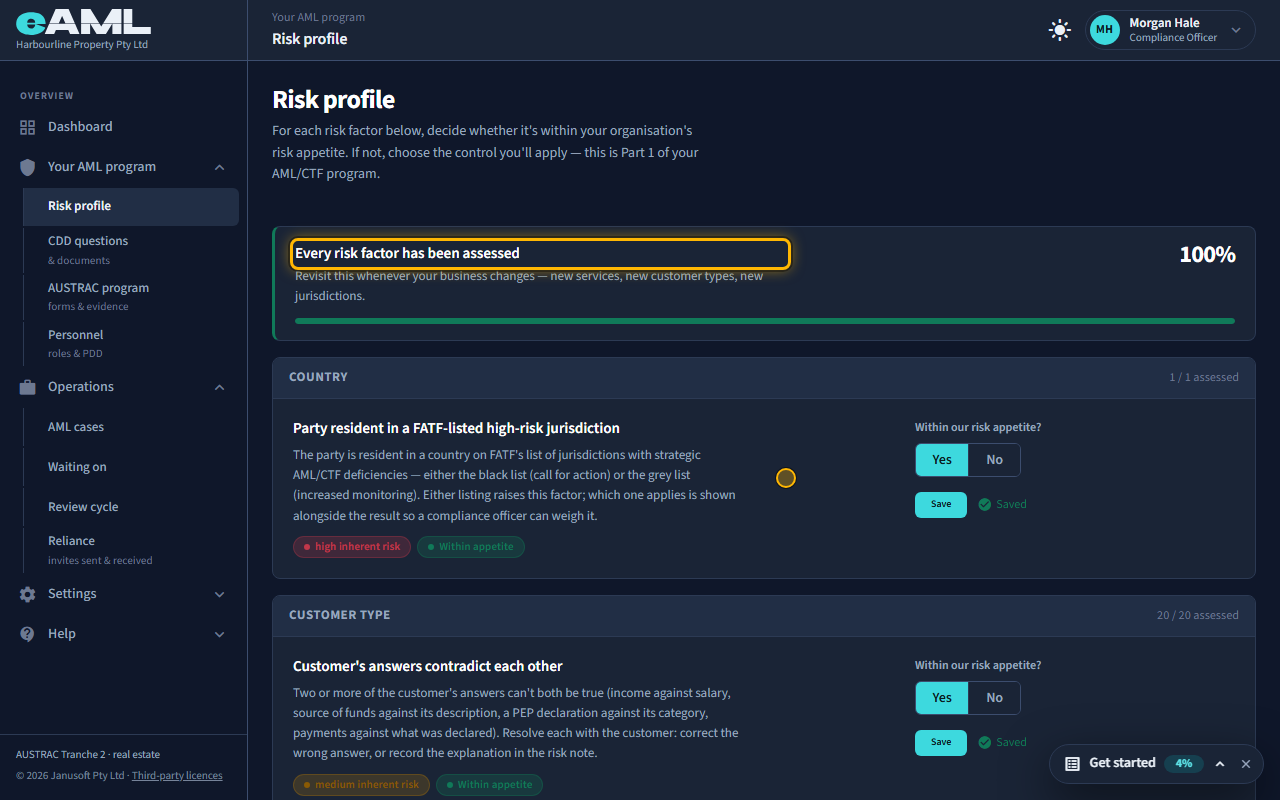
Scroll to the top of the page.
The card at the top now says every risk factor has been assessed. Come back to it whenever your business changes: new services, new customer types, new jurisdictions.
-
What it changes on your cases
Your answers are your documented risk assessment: AUSTRAC expects you to be able to show how you decided what risk you accept. They also change what a case asks for. Where you chose enhanced due diligence, or source of funds or wealth verification, for a factor, a case in which that factor applies asks for the extra evidence: for example, a trust deed from a party that is a trust. The other controls are recorded as your decision.
Every screen in this guide was captured from the live application in the same run as the video, so the two always match. If a screen here no longer matches what you see, tell us: the guide is regenerated after each release.