Guide · T23
Screening hits: sanctions, PEP and adverse media
Before you start
- The person added to a case, with their full name and date of birth (it narrows what the screening provider can match)
-
Run the three checks together
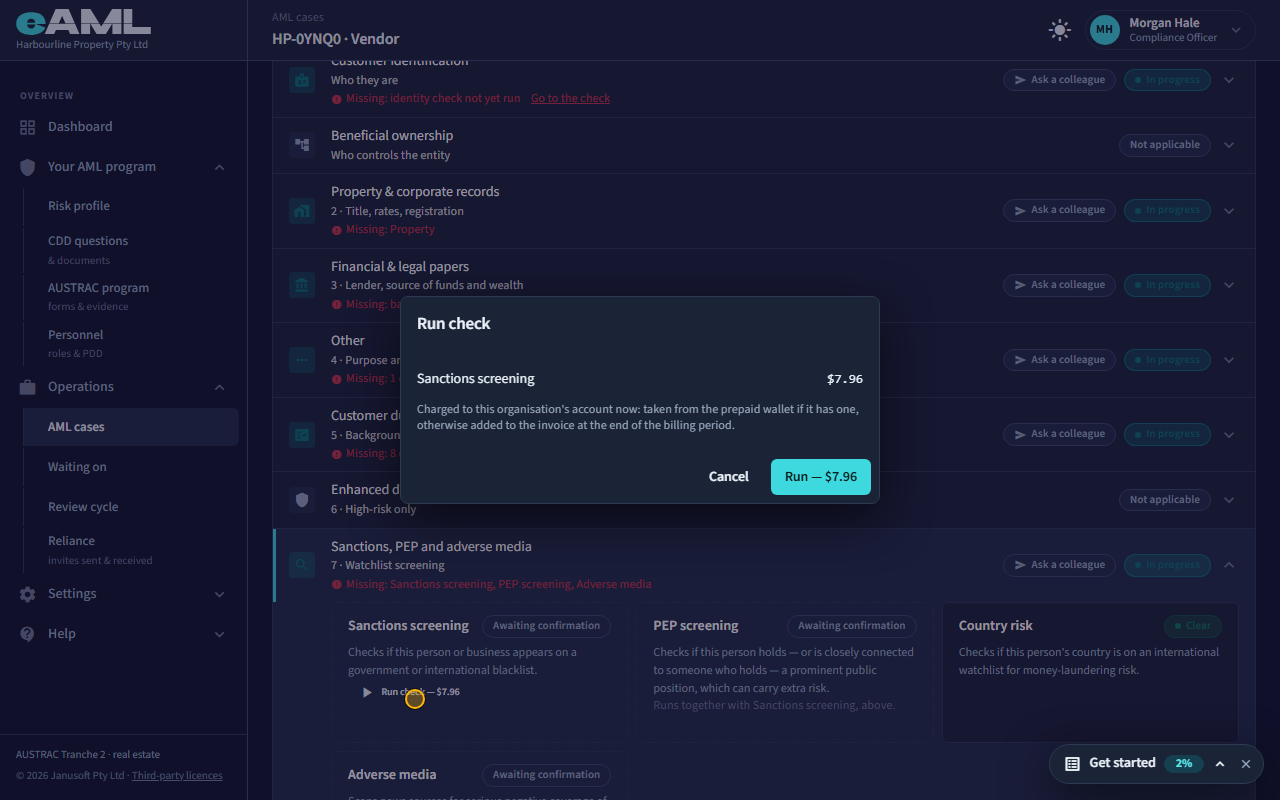
Select Sanctions, PEP and adverse media in the stage tracker, then Run check, and confirm the price.
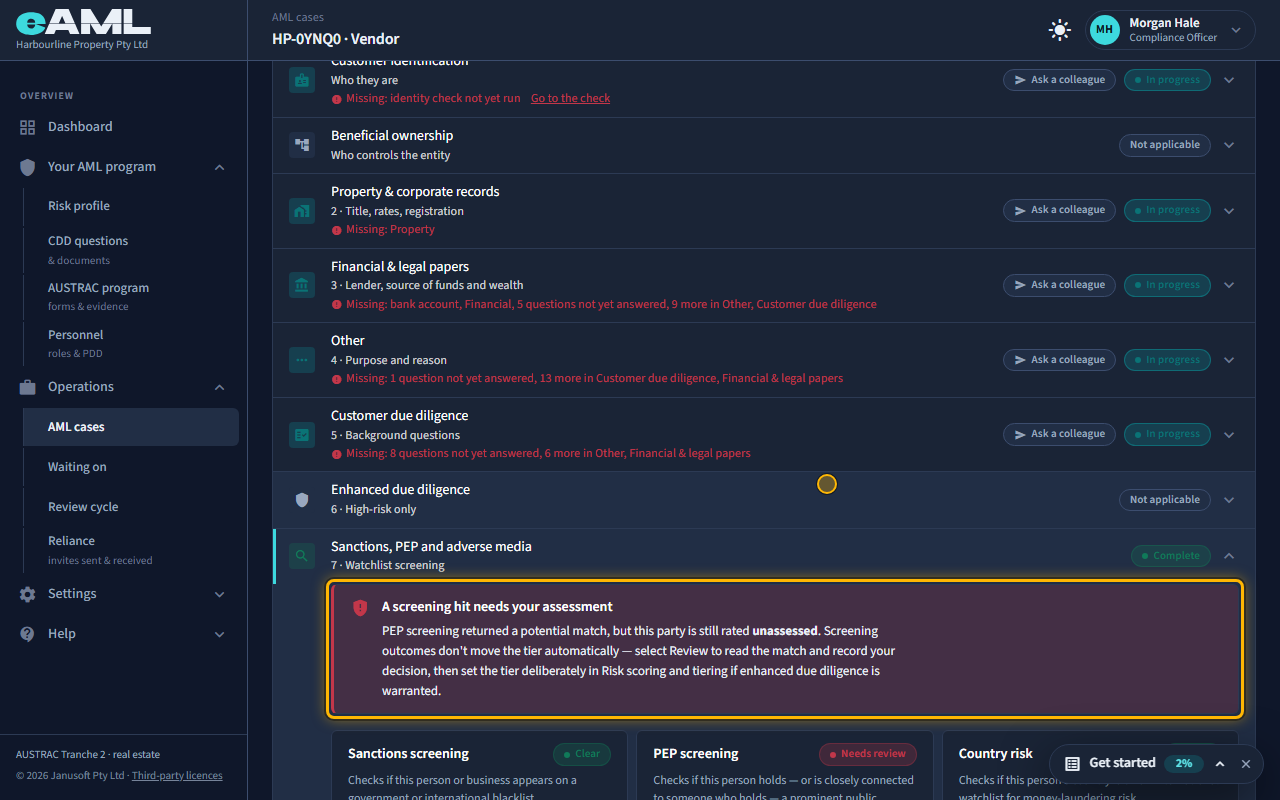
Sanctions, PEP and adverse media are screened together, in one run. Open the Sanctions, PEP and adverse media stage on the person’s card: until you run it, each check says Awaiting confirmation, and the button shows the price. One confirmation runs all three; Country risk is worked out by itself, from what you already hold. When the results land, a check that found nothing says Clear. A check that found something says Needs review, and a red banner tells you a screening hit needs your assessment. eAML never decides a hit for you, and nothing about the person’s risk rating changes by itself.
Good to know. In this recording the screening provider is a practice stand-in with made-up people, so no real person is named. Your firm’s checks go to the real provider.
-
Read what was found
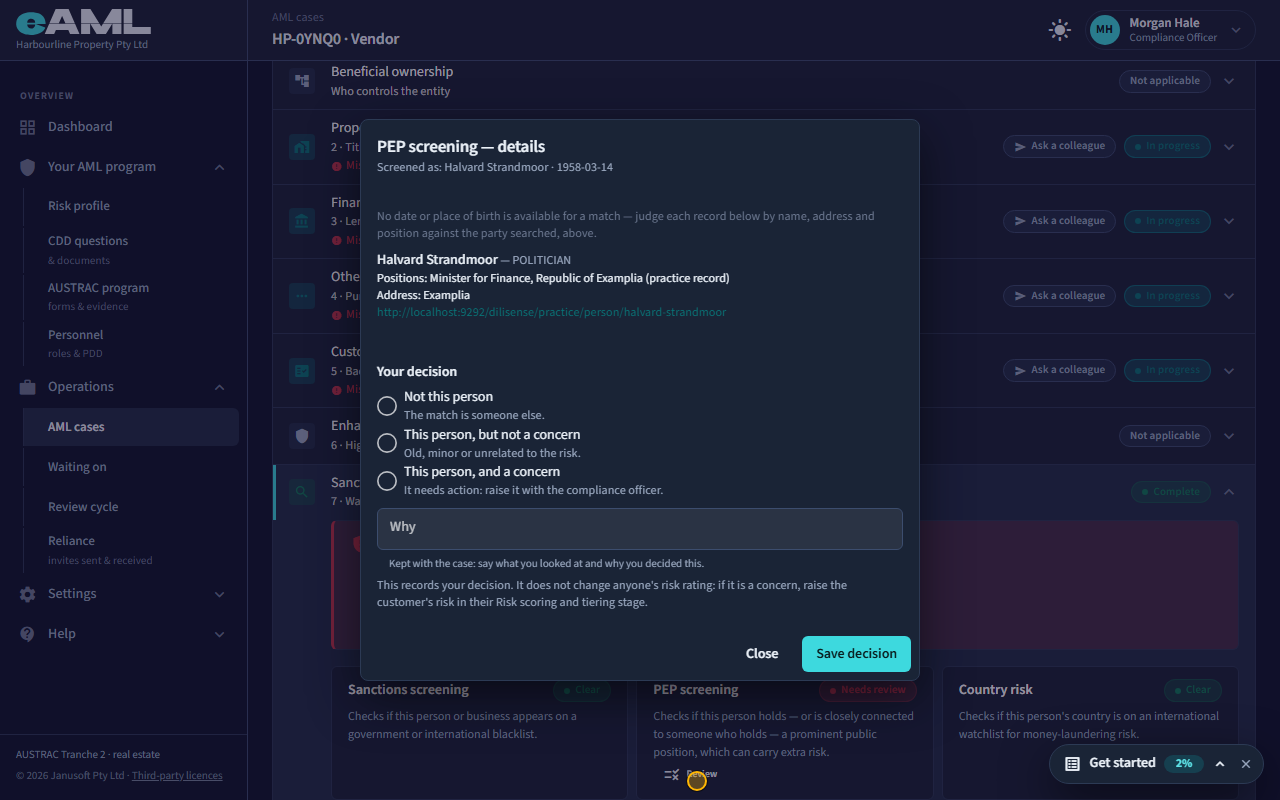
Select Review on PEP screening and read the record.
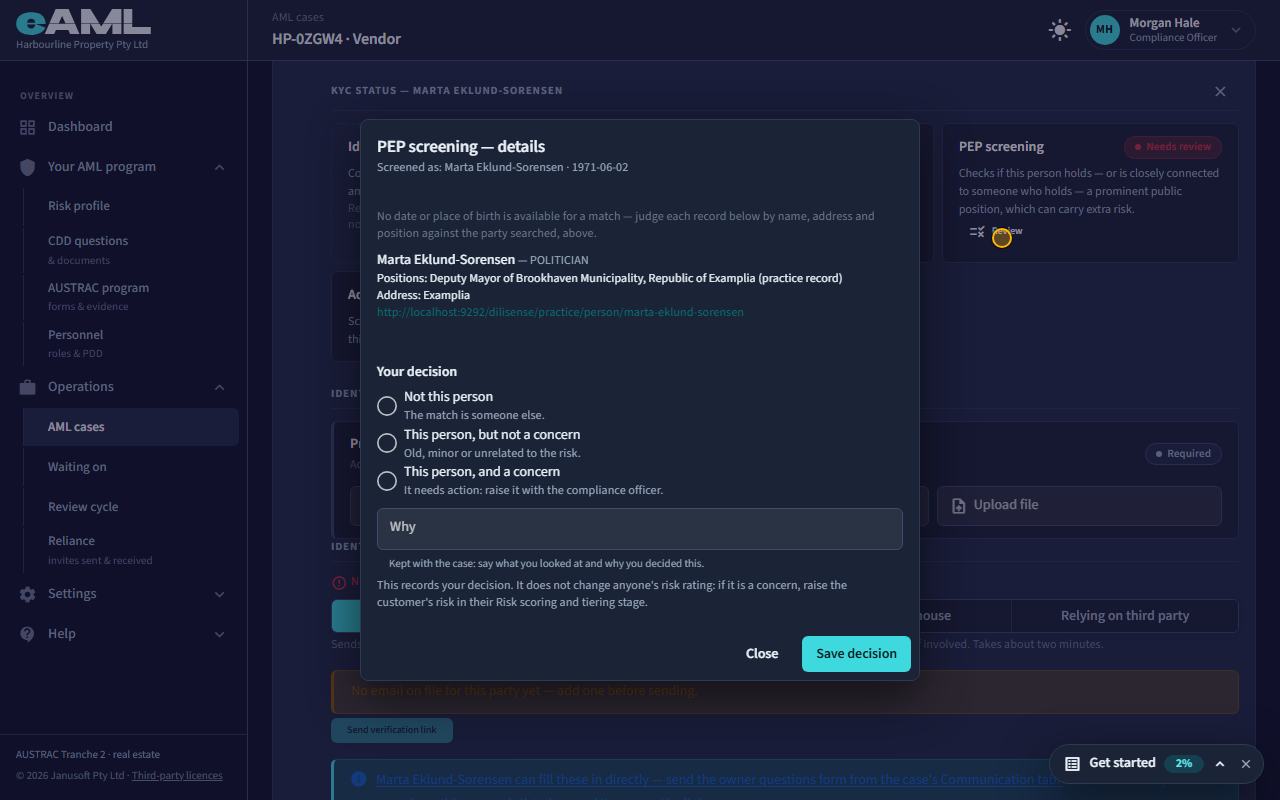
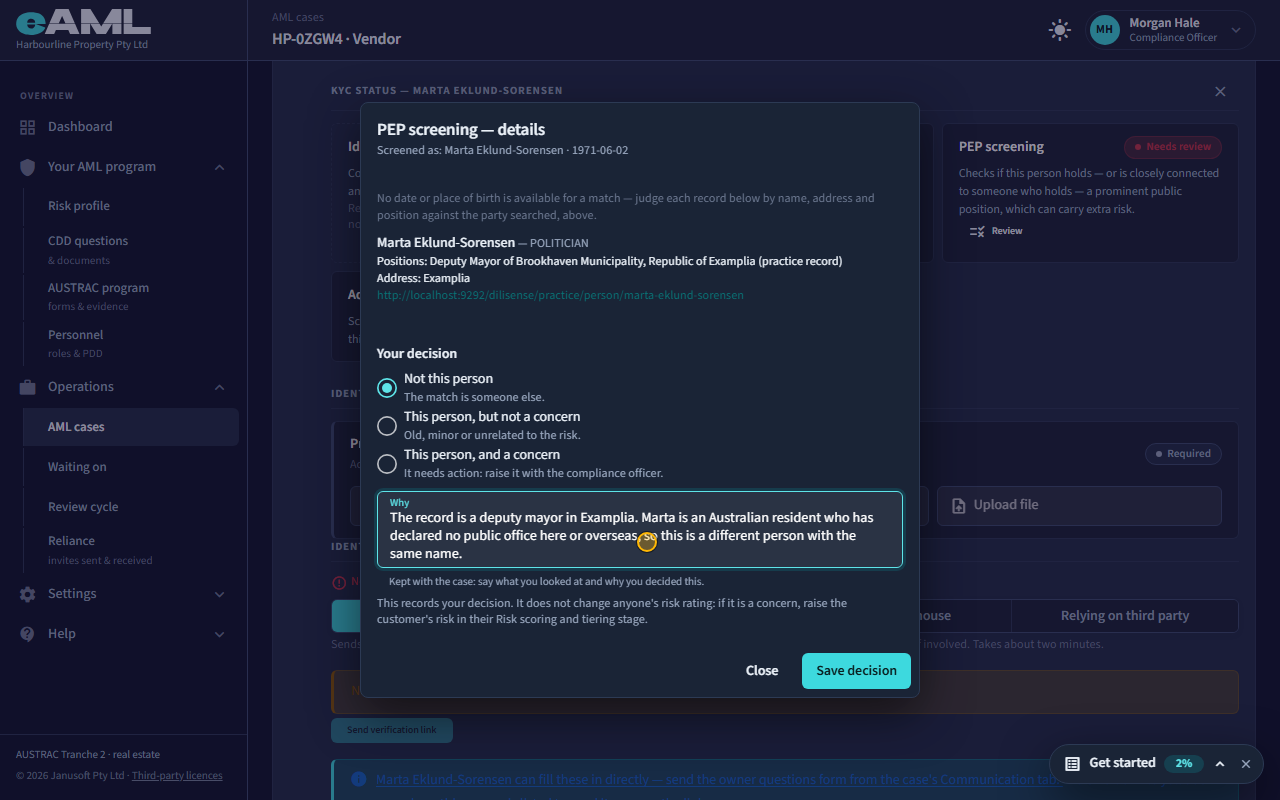
Select Review on a check that needs review. The dialog names who was screened, then lists each record found: the name on the record, the kind of record (here a politician), their positions, an address or country, and a link to the source. The provider gives no date or place of birth for a match, so you judge each record by name, address and position against the person you screened. Needs review means a possible match. Only you can say whether it is the same person.
-
Record your decision
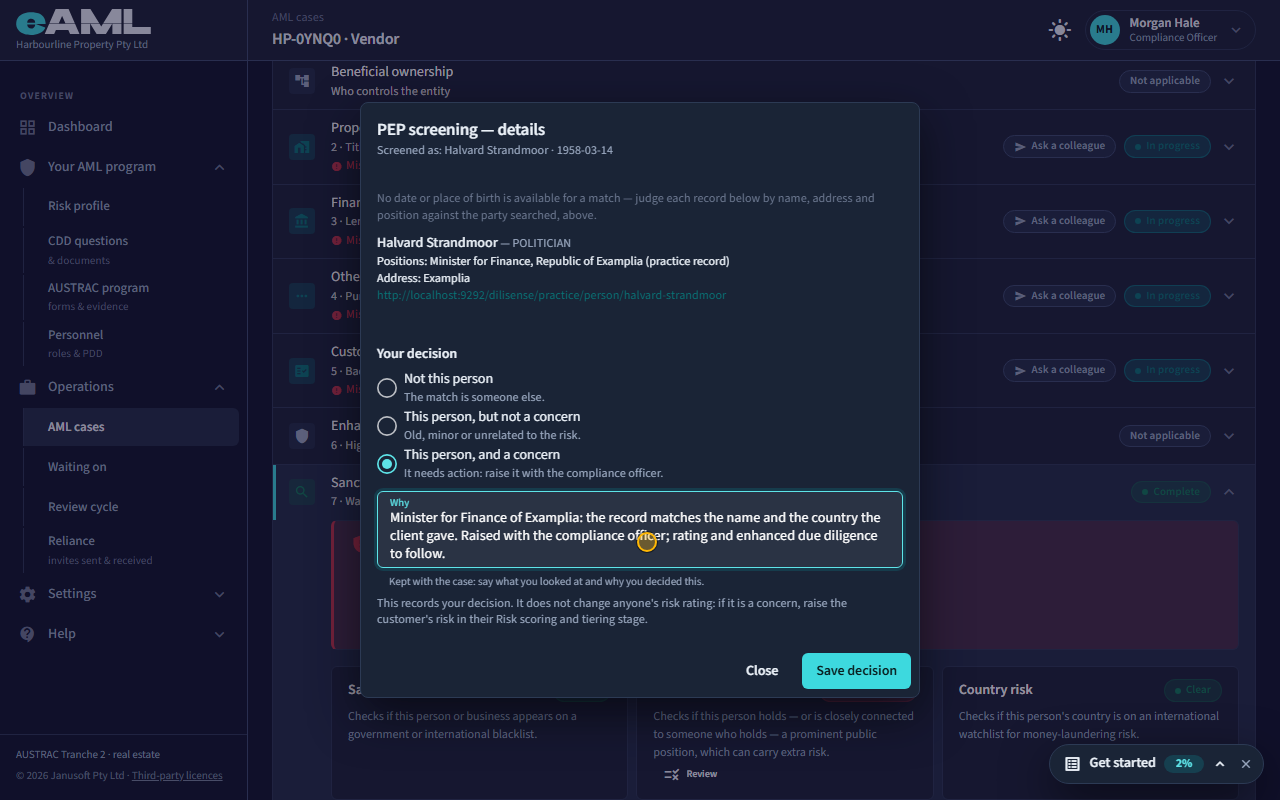
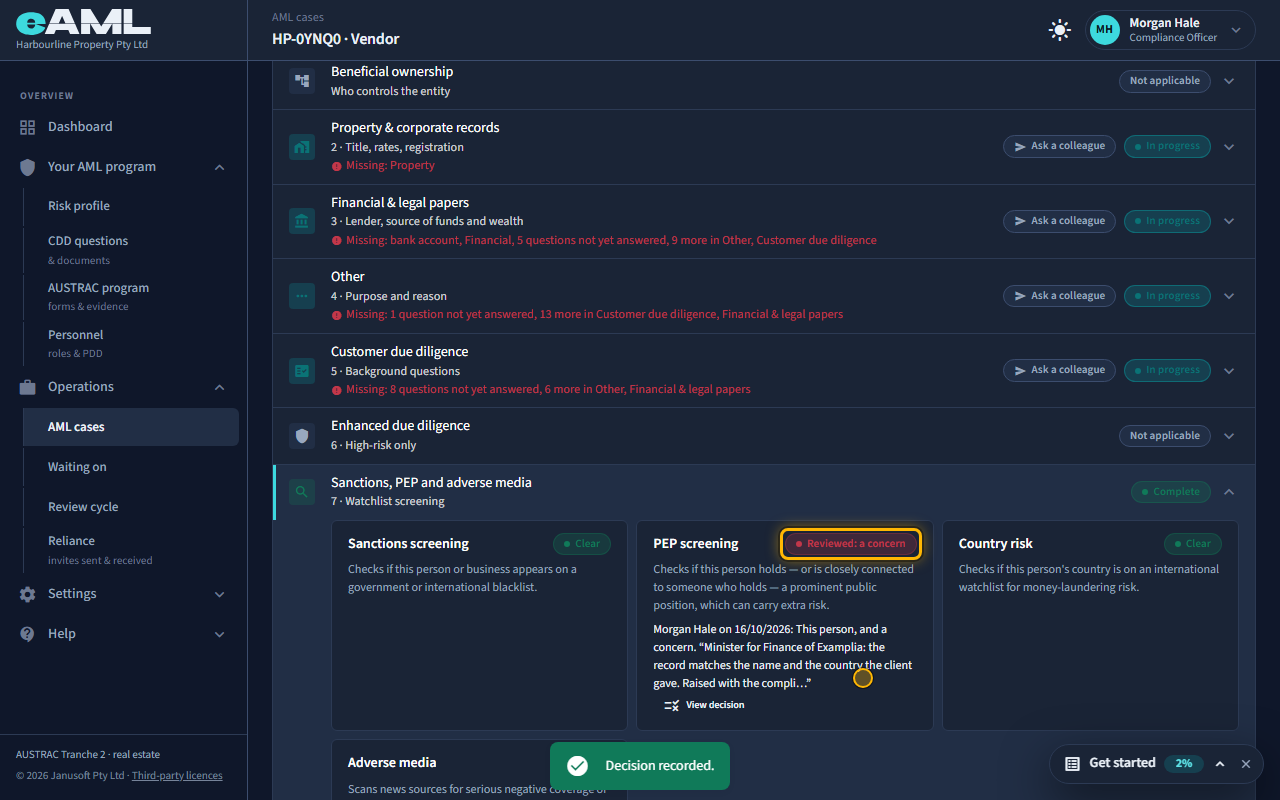
Choose This person, and a concern, write why, and select Save decision.
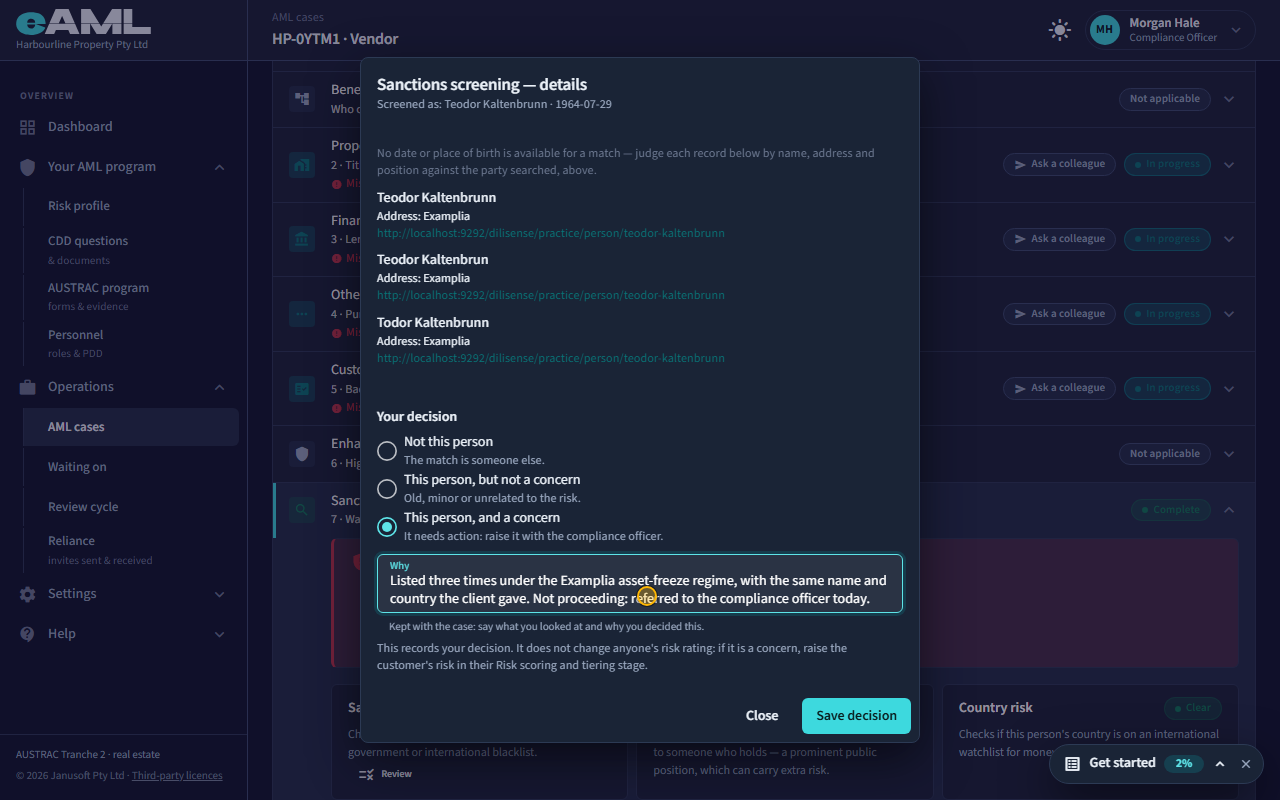
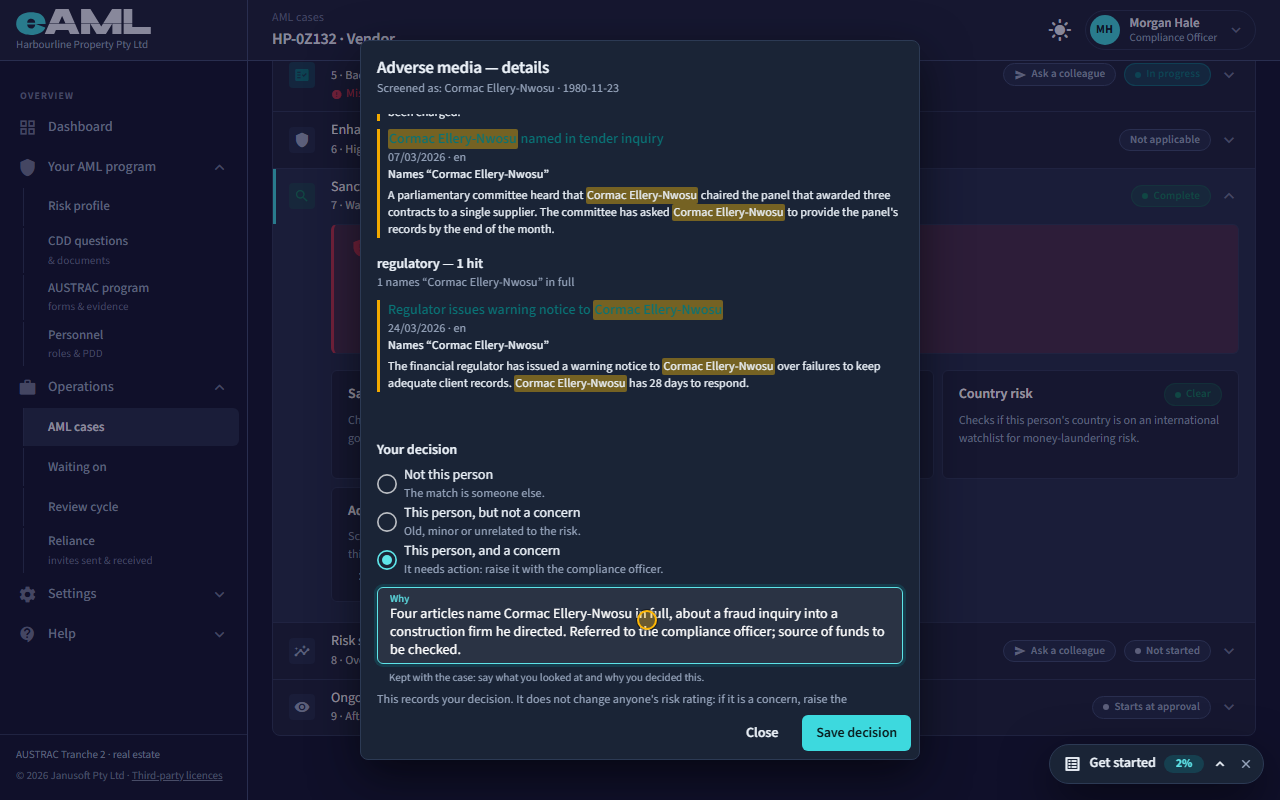
Choose what you decided, and say why. Not this person: the match is someone else. This person, but not a concern: old, minor or unrelated to the risk. This person, and a concern: it needs action, so raise it with the compliance officer. The reason is required, and is kept with the case with your name and the date, so an examiner can follow your thinking. The card then reads Reviewed, in the colour of what you decided, with a line saying who decided what.
-
A decision does not change the rating: say which kind of PEP
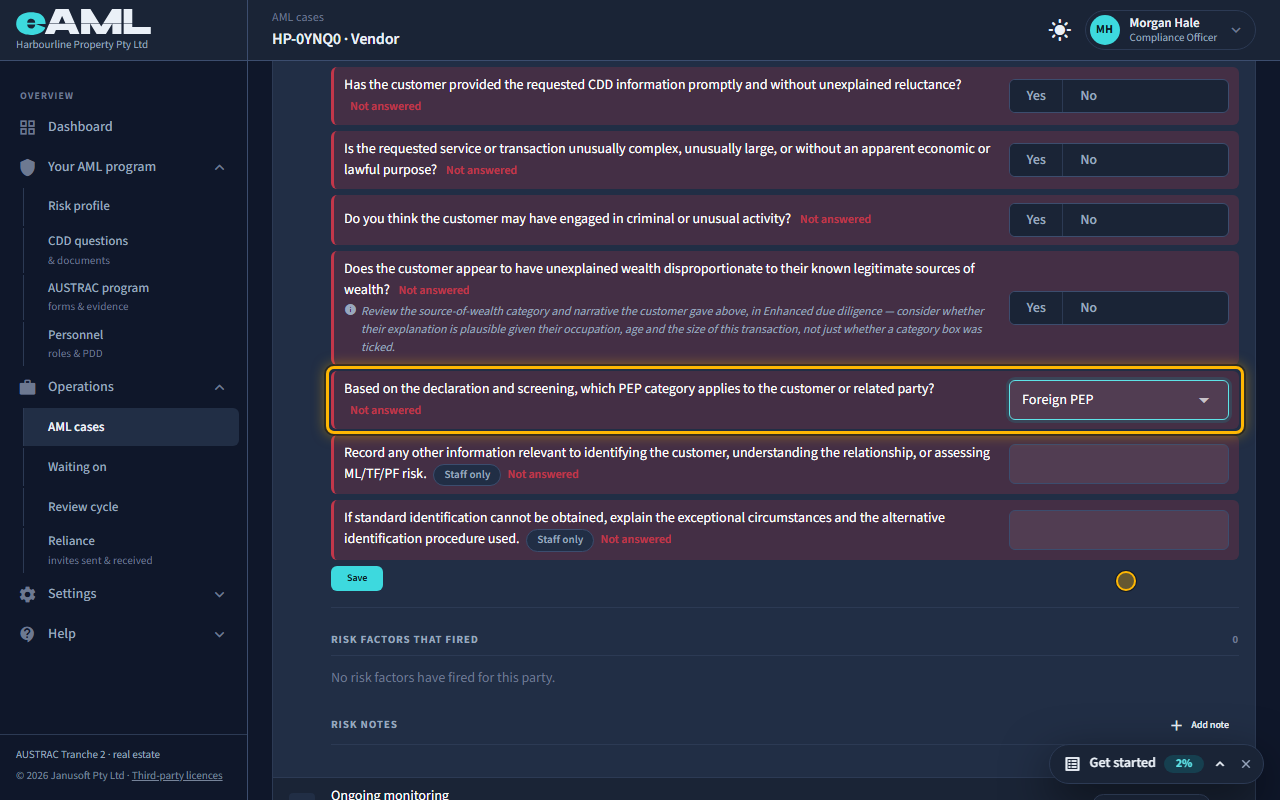
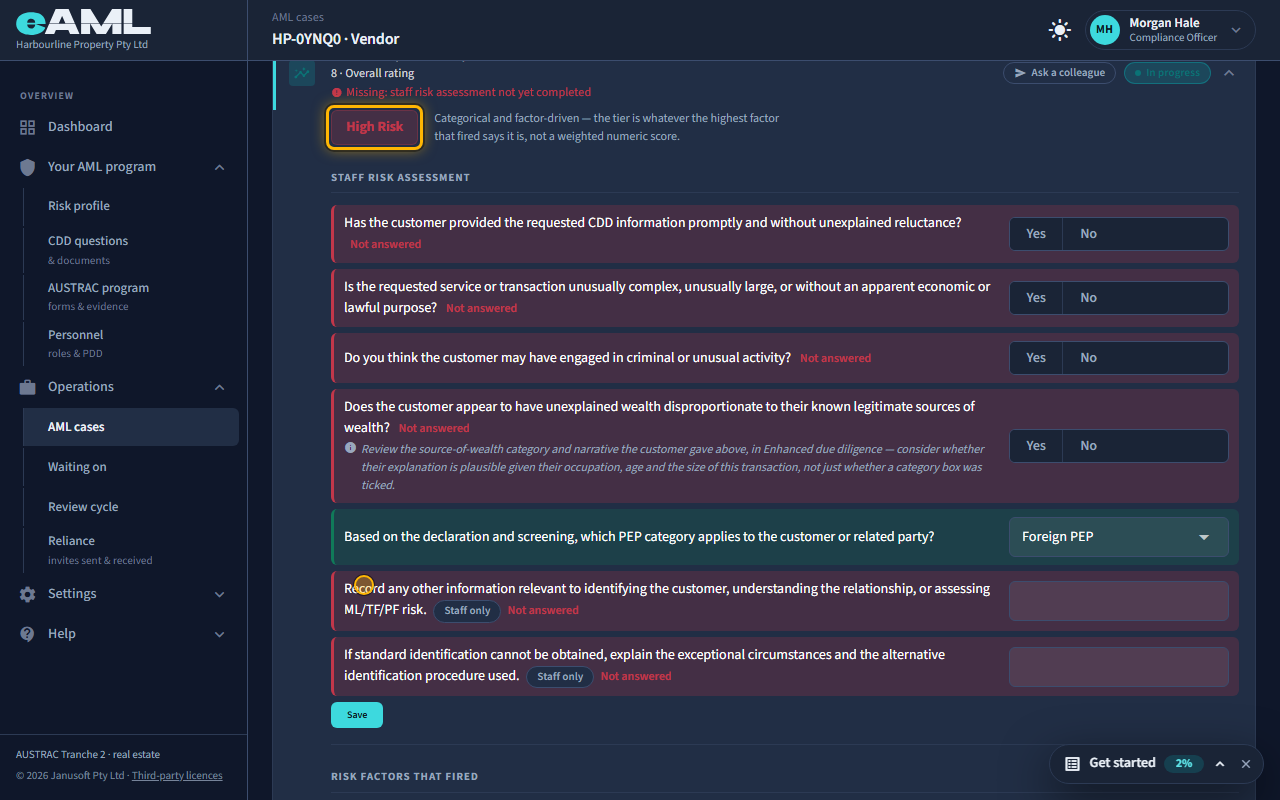
Select Risk scoring and tiering, choose the PEP category, and select Save.
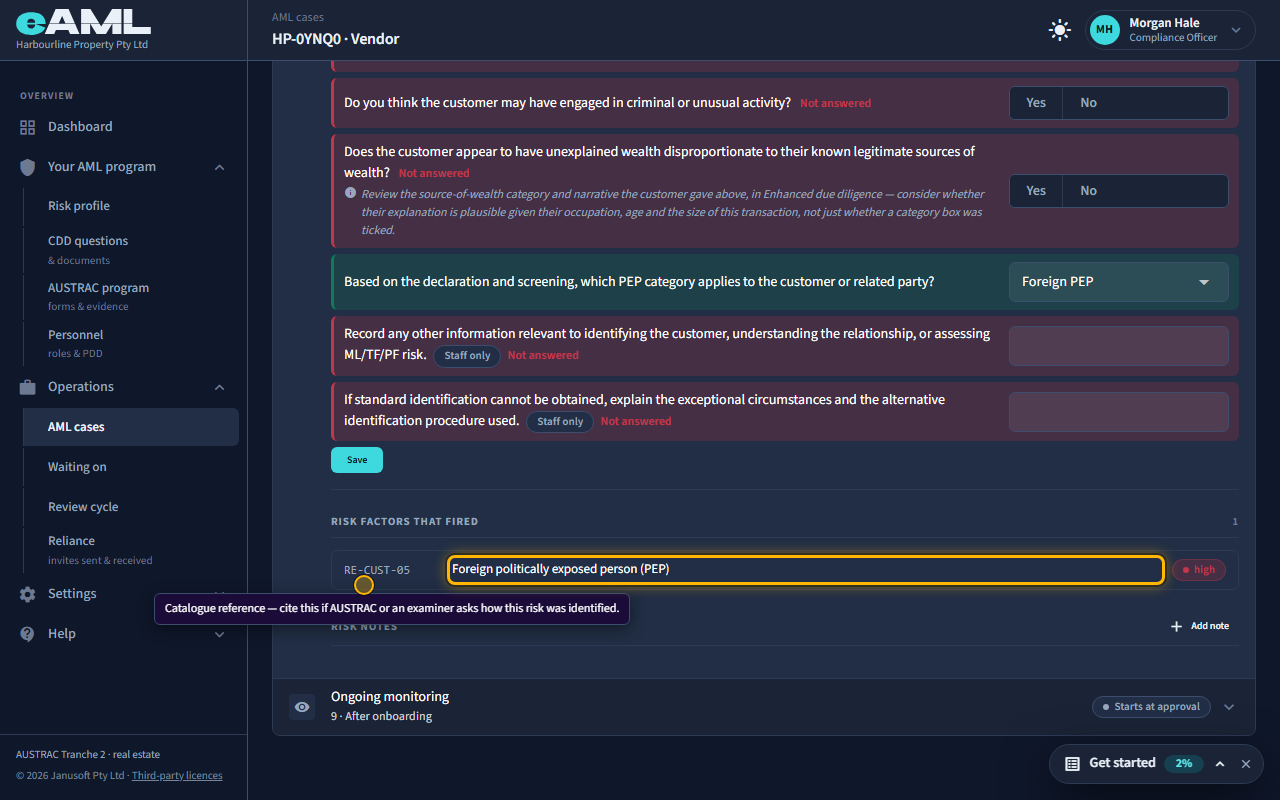
Your decision is a record. It does not move anyone’s risk rating, so a hit that matters is carried across by you. Open Risk scoring and tiering. In the Staff risk assessment, the question about the PEP category is yours to answer: a foreign PEP makes the customer high risk straight away, and a domestic PEP, or one from an international organisation, makes them medium. Choose the category and save. The rating rises, the risk factor that fired is listed, and a high-risk customer needs enhanced due diligence, including source of funds and source of wealth.
-
A sanctions hit
Open Review on Sanctions screening, read the records, and record your decision.
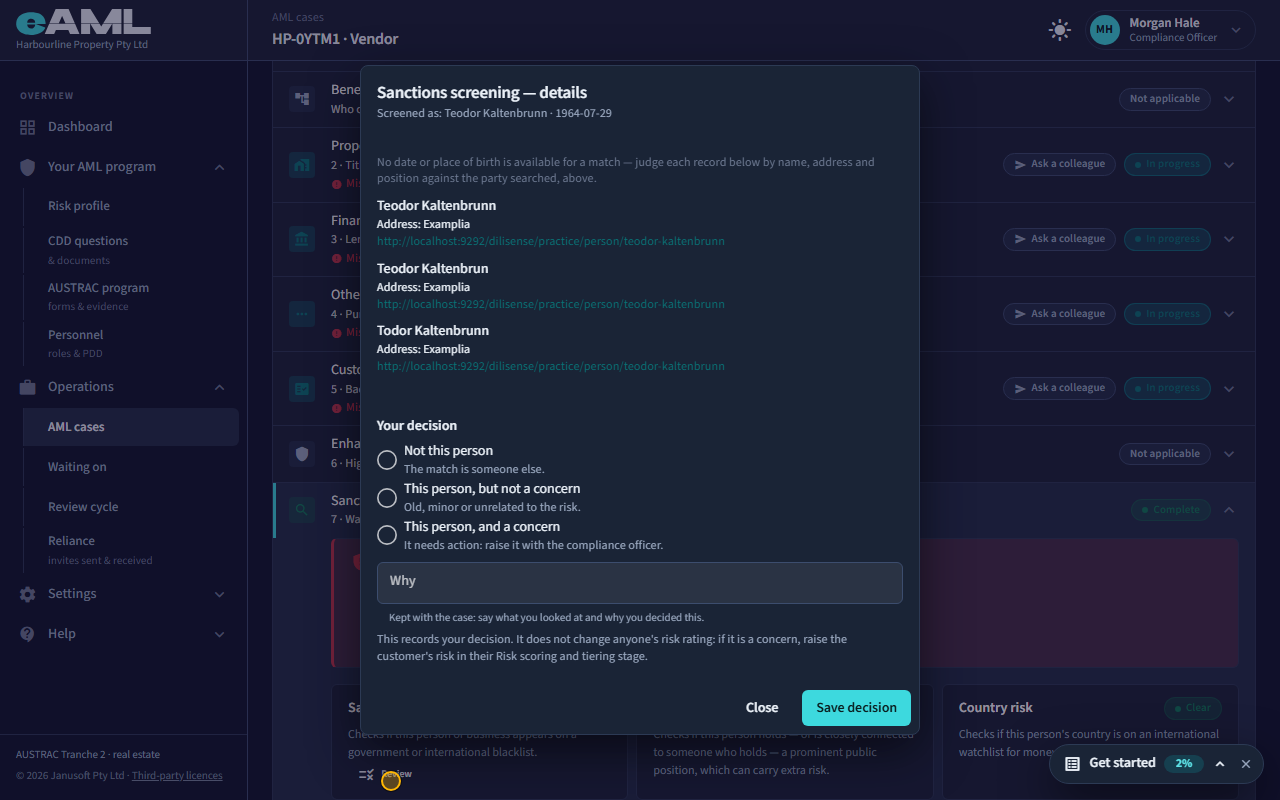
A sanctions hit reads the same way, and matters more. Sanctions lists often repeat one person under each spelling, so expect several records for one name: here the same man is listed three times. If it is the person, record This person, and a concern, and tell your compliance officer straight away. The compliance officer decides what happens to the matter, and whether a suspicious matter report is needed.
-
Adverse media: read the stories, not the count
Open Review on Adverse media, read the articles that name the person, and record your decision.
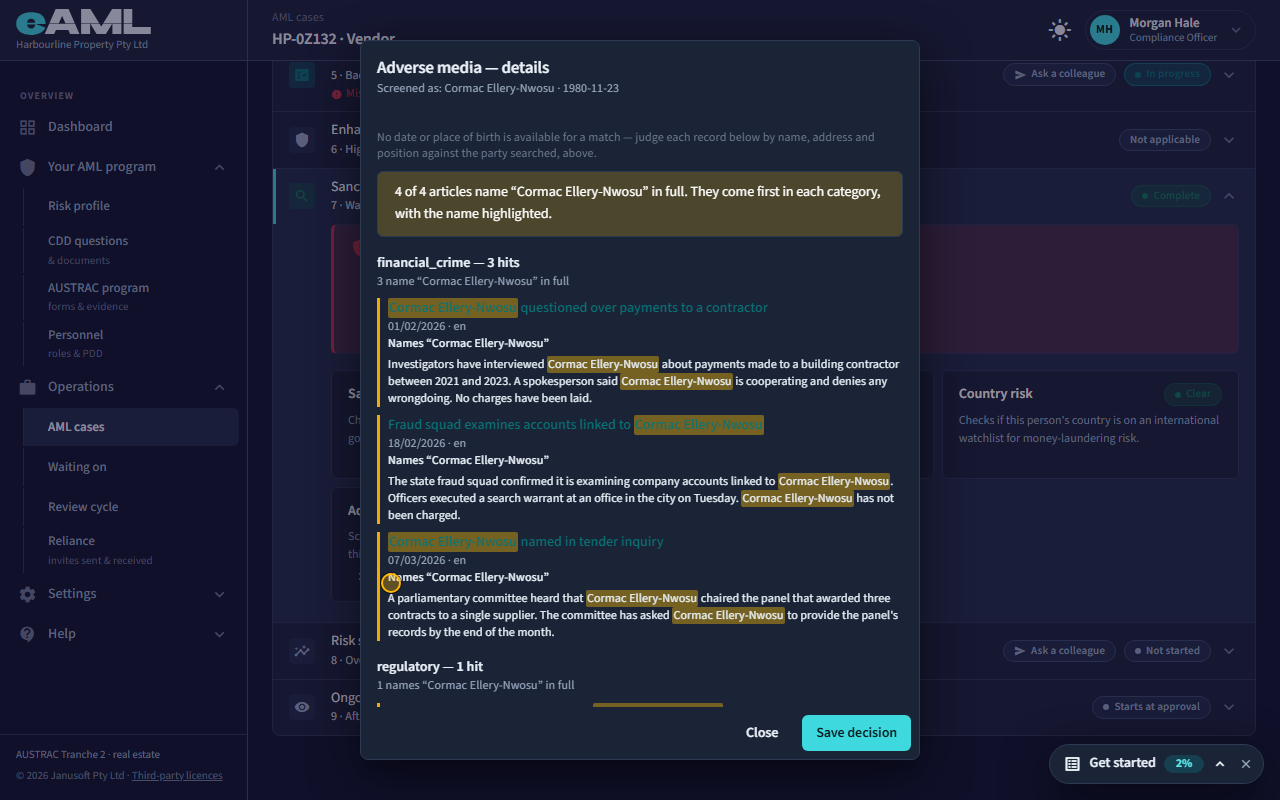
Adverse media is a search of the news, and it matches loosely. The dialog leads with the articles that name the person in full, their name highlighted, and tucks the rest under a toggle. The banner at the top counts them: here every article names the person in full, about a fraud inquiry. Read what the stories say, then record your decision.
-
A common name: a sample, not a clearance
Open Review on Adverse media, read the banner, open the other articles if you want to check them, and record your decision.
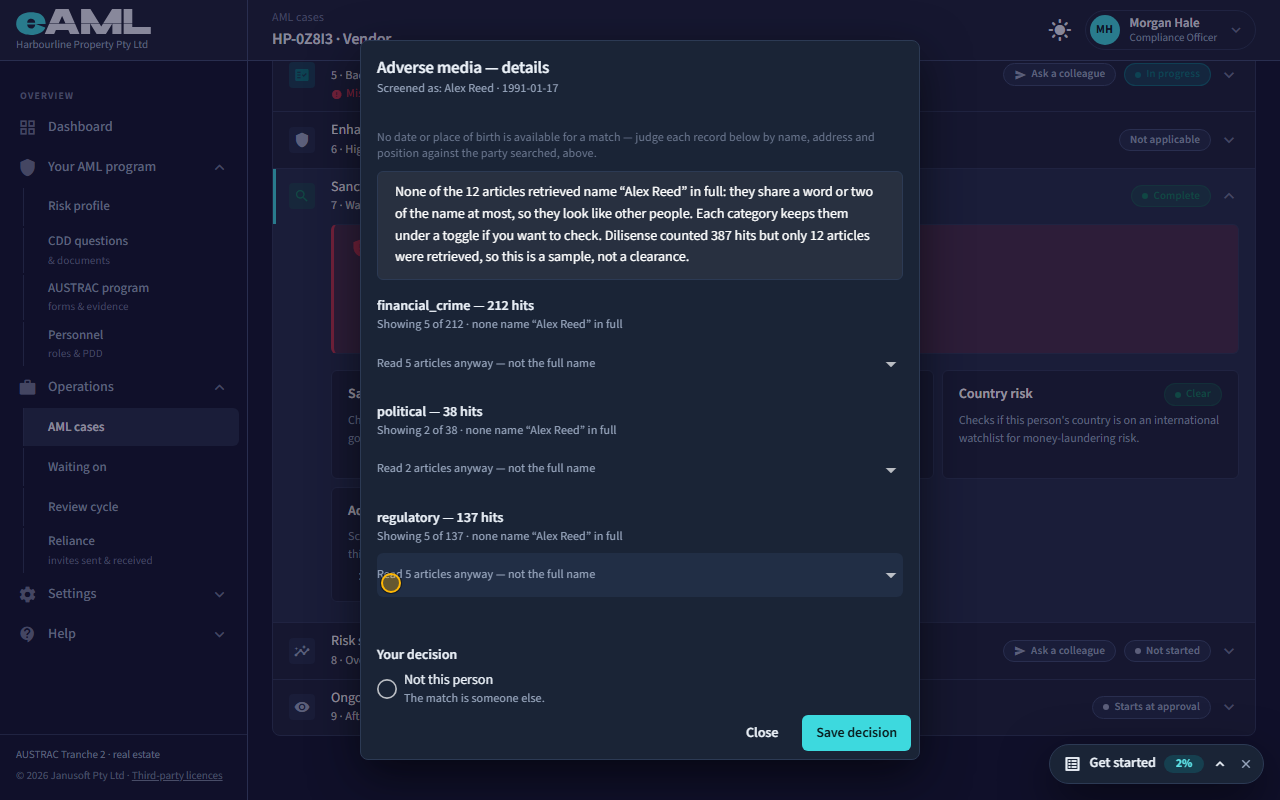
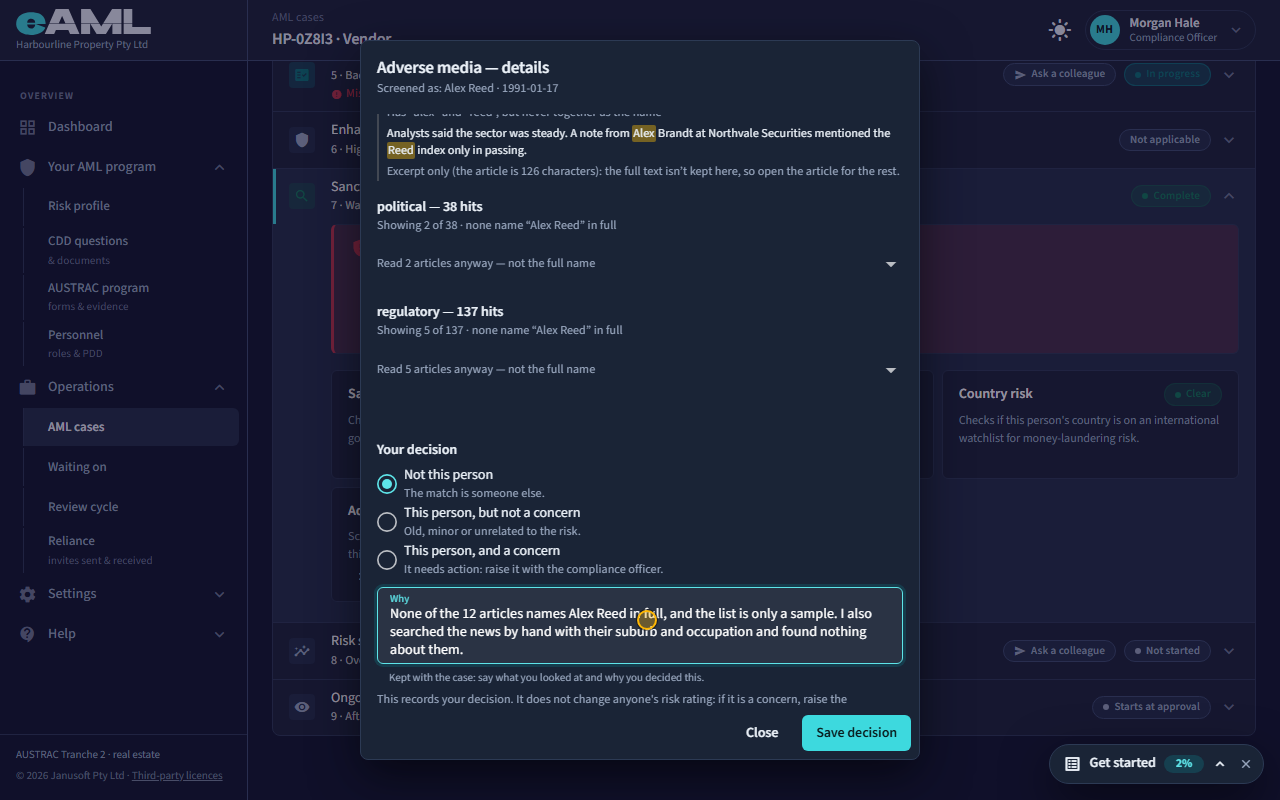
A common name pulls in hundreds of hits about other people. Here the provider counted 387 hits, but only a handful of articles come back, and none names the person in full. The banner says so: this is a sample, not a clearance, and it does not prove there is nothing about this person. Do something about that before you decide, such as searching the news yourself with the person’s suburb and occupation, and say what you did in the reason.
-
An owner’s or officer’s hit
Select KYC beside the owner, select Review on PEP screening, record your decision, then answer the PEP question.
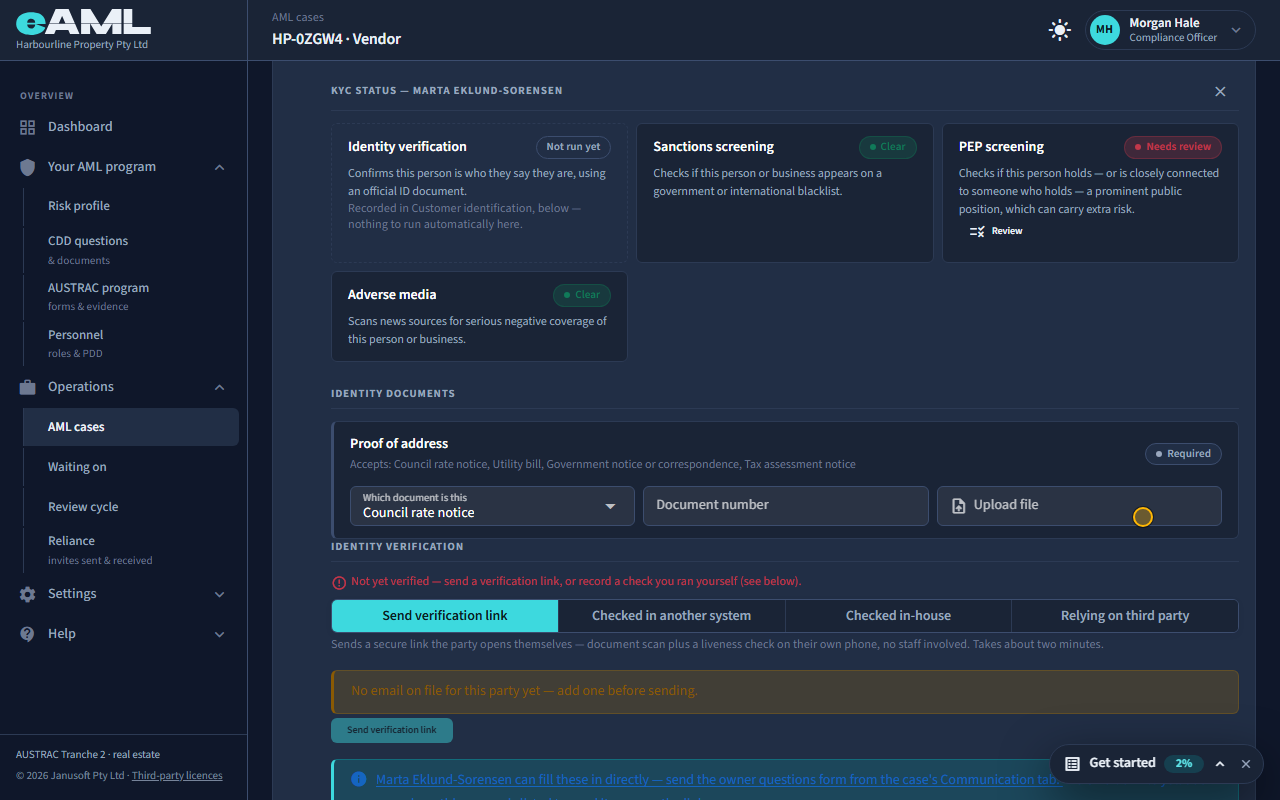
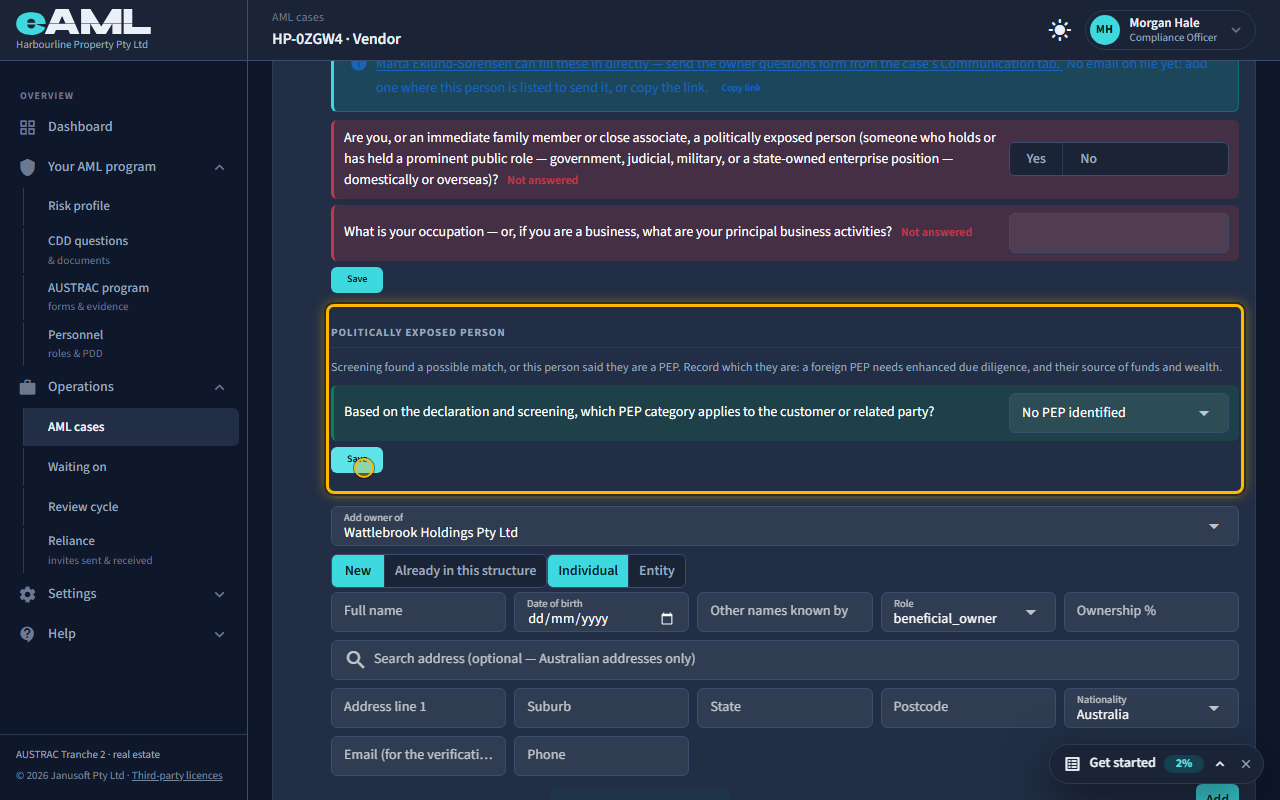
Owners and officers are screened the same way, from their own panel. On the company’s Beneficial ownership stage, select KYC beside the owner: their sanctions, PEP and adverse media checks work exactly like the customer’s, and so does Review. Here a 40% shareholder shares her name with an overseas deputy mayor, so her PEP check needs review. Because screening found a possible PEP, a Politically exposed person question appears: record which kind she is, or No PEP identified. An owner’s category is handled as the customer’s is: a foreign PEP among the owners needs enhanced due diligence.
Every screen in this guide was captured from the live application in the same run as the video, so the two always match. If a screen here no longer matches what you see, tell us: the guide is regenerated after each release.