Guide · T27
How a risk rating is decided
Before you start
- A case with a customer added
-
Where a rating comes from
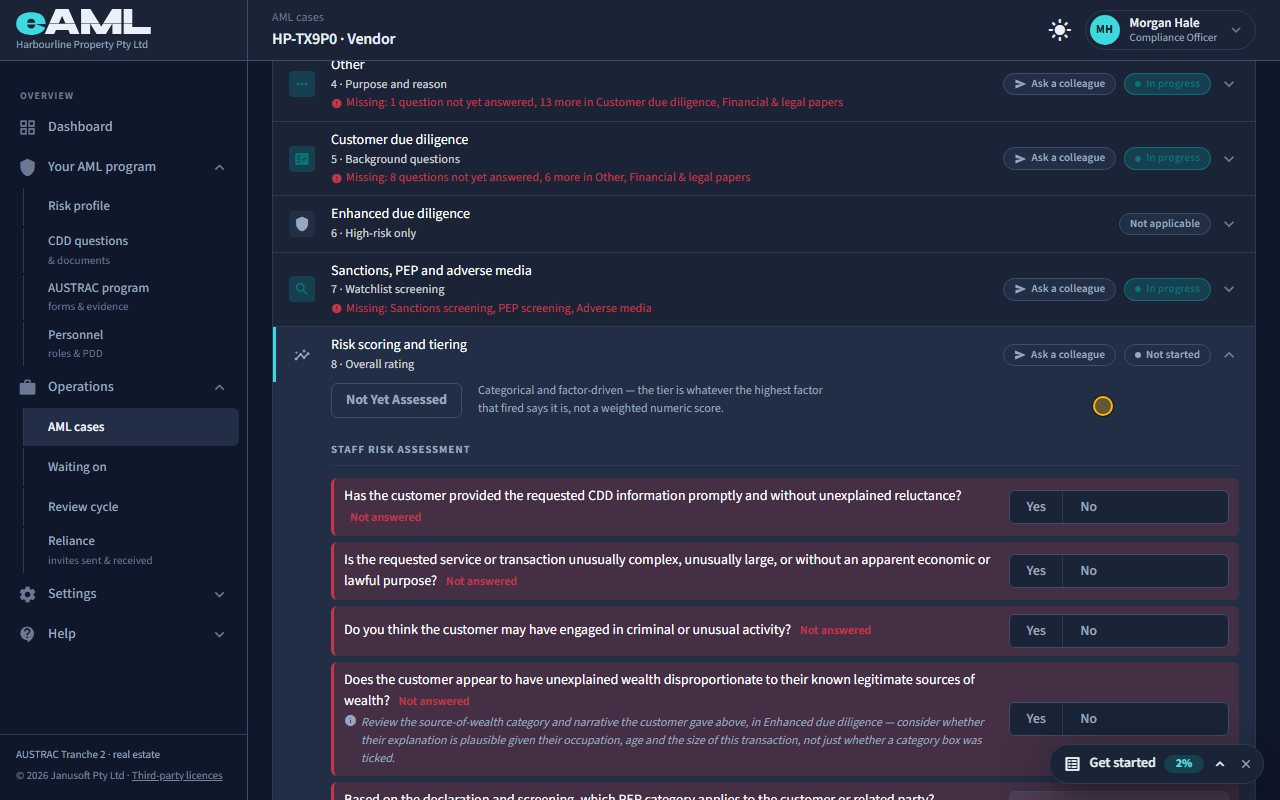
Open the person’s Risk scoring and tiering stage and read the badge and Risk factors that fired.
A customer’s rating is low, medium or high, and it is whatever the highest risk factor that has fired says it is: a category, not a weighted score. The factors come from rules that read what is on the case: a question answered, a check result, a document, the shape of an ownership structure. Open Risk scoring and tiering on the person’s card. The badge shows the rating (here Not yet assessed, because nothing has fired), and Risk factors that fired lists each factor with its catalogue code and rating. The code is what an examiner can look up to see how a risk was identified.
-
A client’s answer counts as it arrives Your client
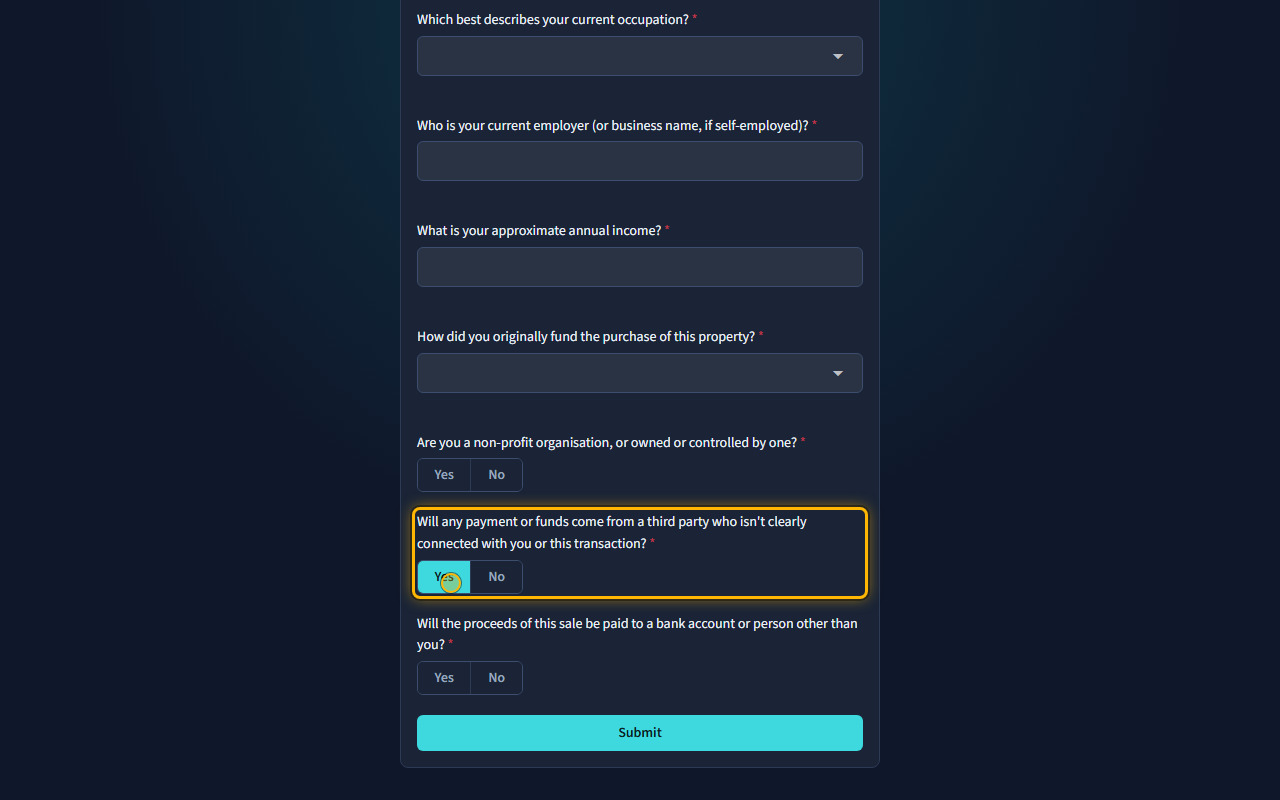
The client opens the link and answers. Then reopen the person’s Risk scoring and tiering stage.
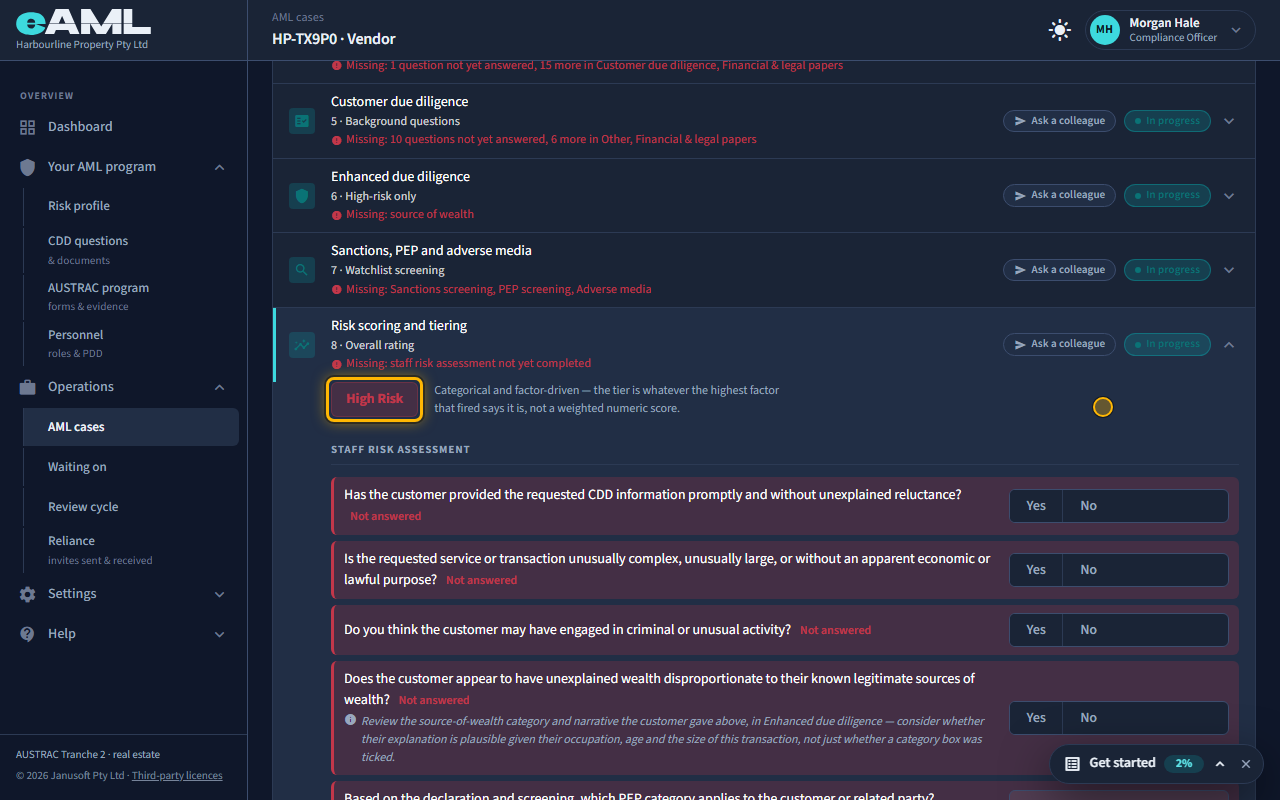
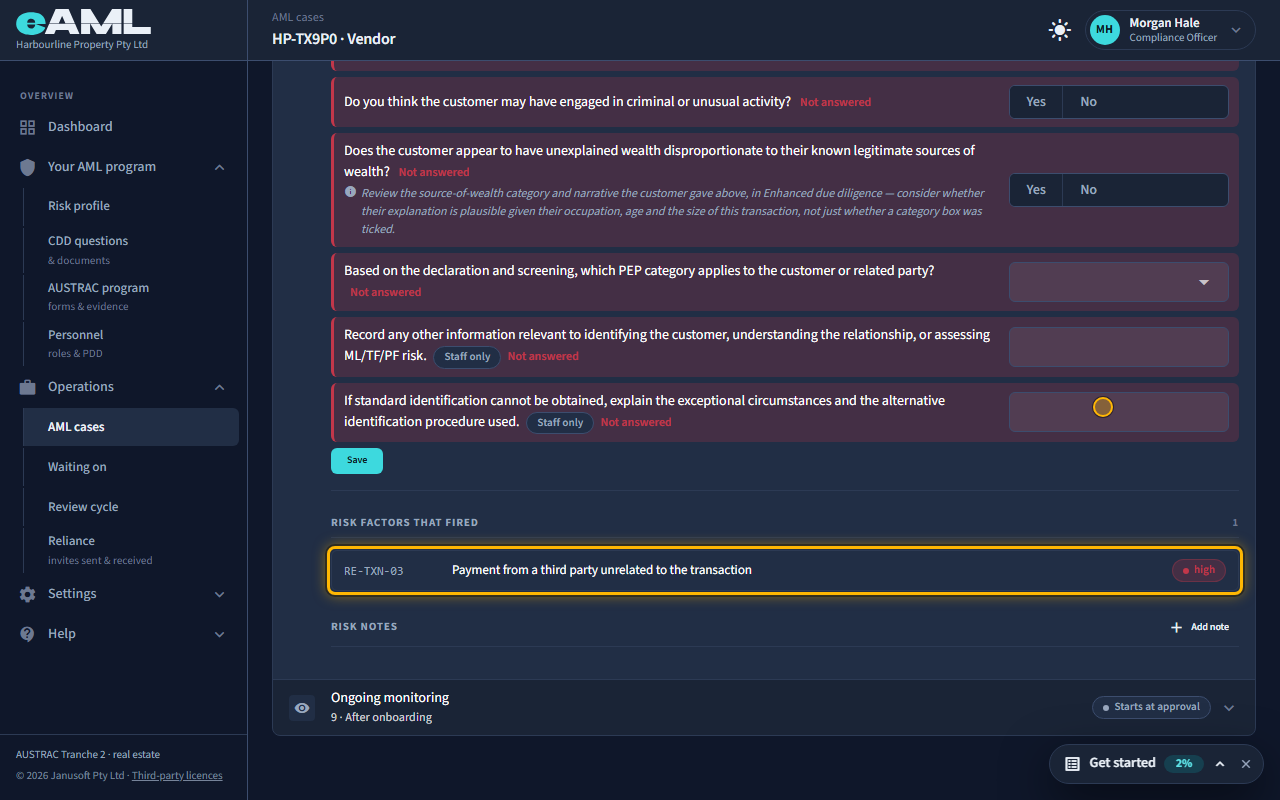
The client answers the form from the link (T21). Their answers are read by the rules as soon as they arrive, so a risky answer raises the rating at once, before anyone on your team has looked at it. Here the client says some of the money will come from a third party who is not clearly connected with them or the sale. Back on the case, Risk scoring and tiering now lists Payment from a third party unrelated to the transaction, rated high, and the customer is High risk.
-
Copy and Save: make the answer your own
Open Customer due diligence, select Copy beside the client’s answer, check it, and select Save.
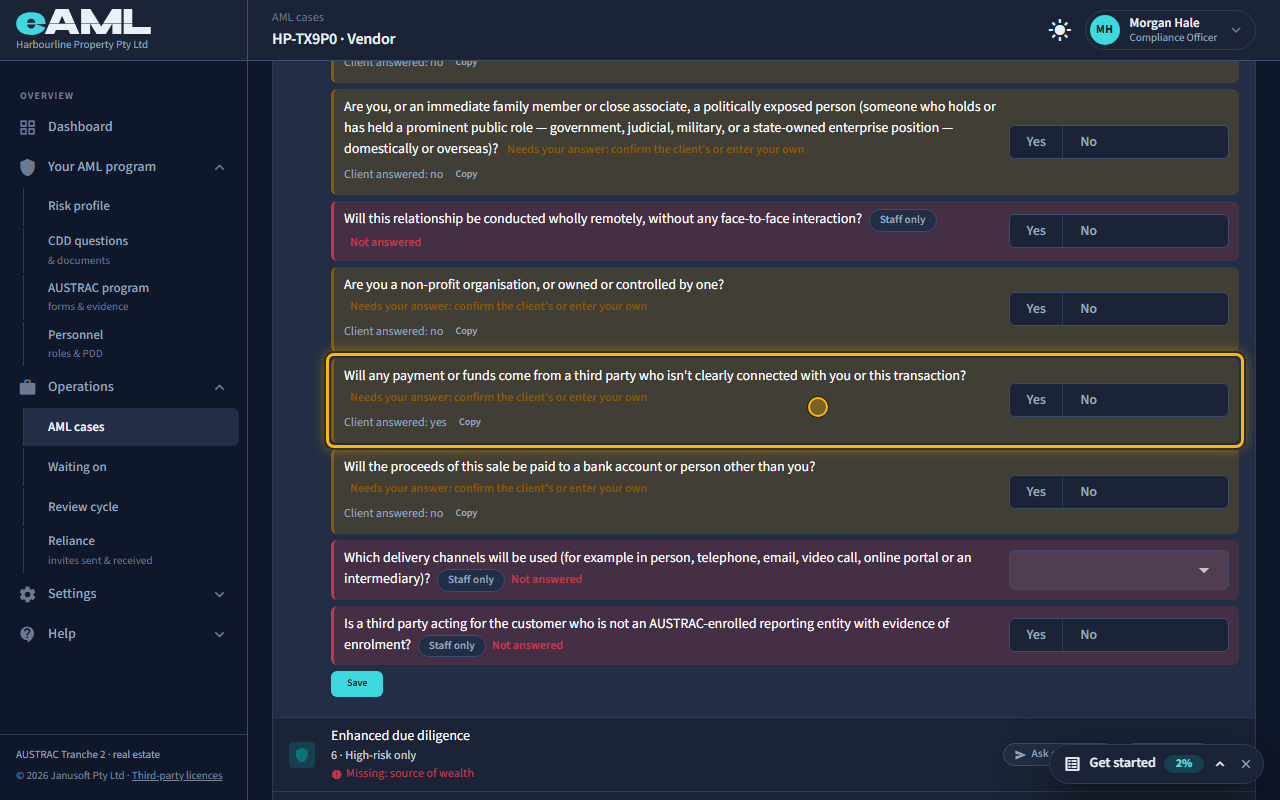
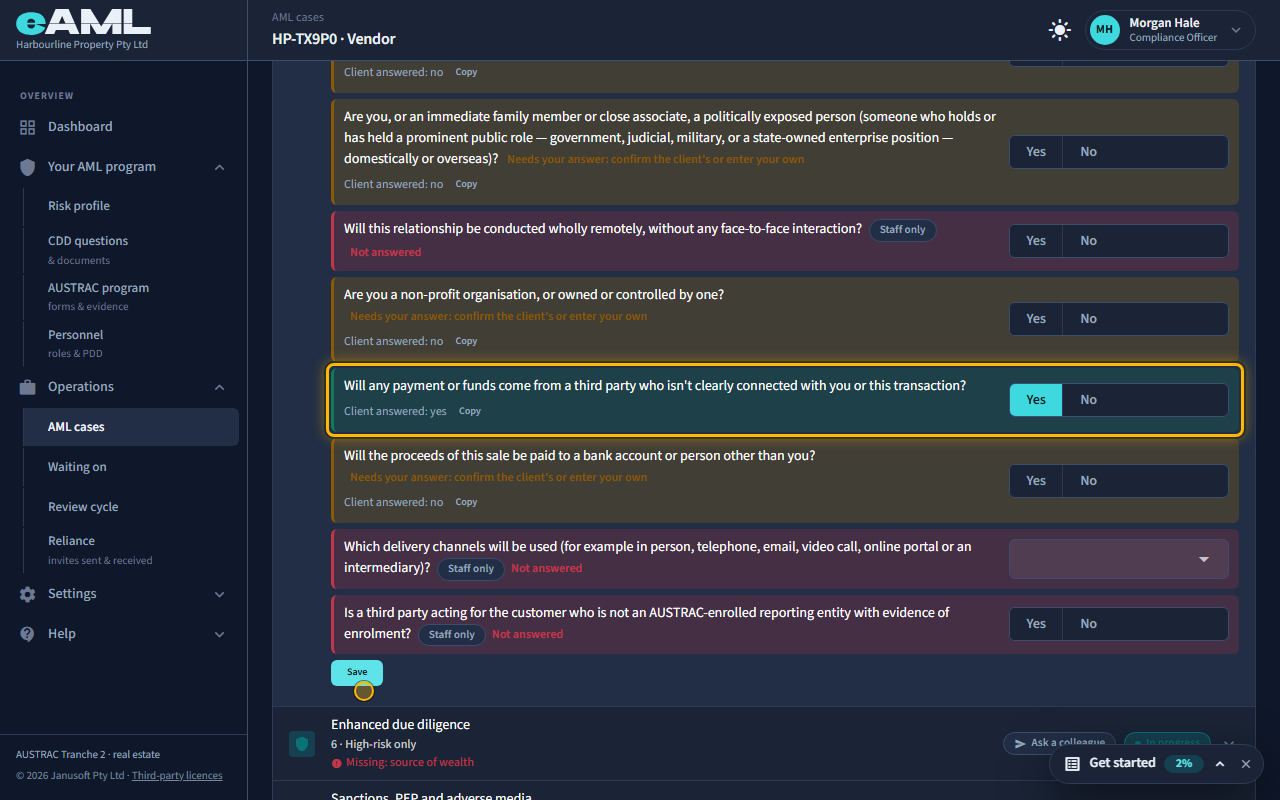
The rating moved, but the answer is still the client’s, not your record. Under Customer due diligence the question shows Client answered, with their answer and a Copy button, and says it needs your answer: confirm the client’s or enter your own. Select Copy: it fills your own answer with theirs, and you can change it before you save. Select Save and it becomes your firm’s answer, the question turns green, and the step can finish. Until a member of staff has done this the step stays in progress, so nothing a client types can complete your due diligence on its own.
-
Why a rating never comes down by itself
Change the answer to No, select Save, and read the rating and the list again.
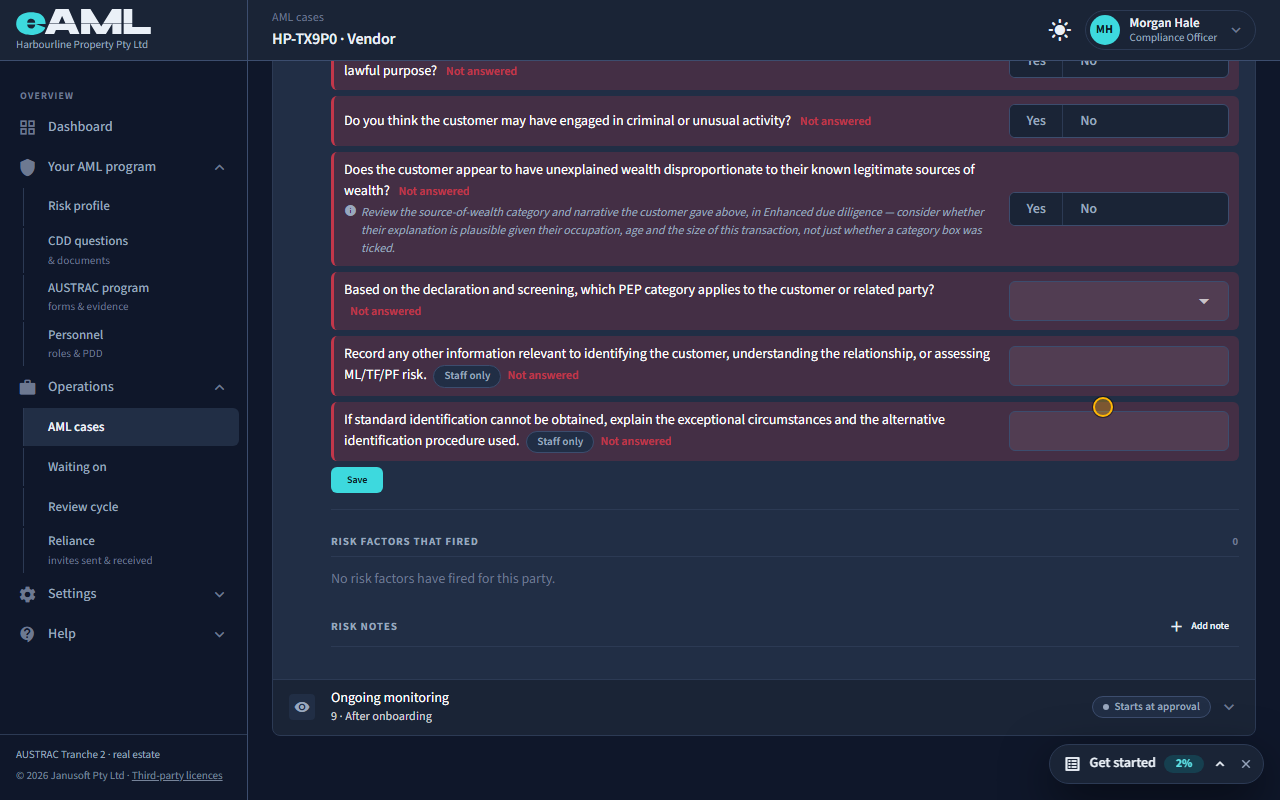
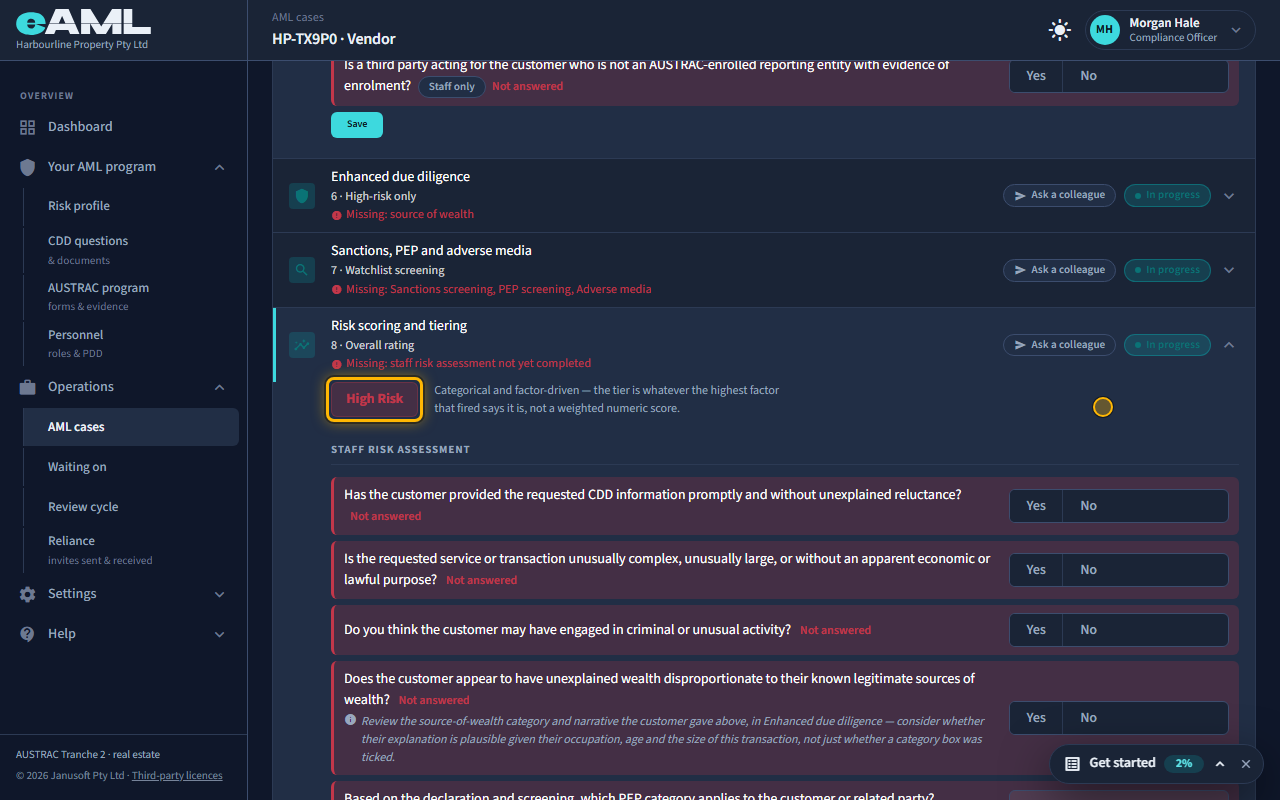
Suppose the answer was a mistake and you correct it to No. The factor is taken back and leaves the list, but the rating stays high. A rating only ever rises by itself: eAML will not lower a customer’s risk on its own, because lowering it is a judgement for a person to make and record. The one place it comes down is the case’s Risk & approval tab, where completing risk tiering confirms or overrides the automated rating with your reasoning (T29).
-
Record what you decided: a risk note
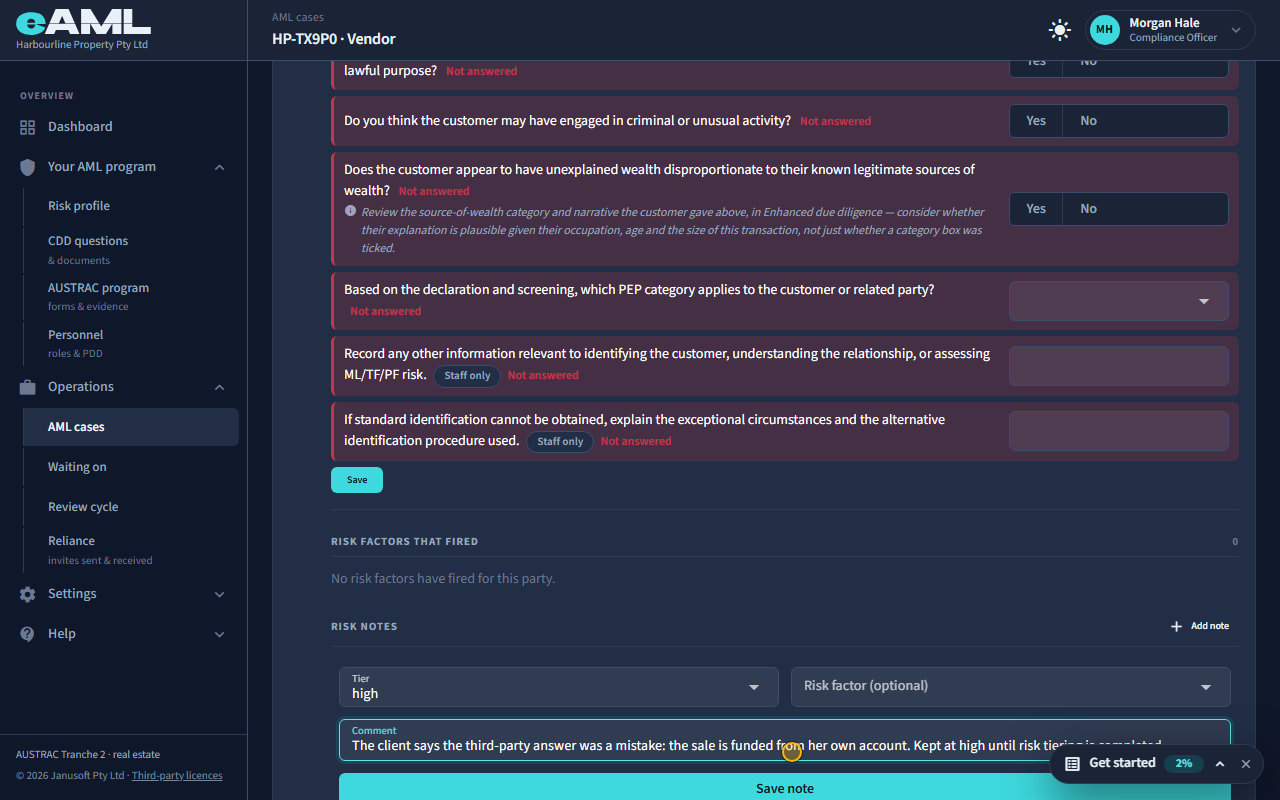
Under Risk notes, select Add note, choose a rating, write a comment, and select Save note.
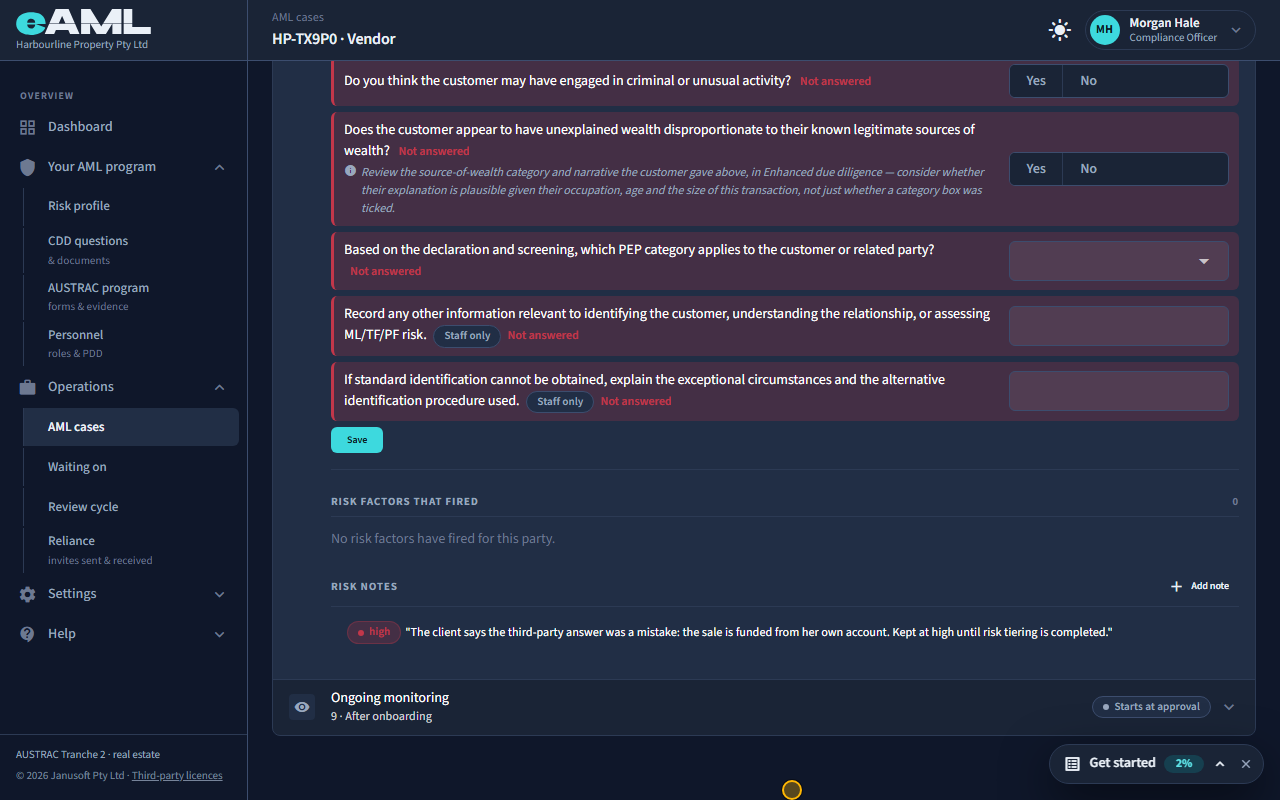
A risk note is a judgement call recorded against the party, in your words: a rating, a risk factor if one applies, and a comment. Under Risk notes select Add note, choose the rating and write why. It is kept with the case, and it does not move the rating: only completing risk tiering does that. Use it for what the automated factors do not capture, such as why a flag that has since been corrected was not a concern.
-
What else raises a rating
Answers are one source. A check result can raise it too: a country on a high-risk list (a high-rated factor, with an Acknowledge button on the card to record how it was considered), an identity check that needs review, or a company structure that is complex (T24). Screening hits are different: a sanctions, PEP or adverse media hit does not set a rating by itself, because raw hits are often someone else with the same name; what raises the rating is the PEP category you record after reading the hit (T23). Whatever the source, the rating only rises by itself; it comes down only when someone completes risk tiering.
Every screen in this guide was captured from the live application in the same run as the video, so the two always match. If a screen here no longer matches what you see, tell us: the guide is regenerated after each release.