Guide · T32
Suspicious matters and threshold reports
Before you start
- A case with a cash payment recorded
- A case worker to raise it, a compliance officer to draft the report, and a senior manager to approve it
-
Raise unusual activity Case worker
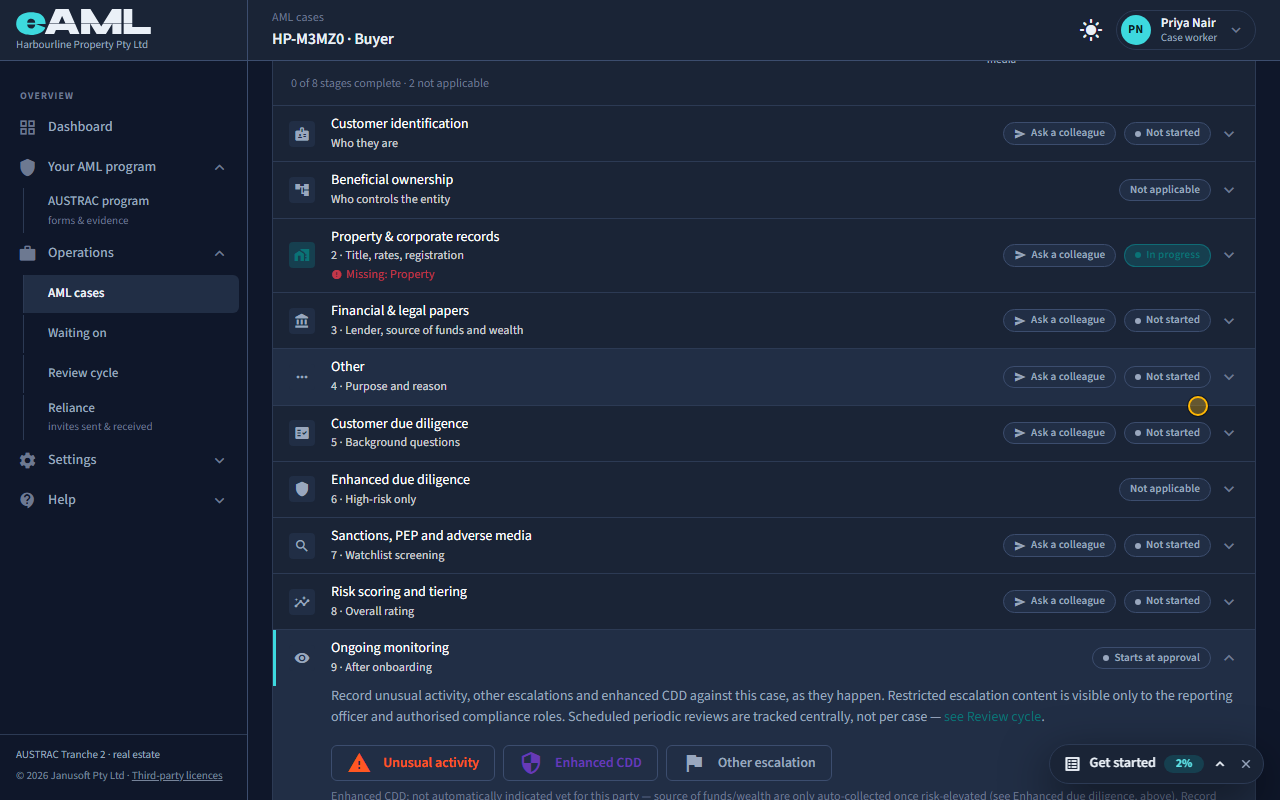
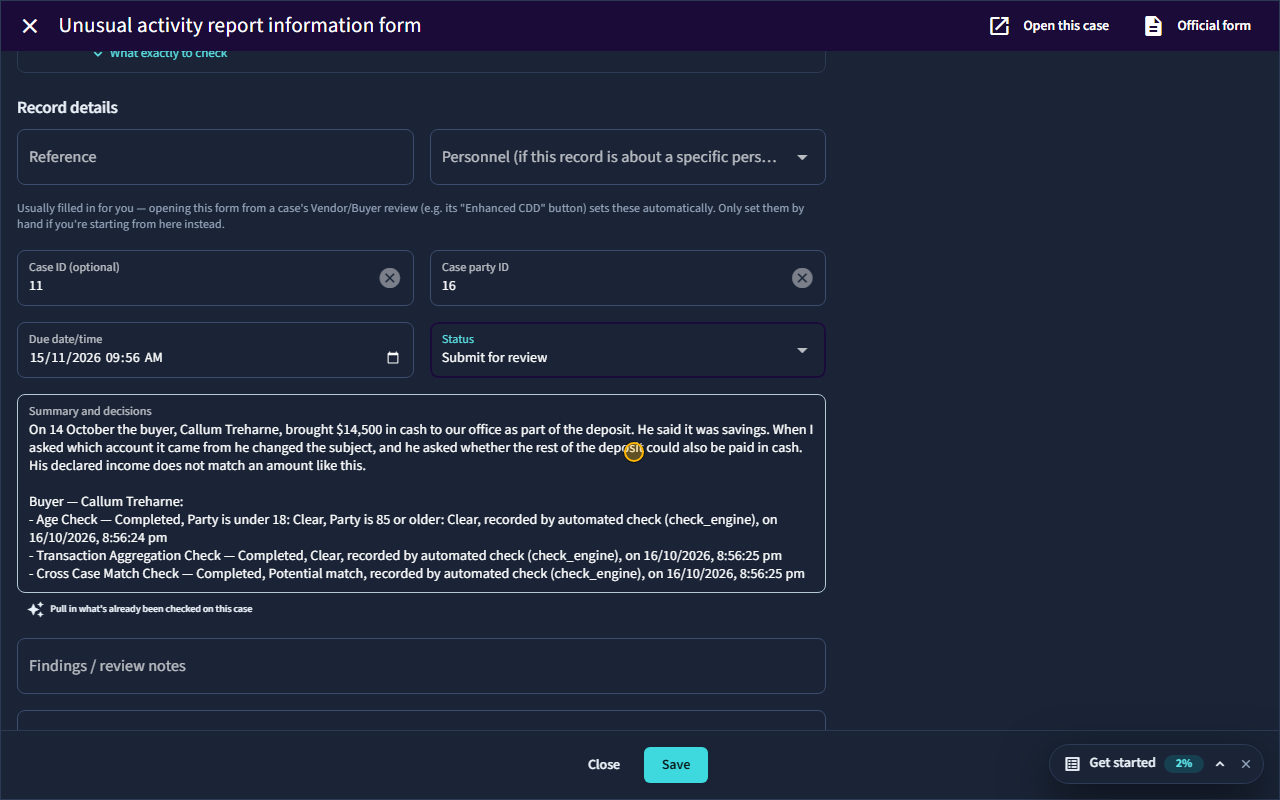
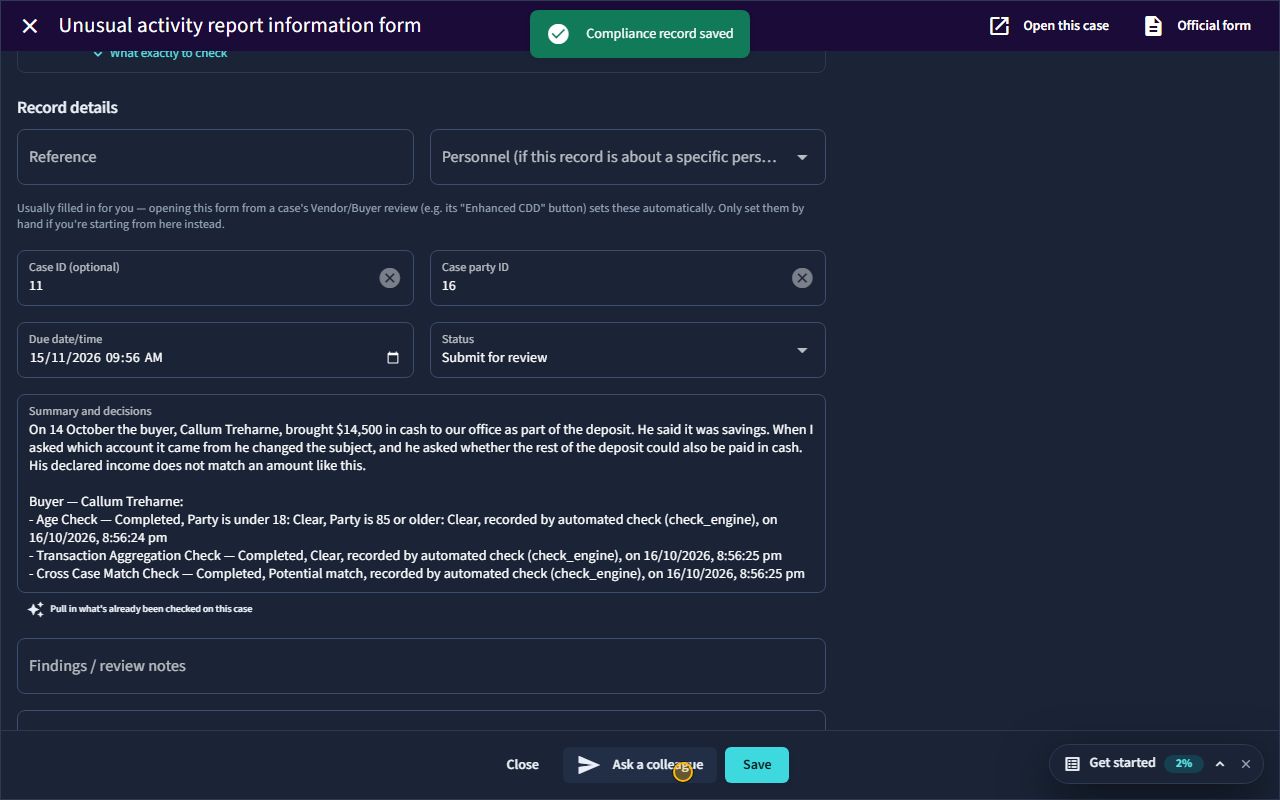
Open Ongoing monitoring on the person, select Unusual activity, fill in the form, and select Save.
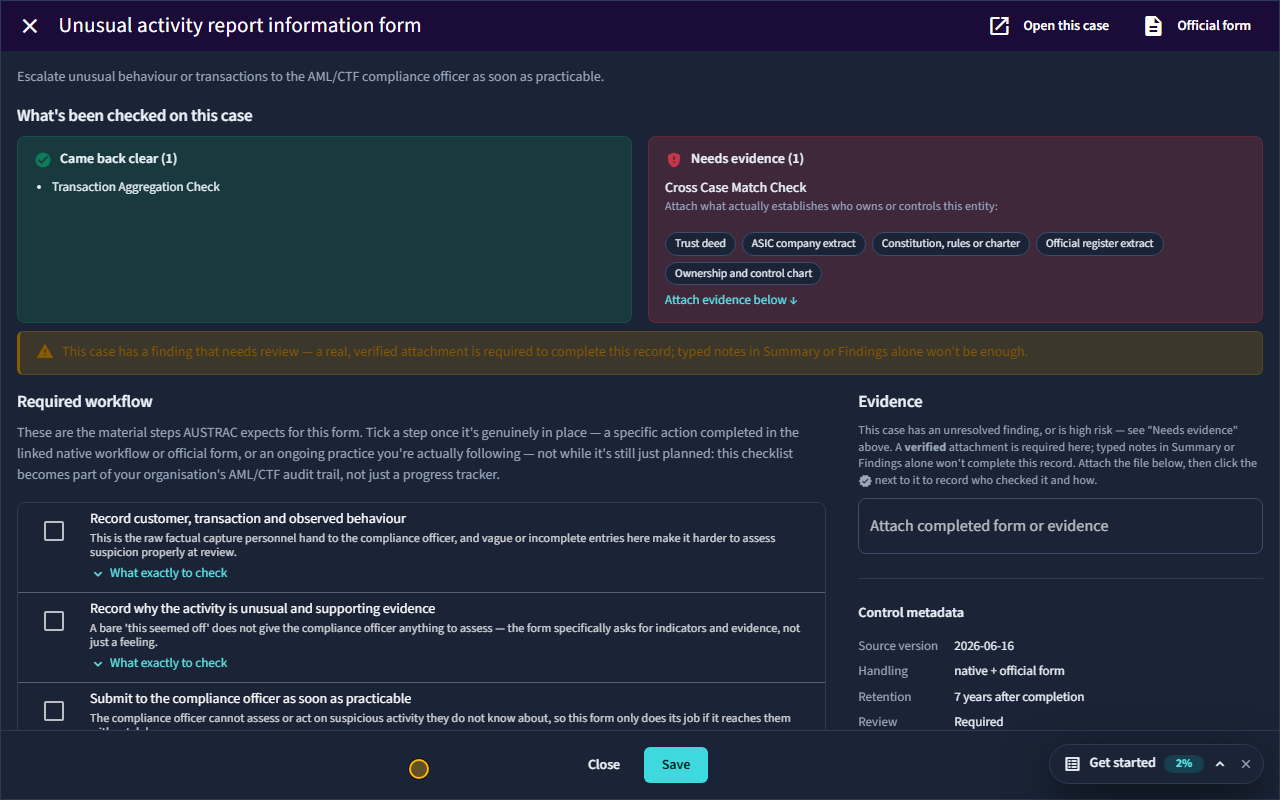
Anyone who works on a case can raise something that does not look right. Open the person’s Ongoing monitoring stage and select Unusual activity. The form asks for the facts, not a conclusion: what happened and when, who was involved, whether the person’s identity has been verified, and what makes it unusual, with any supporting evidence. Tick each step on the checklist once it is genuinely done. eAML has already filled Summary and decisions with what has been checked on this case; add what you saw above it, set the status to Submit for review, and select Save. It goes to the compliance officer, who decides whether it amounts to a suspicion: that decision is theirs, not yours. These forms are restricted: a case worker sees only the ones they raised themselves.
-
Draft the suspicious matter report Compliance officer
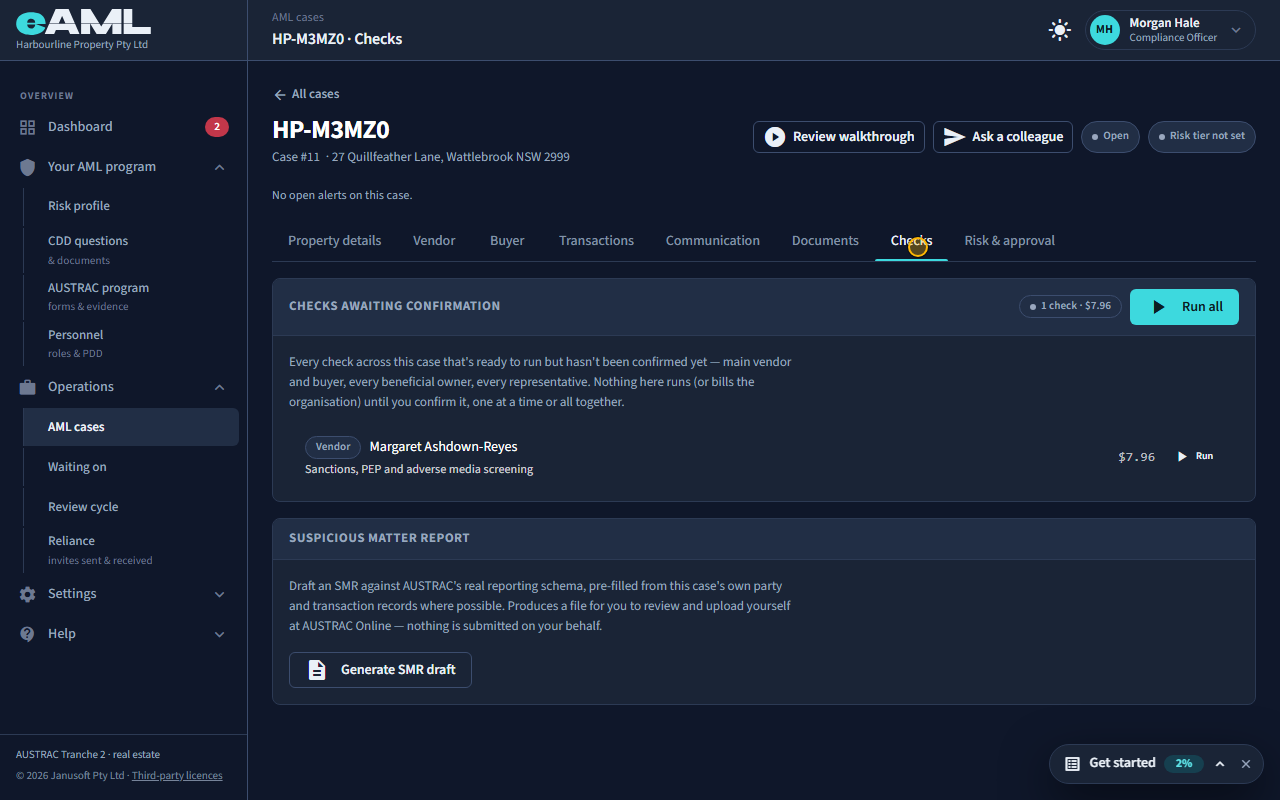
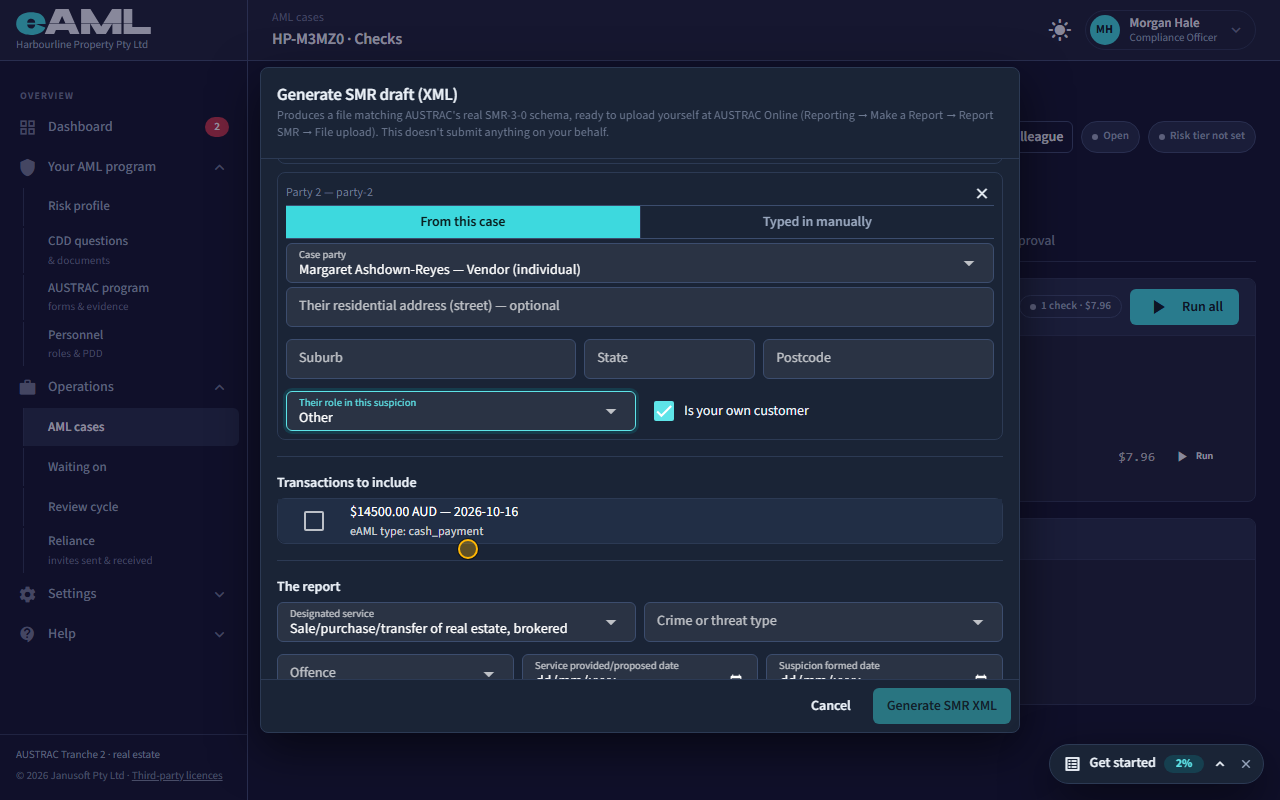
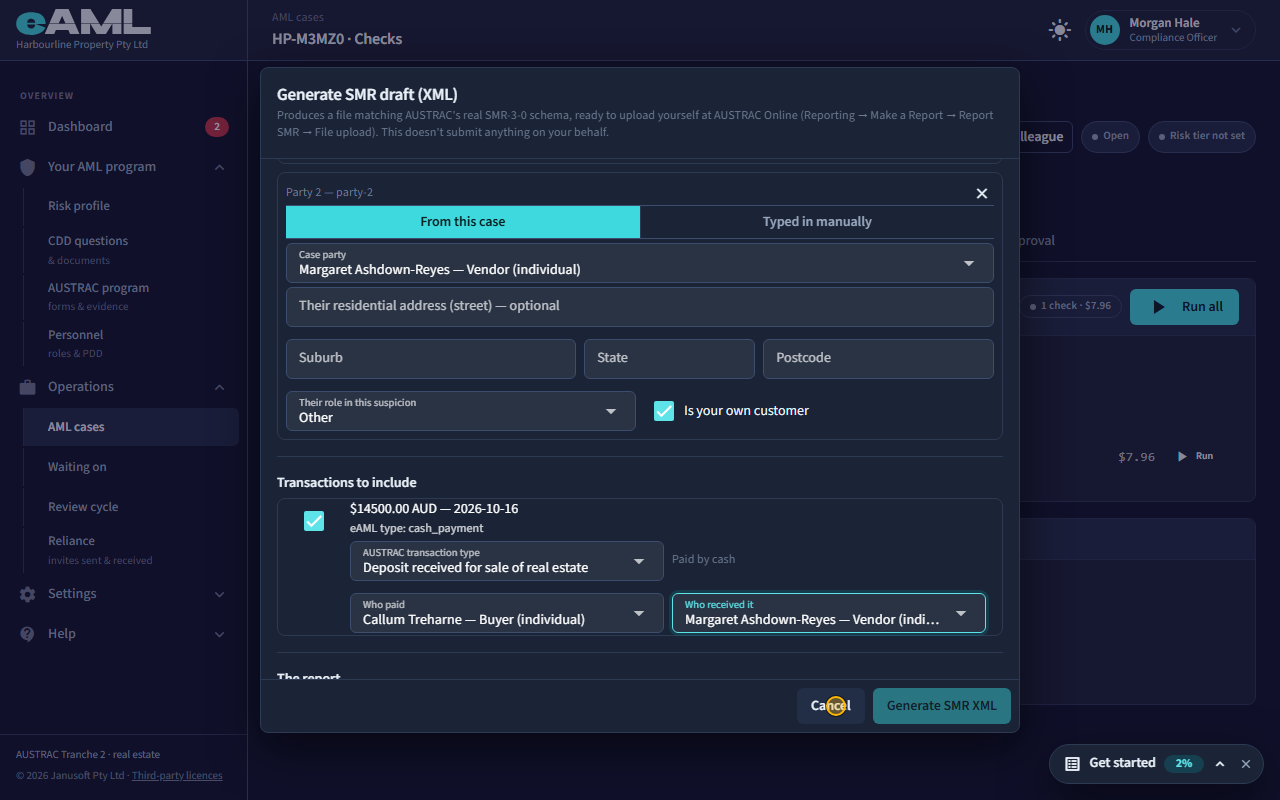
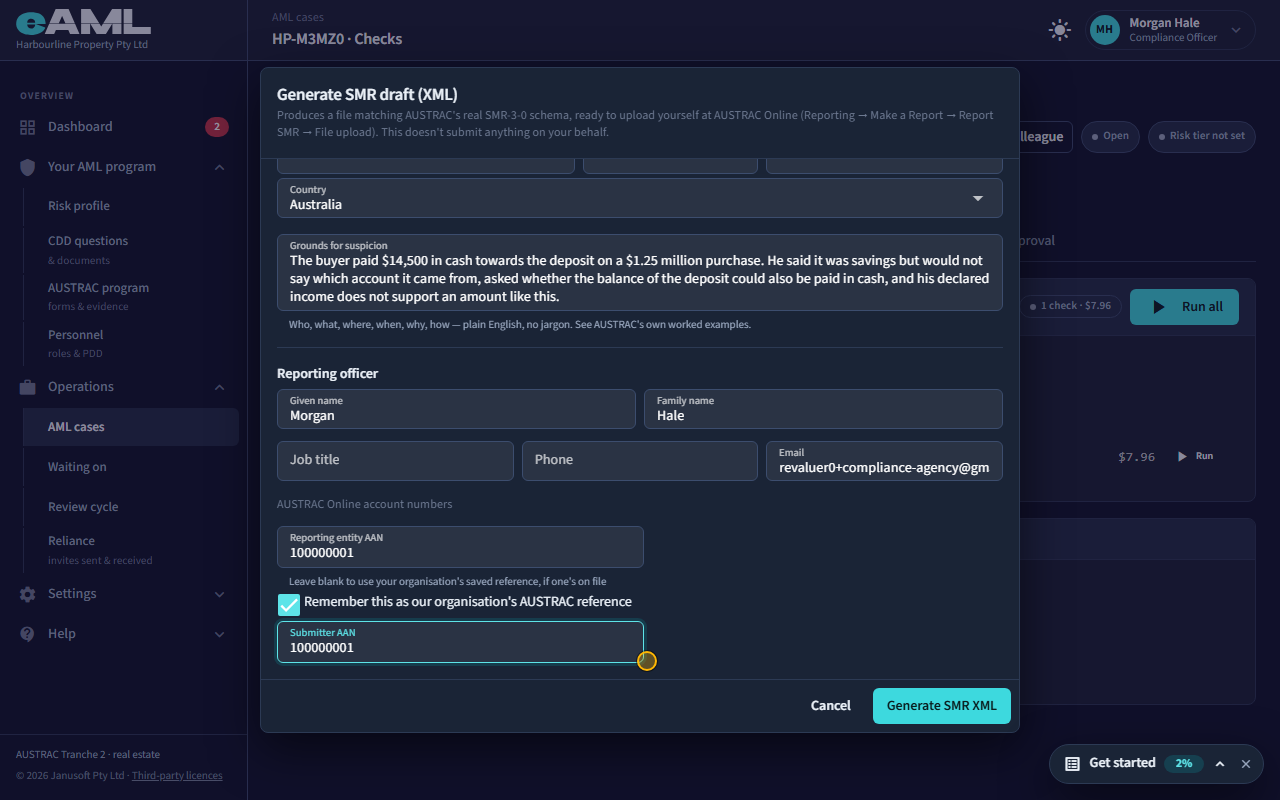
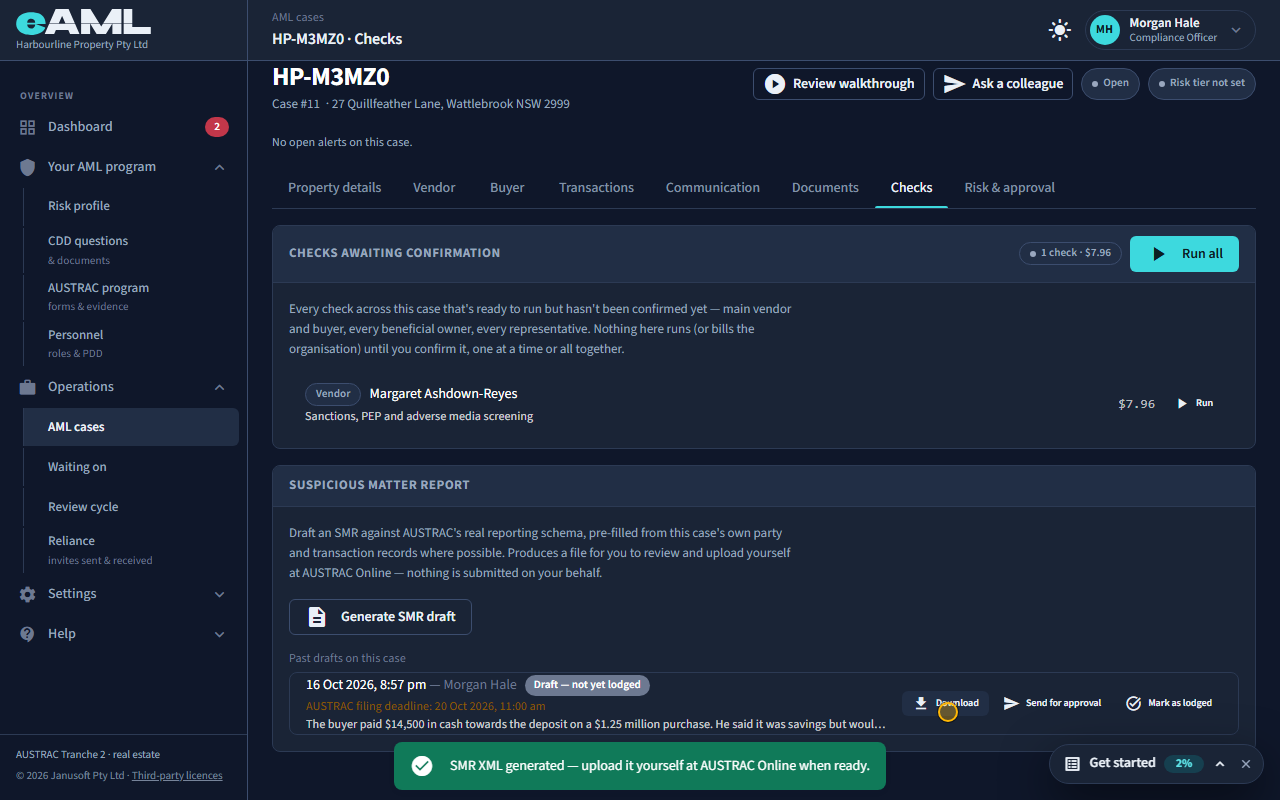
Open the Checks tab, select Generate SMR draft, complete the dialog, and select Generate SMR XML.
When the compliance officer has reasonable grounds to suspect, a suspicious matter report (SMR) must follow. Open the case’s Checks tab and select Generate SMR draft. Choose who is involved, from this case or typed in, and their role in the suspicion; tick the transactions to include and say what each was and who paid whom; then the designated service, the type of crime or threat, the offence, and the date the suspicion was formed. Write the grounds for suspicion in plain words: who, what, where, when, why and how. The dialog shows AUSTRAC’s filing deadline as you go: 24 hours for suspected terrorism financing, otherwise 3 business days from forming the suspicion (5 if some information is protected by legal professional privilege). eAML fills in people, addresses, directors and owners from the case wherever it already has them. Open AUSTRAC Online account numbers and add yours: both are required, nine digits each. Select Generate SMR XML.
-
Approval and lodging Compliance officer
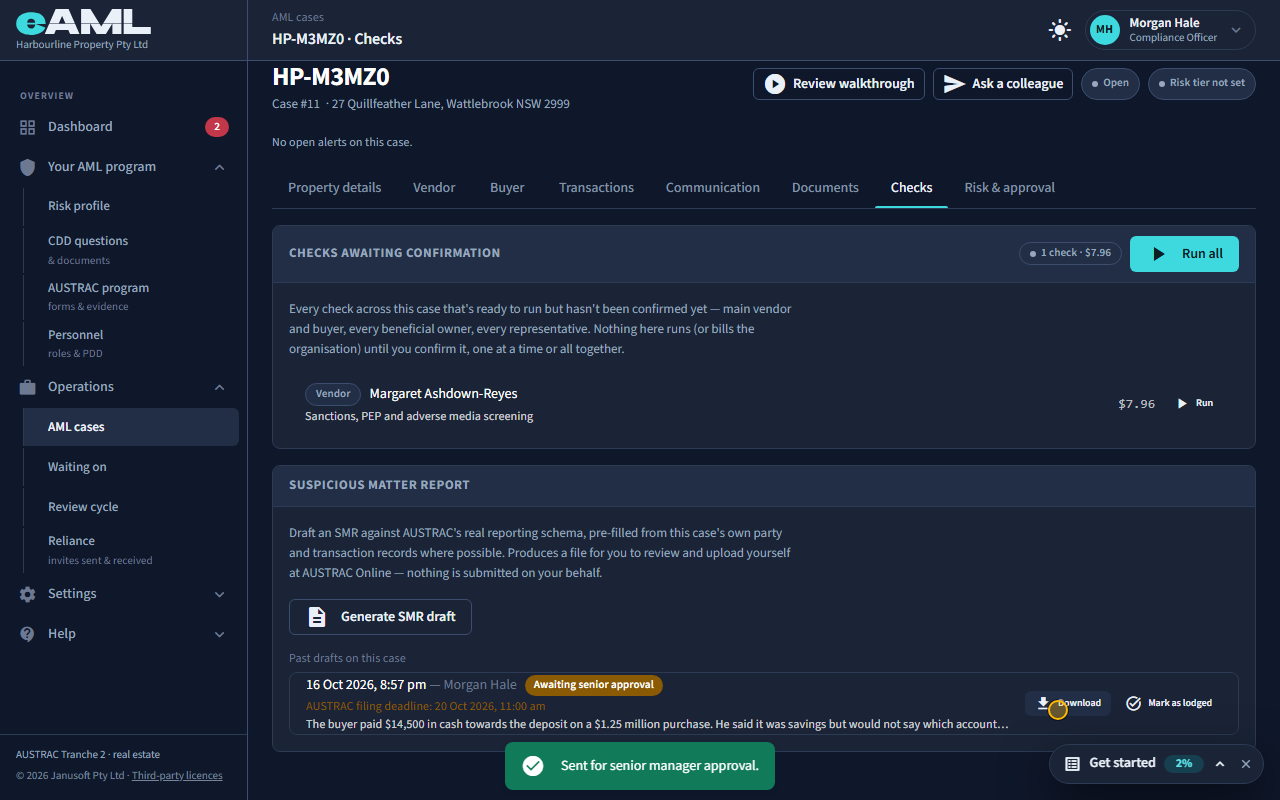
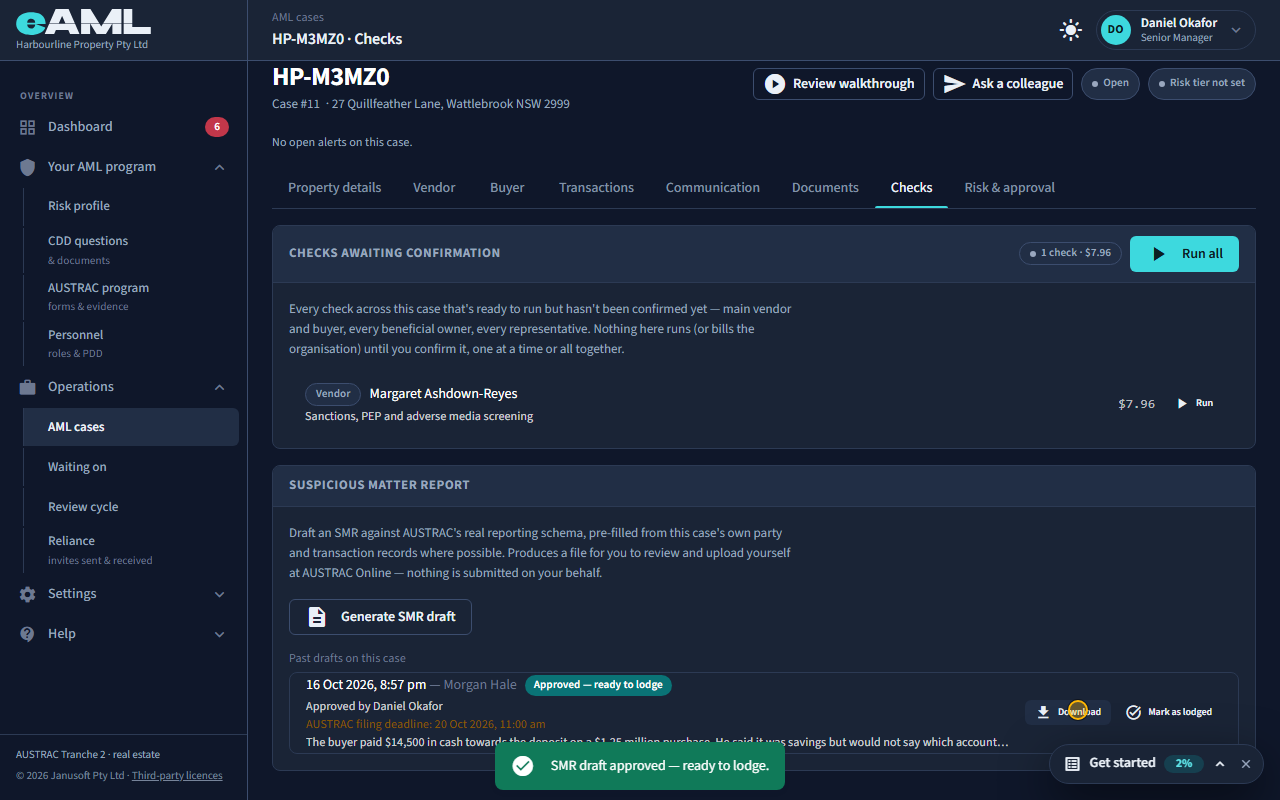
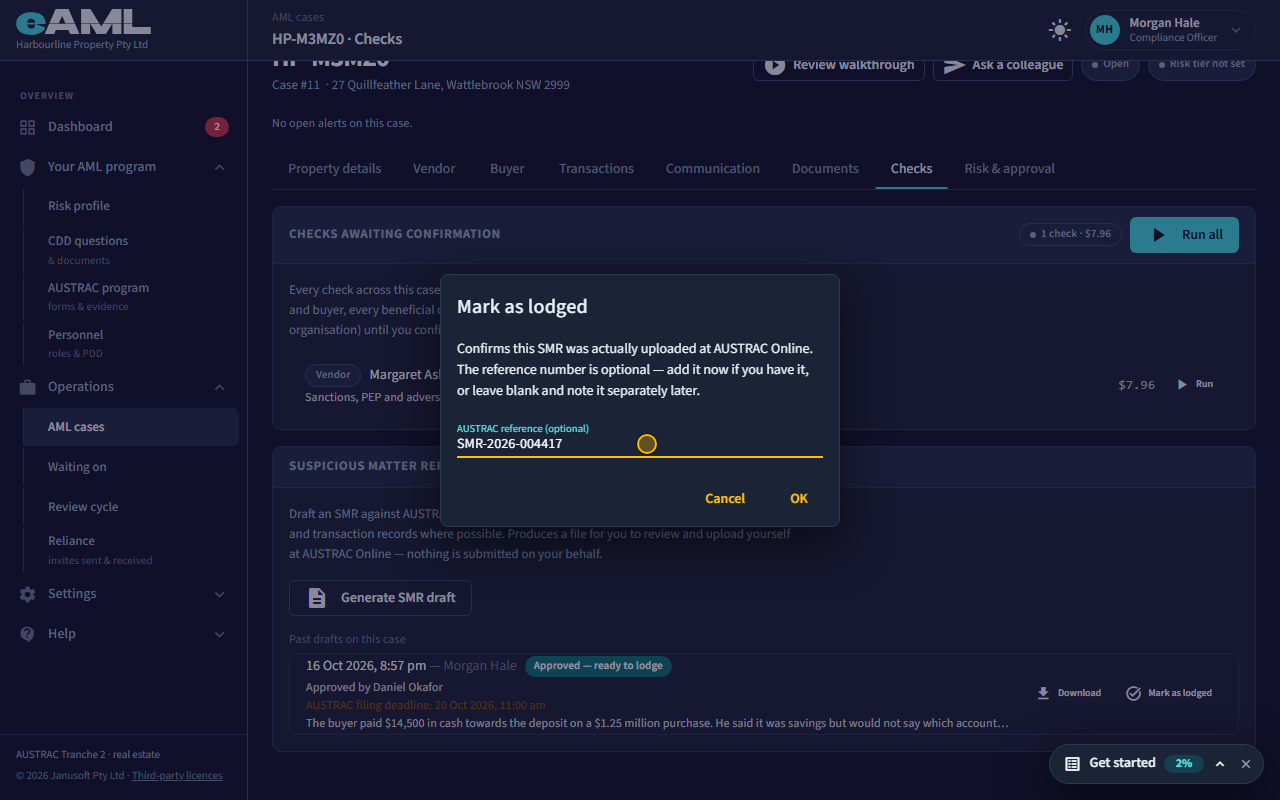
Select Send for approval; the senior manager selects Approve; then select Mark as lodged and enter the reference.
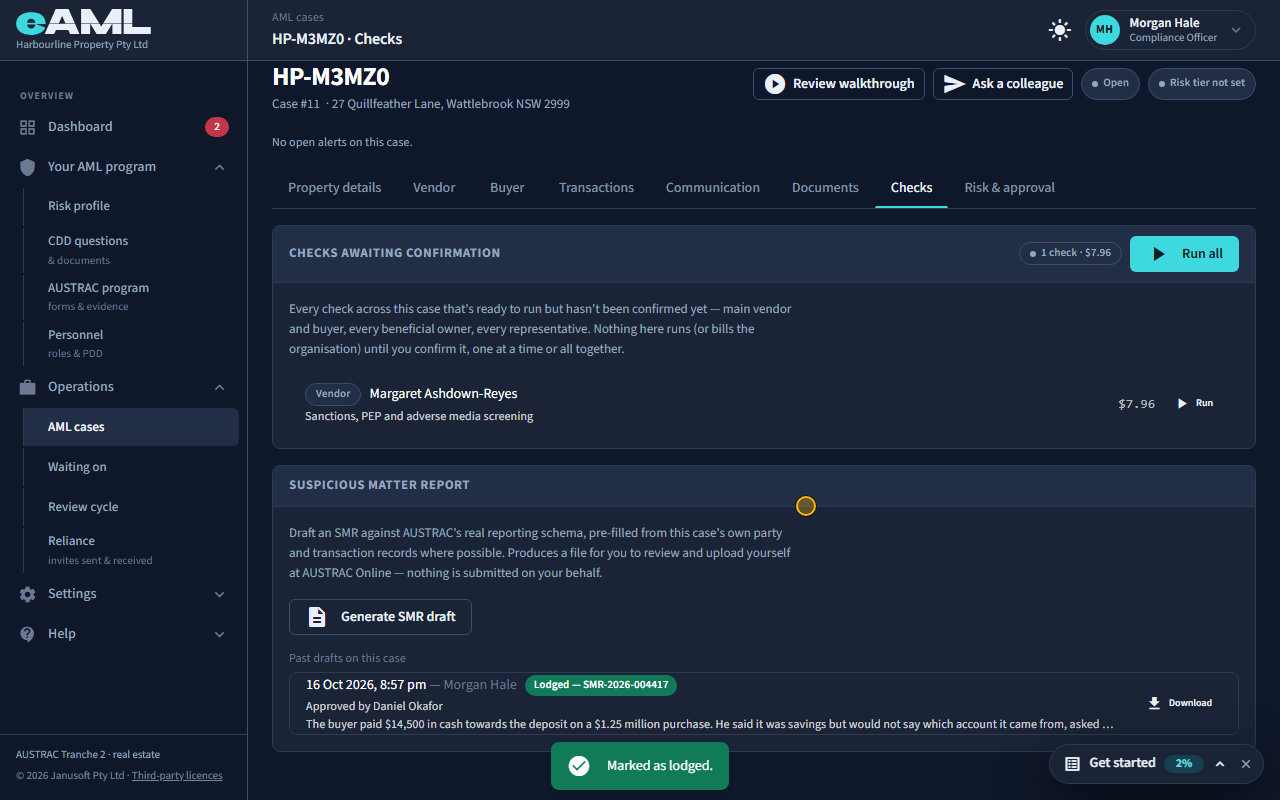
The draft is listed on the case as Draft: not yet lodged, with AUSTRAC’s filing deadline, and a download for the file. Select Send for approval to ask a senior manager to look at it; they see it on their dashboard, and open the case’s Checks tab and select Approve. A firm on a managed plan cannot lodge until it is approved; for others it is optional. Then upload the file yourself at AUSTRAC Online (Reporting, Make a Report, Report SMR, File upload): eAML never sends anything to AUSTRAC for you. When it is uploaded, select Mark as lodged and type AUSTRAC’s reference if you have it. The draft then reads Lodged.
-
Threshold transaction reports Compliance officer
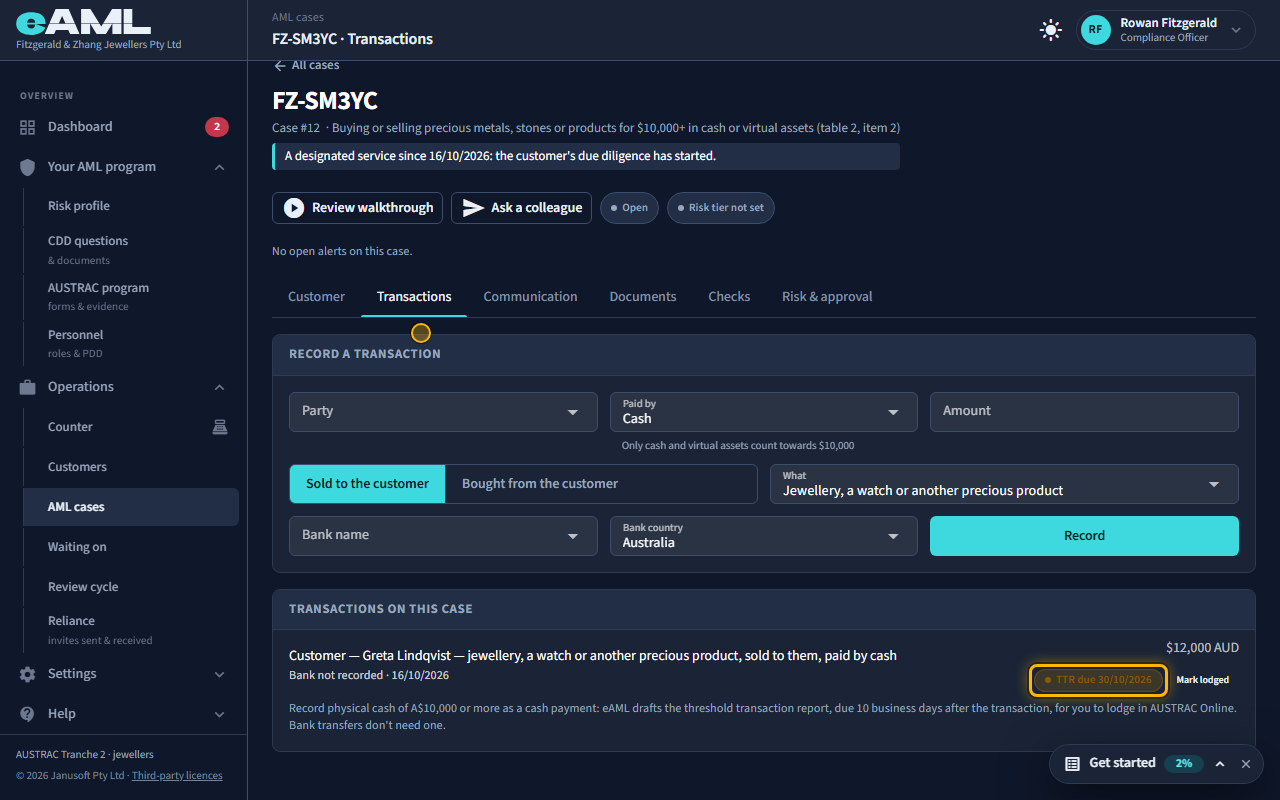
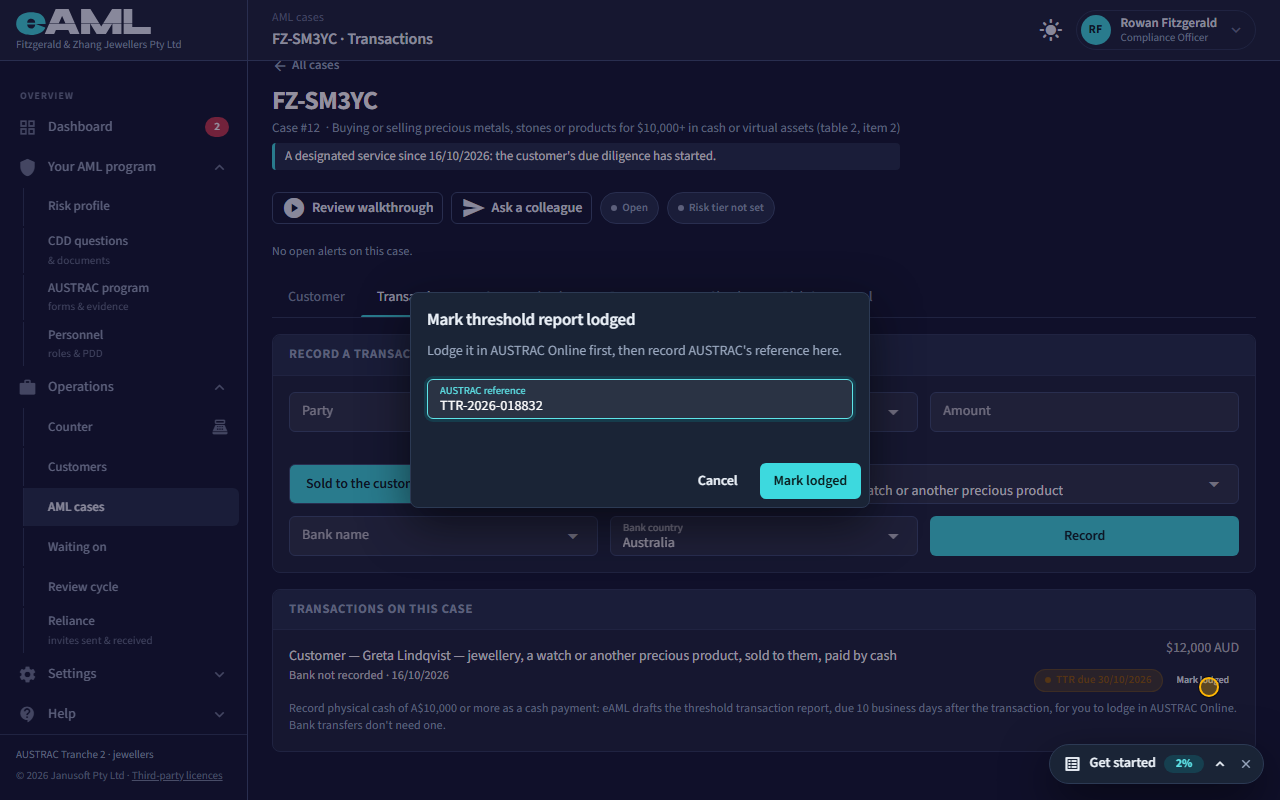
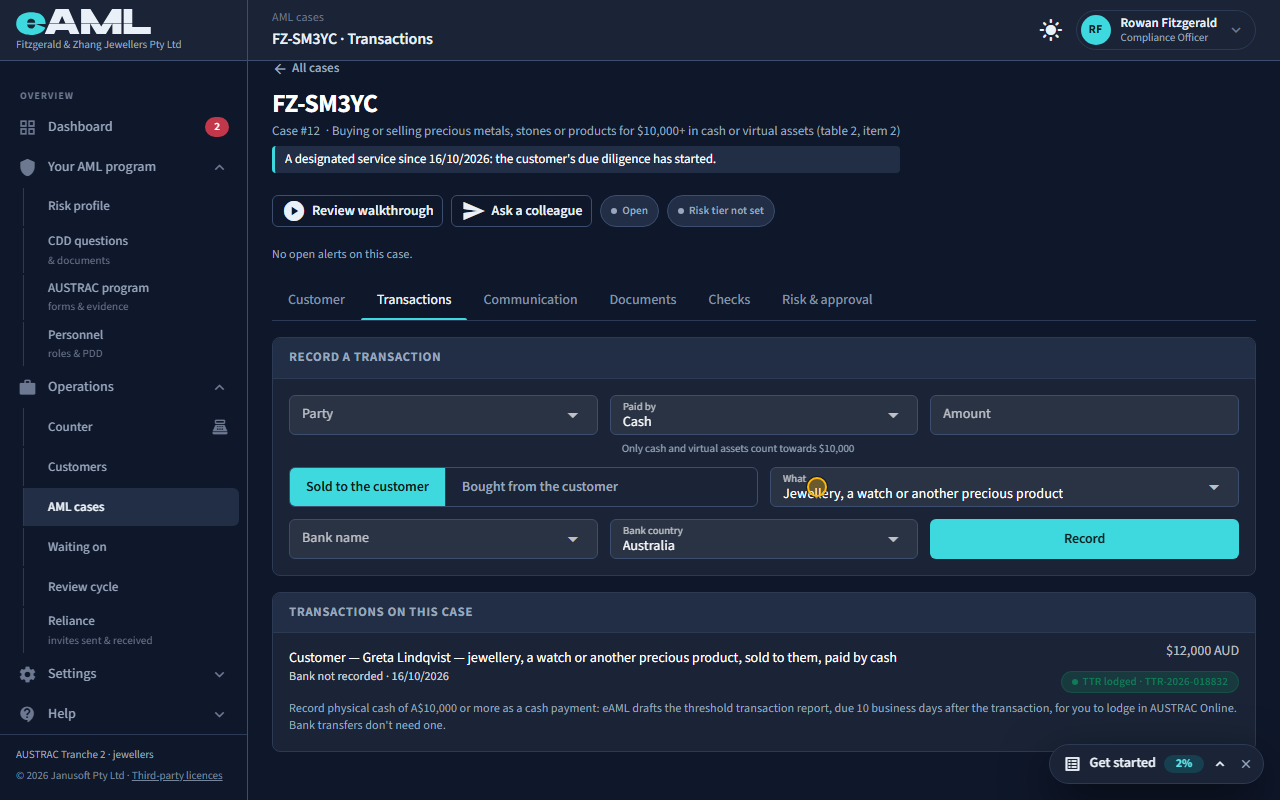
On the case’s Transactions tab, select Mark lodged beside the cash payment and enter AUSTRAC’s reference.
A separate report covers physical cash. Where a firm’s business type has them (jewellers and accountants today), recording a cash payment of A$10,000 or more drafts a threshold transaction report (TTR): the payment shows TTR due with the date, 10 business days after the payment. Bank transfers and cards do not count. Lodge it in AUSTRAC Online, then select Mark lodged beside the payment and enter AUSTRAC’s reference: the pill changes to TTR lodged with the reference. If the date passes it shows TTR overdue, and the compliance officer’s dashboard lists it under Threshold report due. Unlike a suspicious matter report, a threshold report needs no suspicion and no approval.
-
What not to tell the client
Telling a customer, or anyone else, that a report is being considered or has been made is tipping off, and it is a criminal offence under the AML/CTF Act. So: do not tell the customer, their representative or anyone else that their activity has been flagged, that a form has been filled in, or that a report exists. Keep the unusual activity form and the SMR draft to the people who need them; the forms are restricted for that reason. Carry on dealing with the customer as usual, in ordinary business language: if their service is to change, that comes from the compliance officer’s direction, not from you. Gather any extra information as routine due diligence, never mentioning a review or a suspicion. If you are not sure what you can say, ask the compliance officer before you say anything. eAML never writes to the client about any of this.
Every screen in this guide was captured from the live application in the same run as the video, so the two always match. If a screen here no longer matches what you see, tell us: the guide is regenerated after each release.