Guide · T44
Legal practice: a matter and its client
Before you start
- A legal practice with its AUSTRAC program started and a compliance officer
-
Start a matter for a designated service
Open Matters, select New matter, enter a reference, choose the designated service, and select Start matter.
A legal practice’s work is matters, and the AML/CTF rules apply to some of it: the services in table 6 of the Act, such as creating or restructuring a company or legal arrangement, selling or buying a business, holding or controlling a client’s money or assets, equity or debt financing, shelf companies, acting as a nominee director, secretary, partner or trustee, nominee shareholding, and providing a registered office address. Conveyancing is the first of them: a real estate transaction. Other work, such as general advice that does not advance a transaction, is not a designated service. Open Matters and select New matter, choose which designated service this matter is for, and give it a reference. Choose the services your firm provides lets you tick the ones you offer.


-
A trust as the client, and its trustee
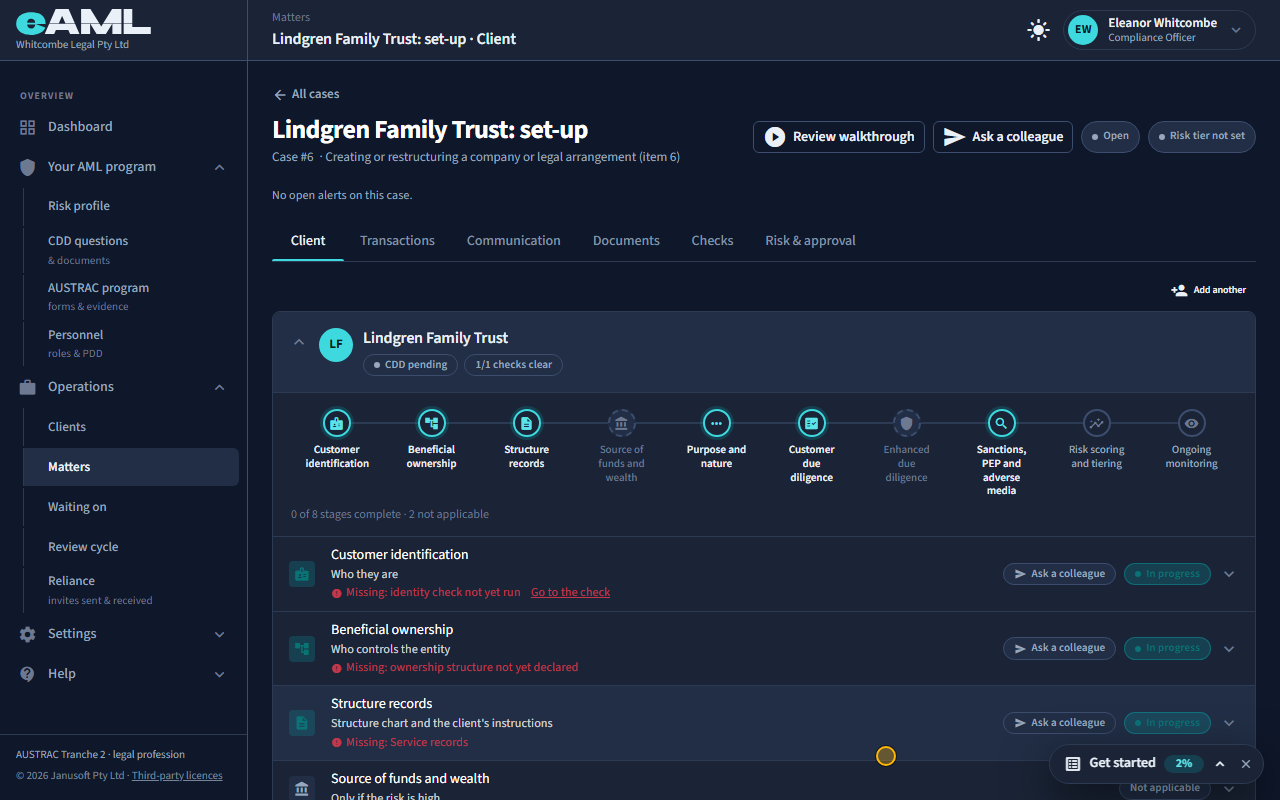
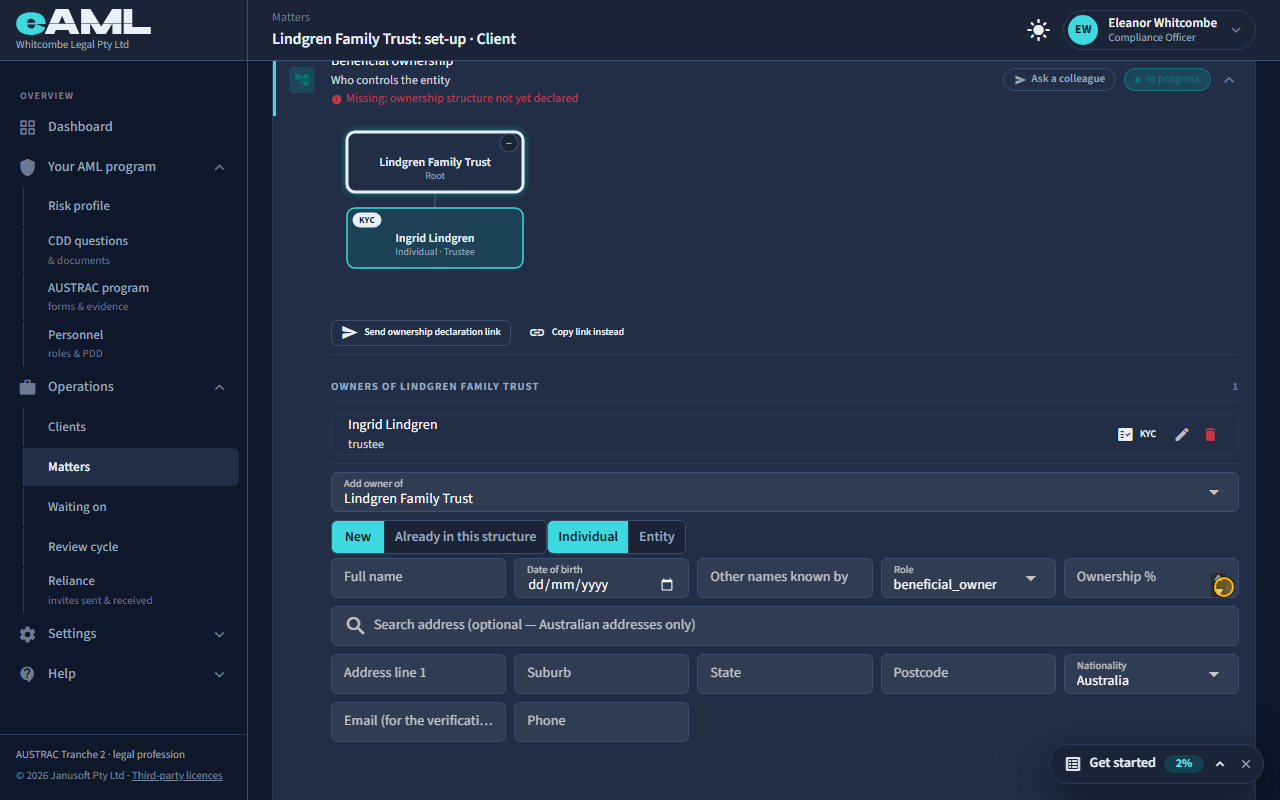
On the Client tab, select Add client, choose Trust and fill in its details, then add the trustee under Beneficial ownership.
On the Client tab select Add client. A client can be a person, a sole trader, a company, a trust or another structure: here a discretionary trust. Fill in the trust’s name and type, its address and a contact, and select Add. A trust is checked through the people who run it: open Beneficial ownership and add the trustee (and the appointor, settlor and beneficiaries where they matter). The trustee is enrolled for their own checks, and the trust’s own checks follow (T24, T25).
-
Risk and approval
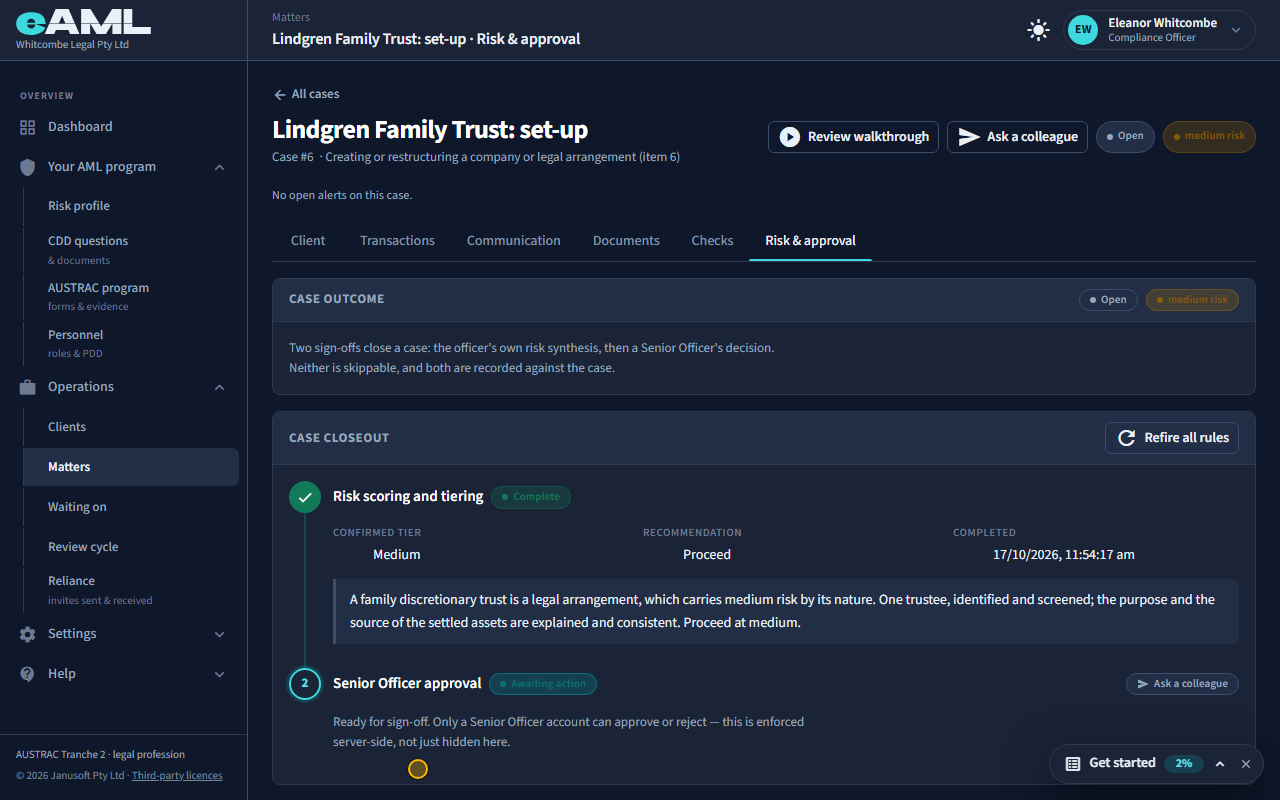
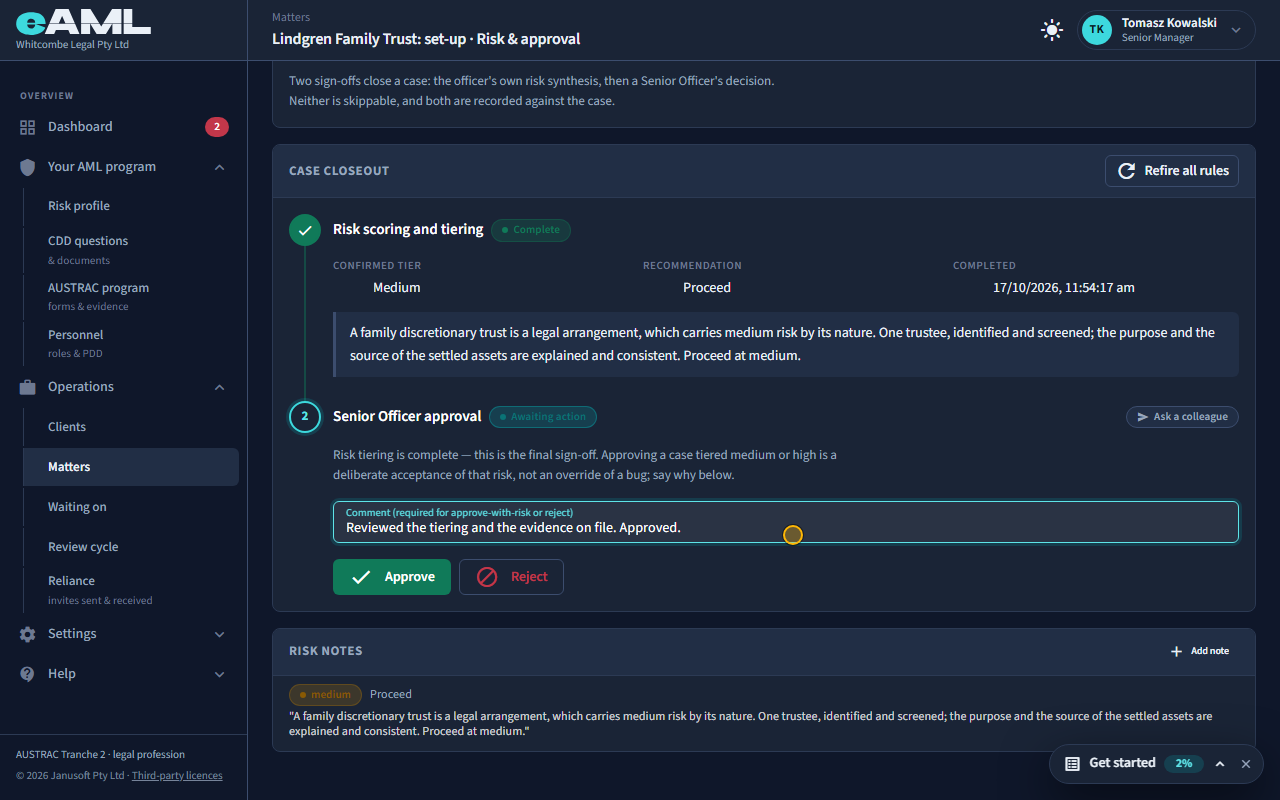
Open Risk & approval, complete risk tiering, then have a senior manager approve.
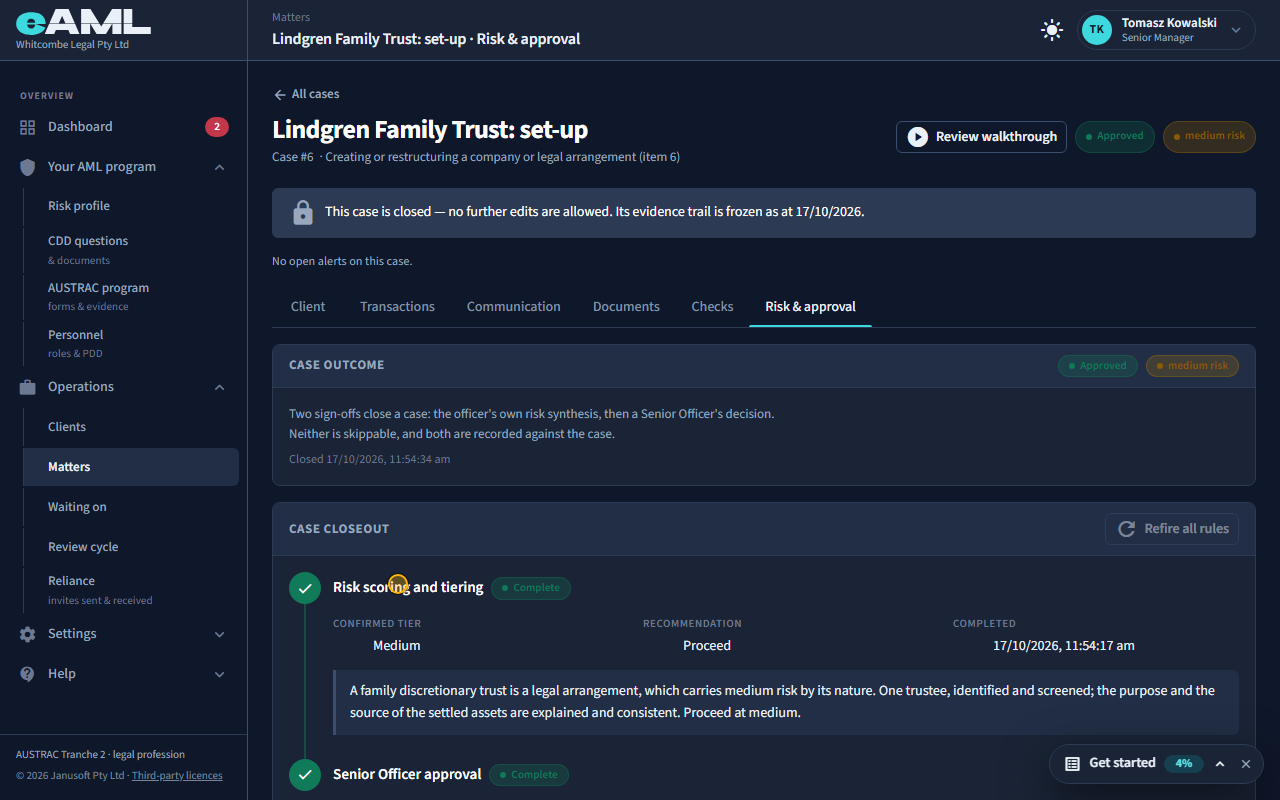
The matter is closed the way every case is. When the client’s identity, the trustee’s checks and every other step are finished, the Risk & approval tab is where the compliance officer confirms the rating and a senior manager approves (T29). The officer confirms the rating (a family trust is a legal arrangement, so here medium), and because it is medium the senior manager’s approval is a deliberate acceptance of that risk and asks for a comment saying why. A matter that is approved is the record that the work was done properly; the client stays on the Clients page for the next matter.
-
The Clients page Compliance officer
Open Clients in the menu.
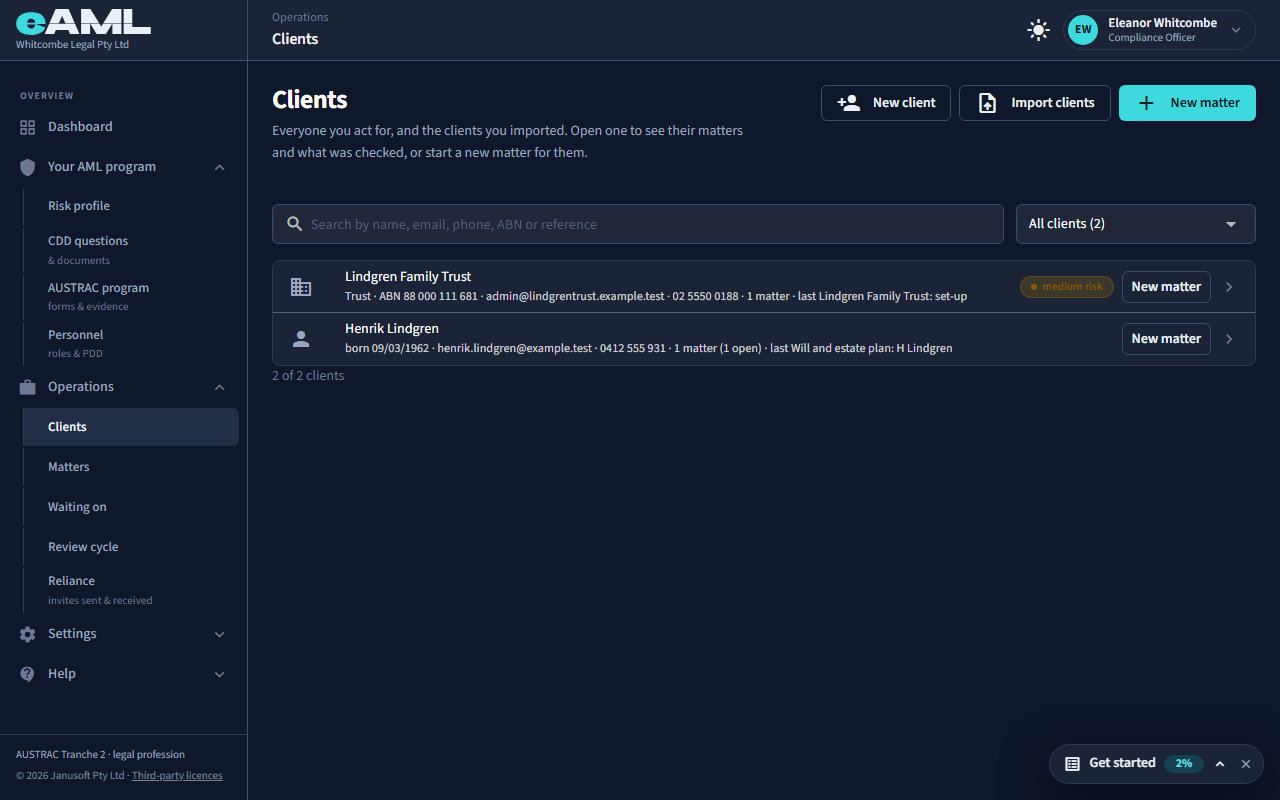
Clients lists everyone you have acted for, from your matters: the same person or business on several matters is one client here. Open one to see their matters, and start a new matter for them with New matter. Nothing is rechecked just because the work is new, and nothing is hidden because it is old. If your firm keeps its clients in another system, Import your client list brings them in so they can be picked on a new matter too.
-
Reuse an earlier client and their checks
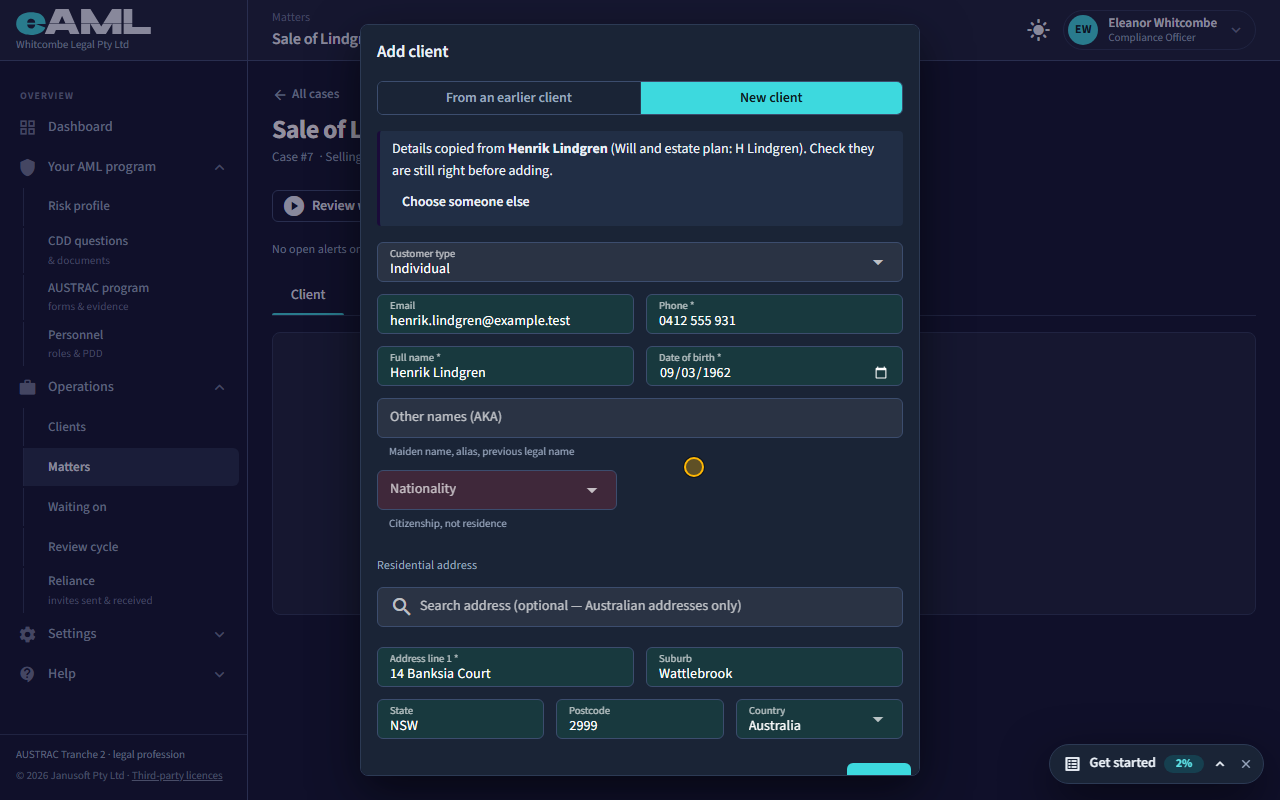
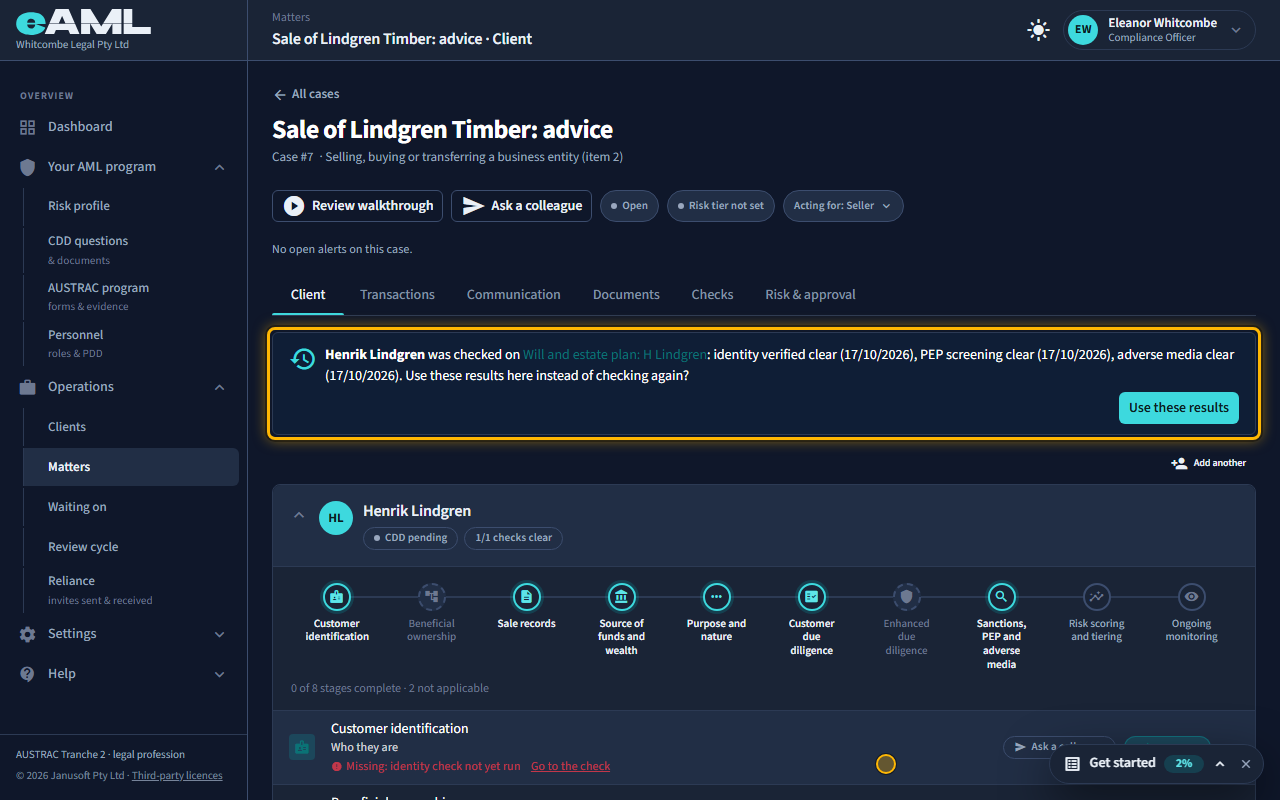
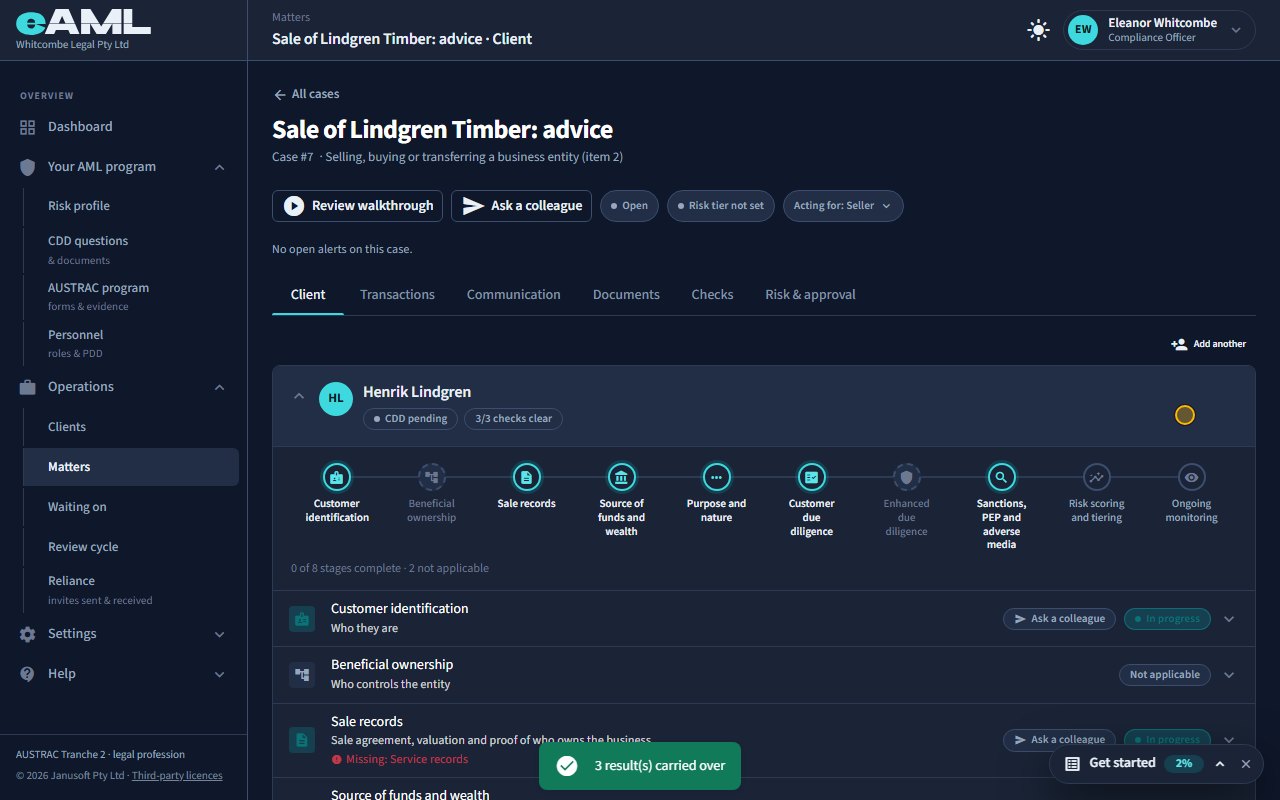
Start a new matter, select Add client, choose From an earlier client, pick them, then select Use these results.
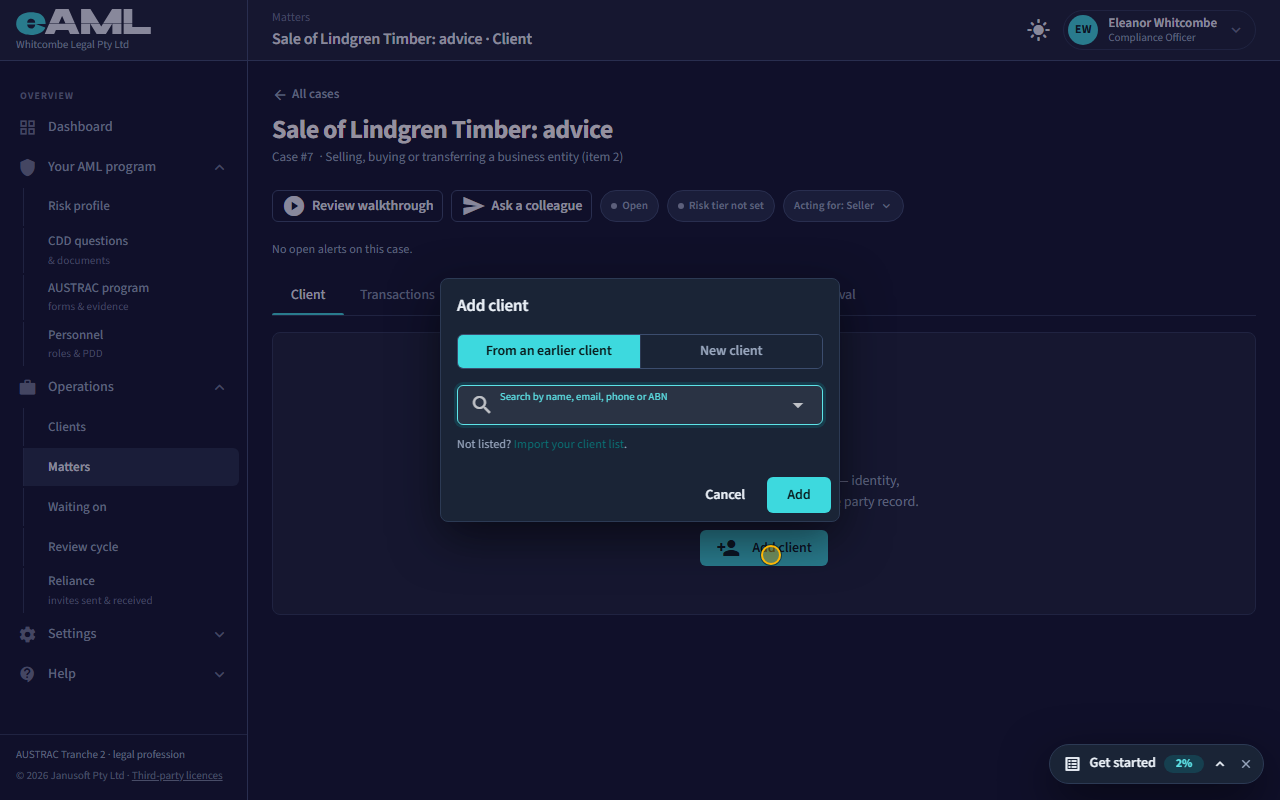
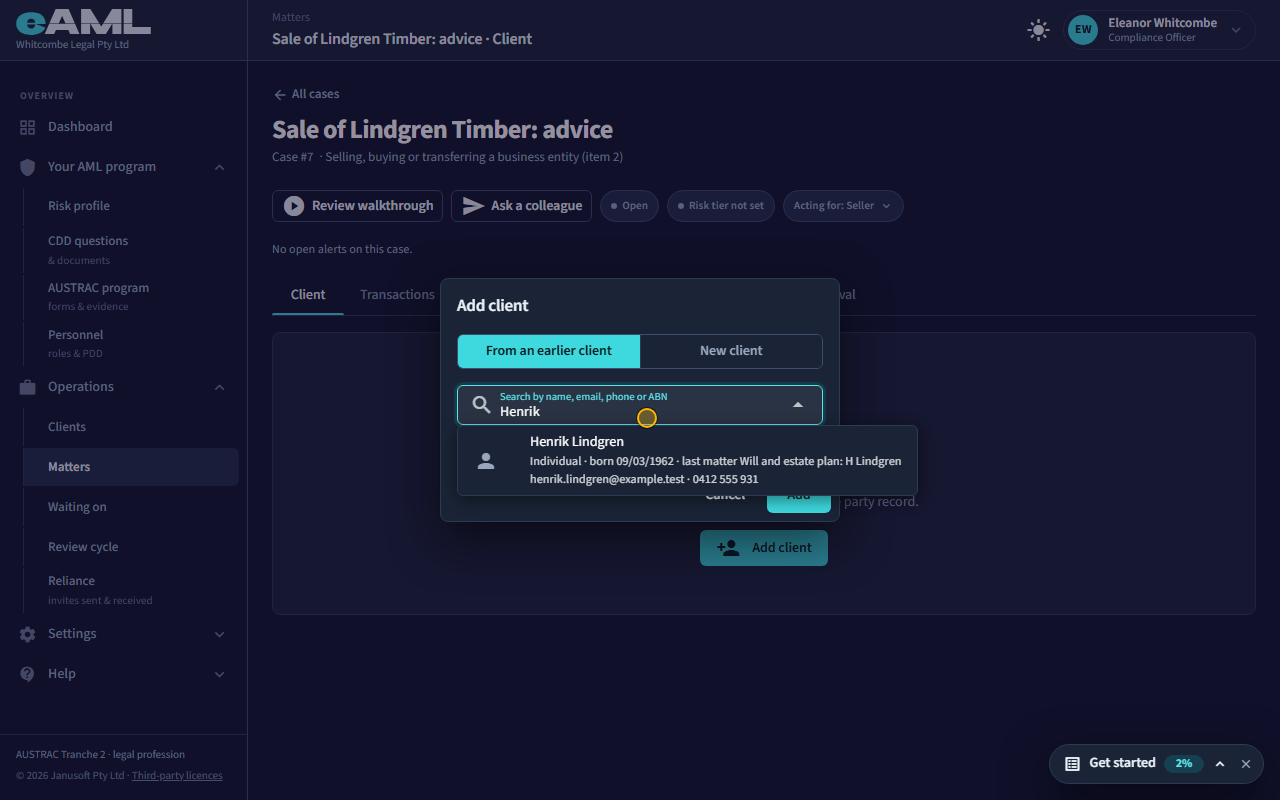
For the next matter for the same client, start it as before and, on the Client tab, select Add client. The first choice is From an earlier client: search by name, email, phone or ABN, pick them, and their details are copied into the form so nobody types them again. Select Add. The client’s card then says when they were last checked and offers to use those results here instead of checking again: an identity check is good for a year, and screening for 30 days, after which eAML says it is older and asks you to check again. Select Use these results and the matter has them. You are still the one responsible for deciding the checks are enough for this matter.
Every screen in this guide was captured from the live application in the same run as the video, so the two always match. If a screen here no longer matches what you see, tell us: the guide is regenerated after each release.