Guide · T45
Jewellery dealer: a sale and the $10,000 threshold
Before you start
- A jeweller or precious-goods dealer with its AUSTRAC program started and a compliance officer
-
Open a sale
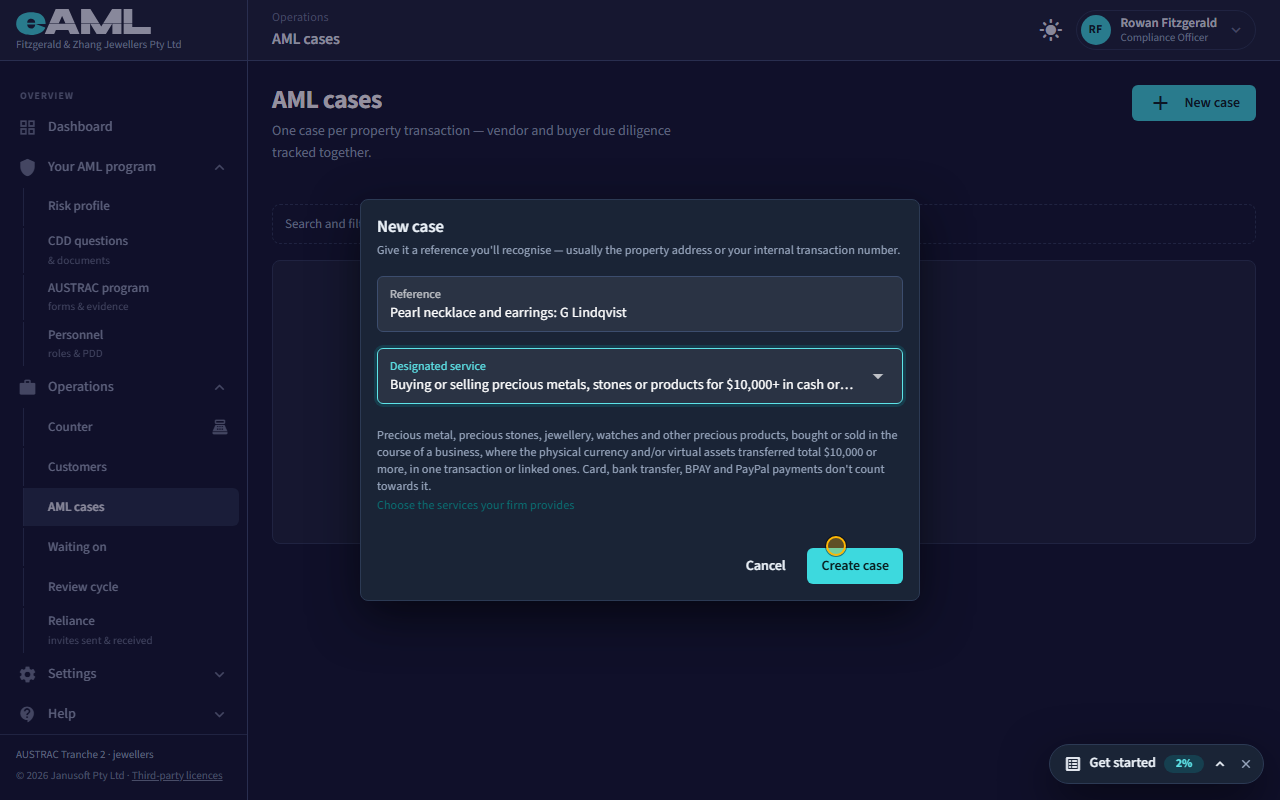
Open AML cases, select New case, enter a reference, choose the designated service, and select Create case.
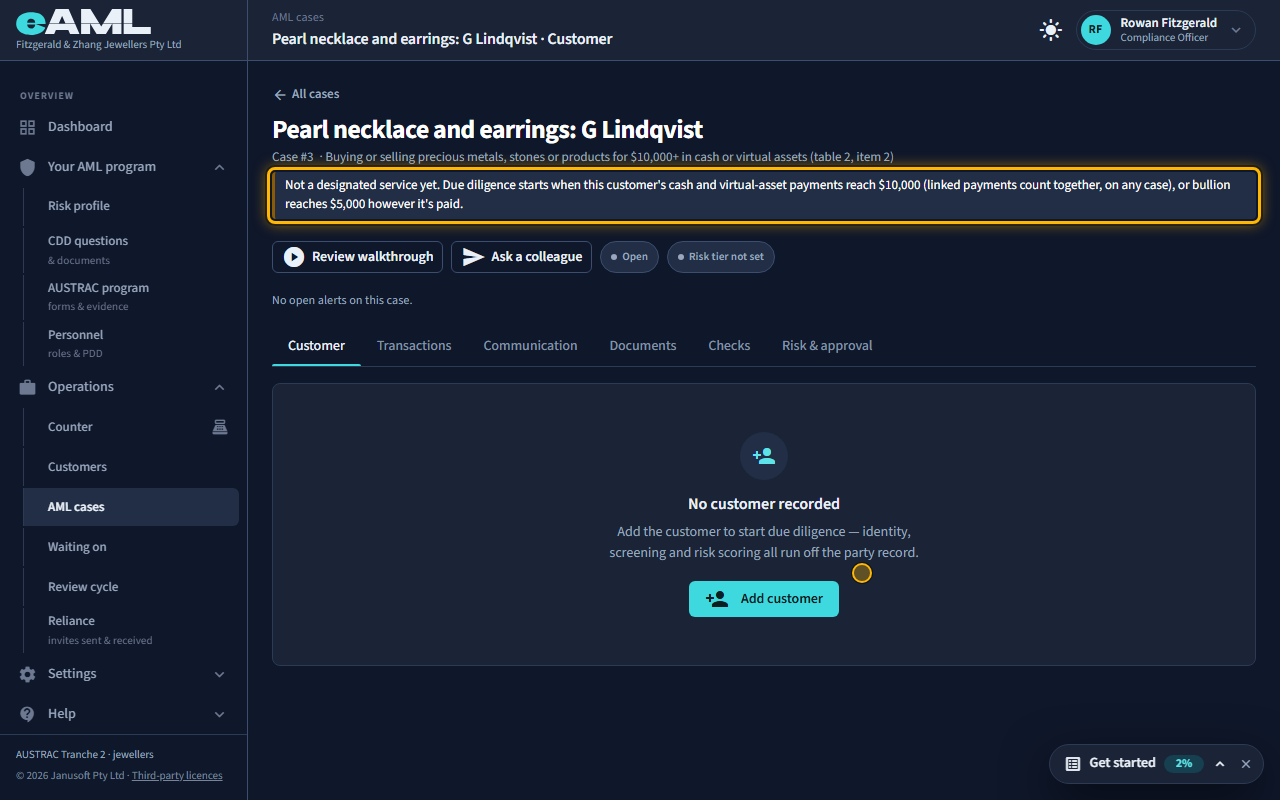
A jeweller’s AML/CTF obligations start with the sale, not with the customer. Open AML cases and select New case, give it a reference (the item, or your sale number), and choose which designated service it would be: buying or selling precious metals, stones or products for $10,000 or more in cash or virtual assets (item 2), or buying or selling bullion (item 1). Most sales never reach either, and that is fine: the case simply records what was paid. The case says so at the top: Not a designated service yet.
-
Add the customer
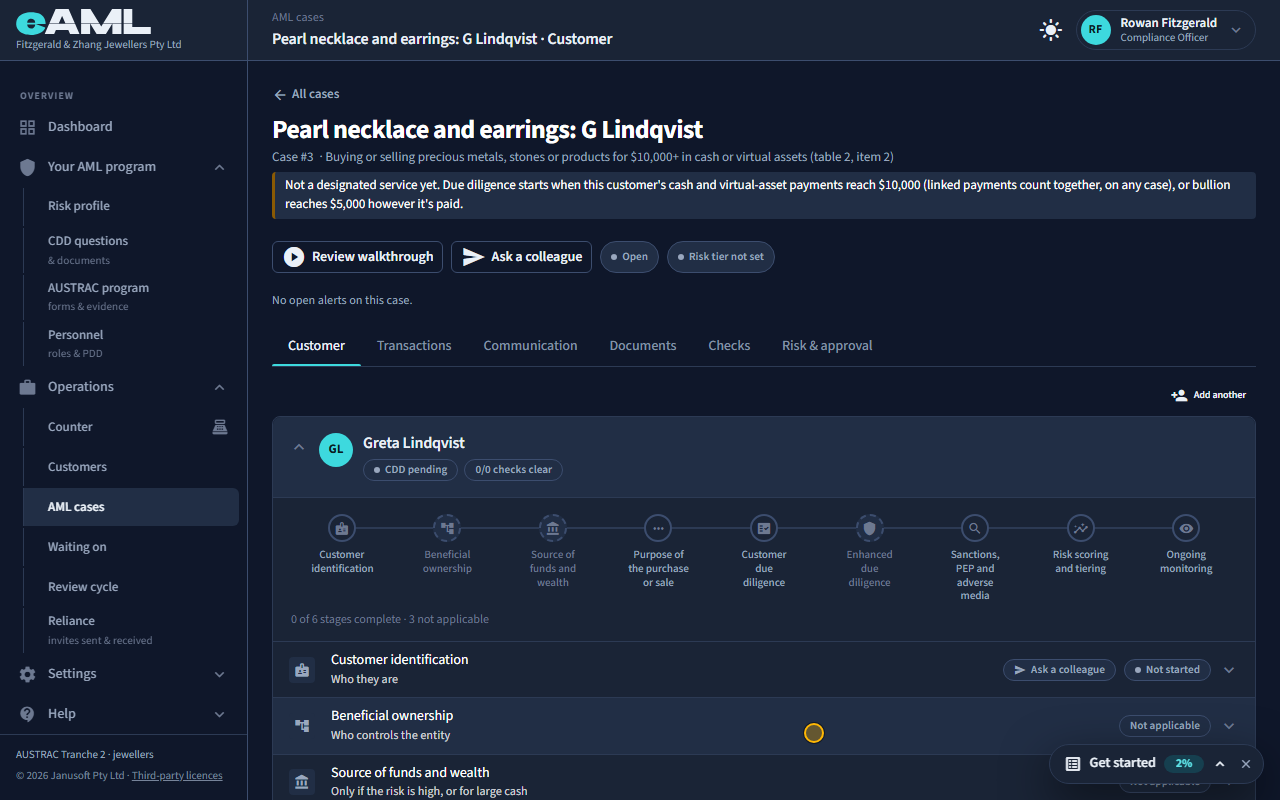
On the Customer tab, select Add customer, fill in their details, and select Add.
Add the customer on the Customer tab so payments can be recorded against them. A customer who is only browsing needs nobody. A customer’s name and date of birth are what link their payments across every sale (below), so record both. Nothing is checked yet: customer due diligence starts only when the threshold is reached.
-
What does not count: cards and transfers
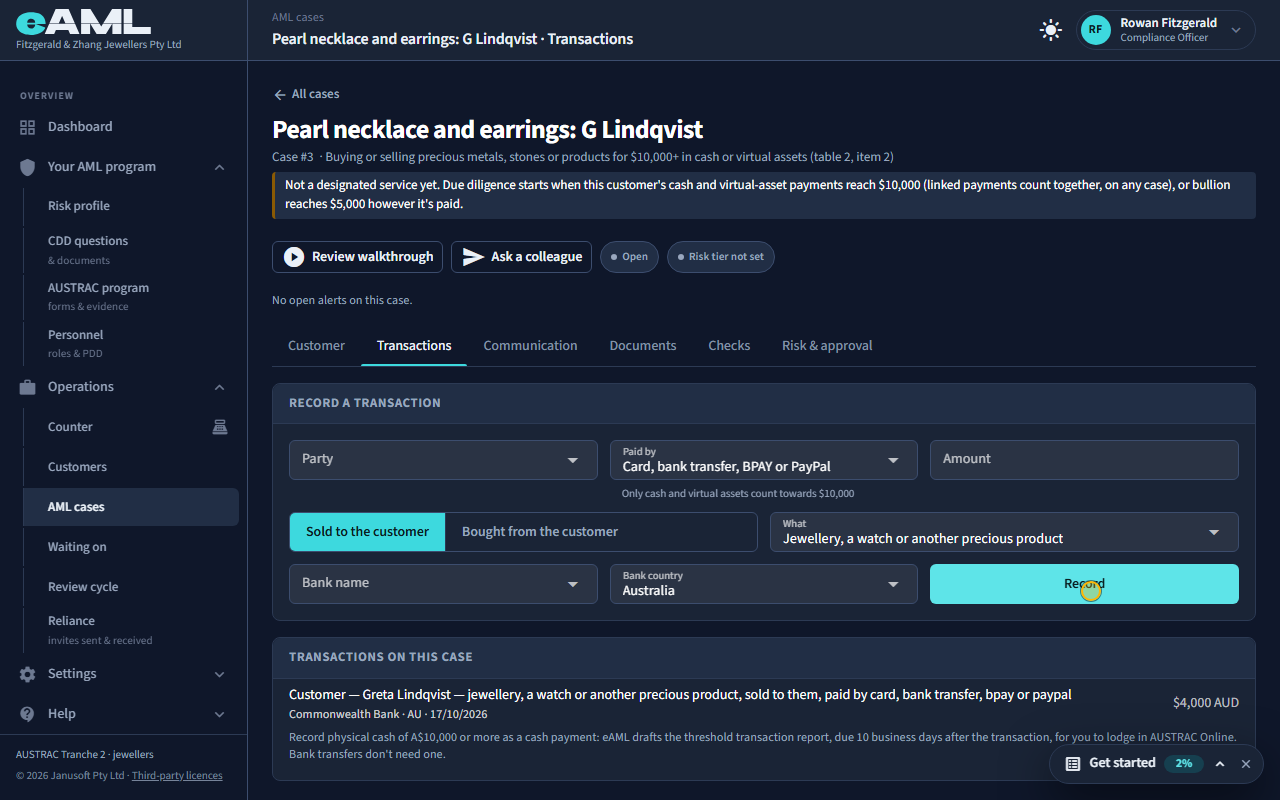
Open Transactions, choose the customer, Paid by Card, bank transfer, BPAY or PayPal, enter the amount, and select Record.
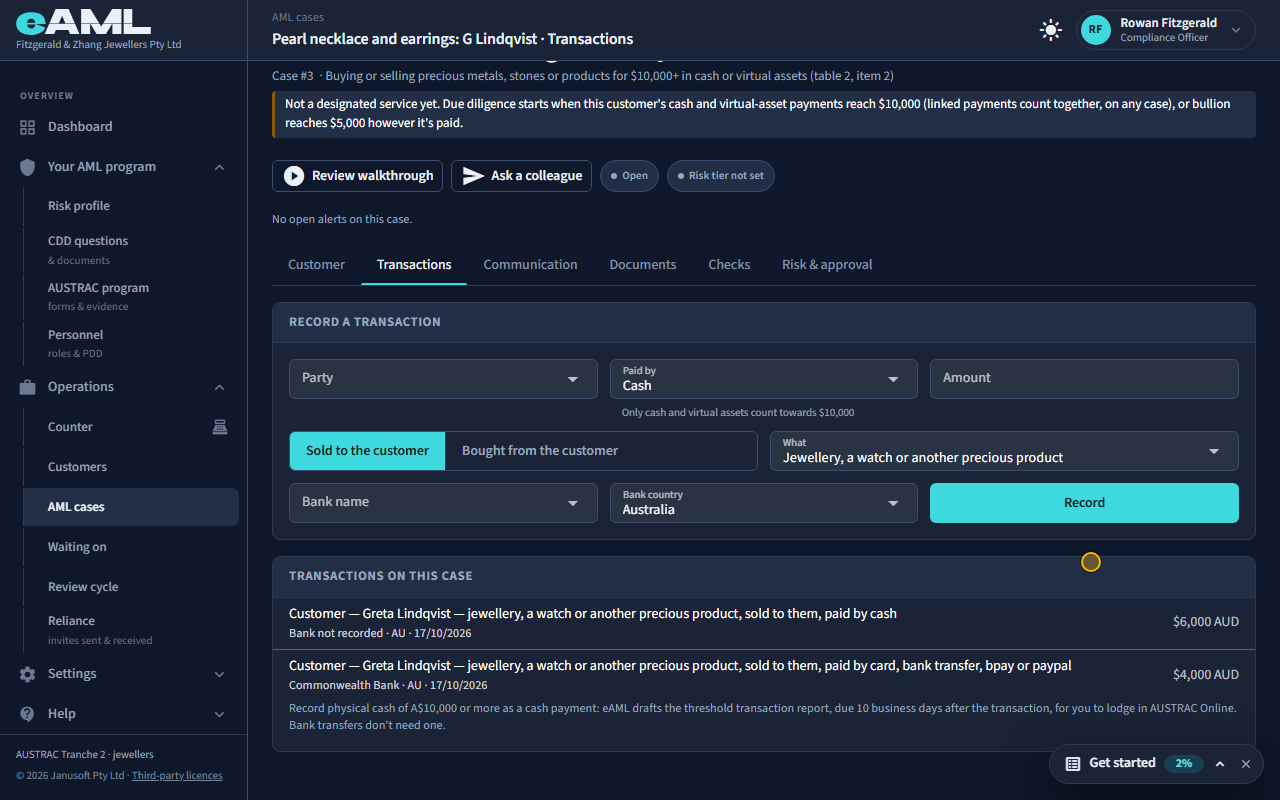
Open Transactions and record what the customer paid: who, how (Paid by), whether you sold to them or bought from them, what it was, and how much. Only physical cash and virtual assets count towards the $10,000: card, bank transfer, BPAY and PayPal do not, however large. Here the customer pays $4,000 by card: it is recorded, and the case still says Not a designated service yet.
-
Cash and virtual assets count
Record the second payment: Paid by Cash, the amount, and select Record.
Now the customer pays $6,000 in cash for the earrings. Cash and virtual assets (crypto) are what count, from the first dollar: eAML adds them up for this customer. At $6,000 it is still below $10,000, so the case still says it is not a designated service. A payment of $8,500 or more in cash or virtual assets that stays under the threshold is flagged as just under it, and two such payments within 30 days are flagged as possible structuring.
-
Linked sales add up
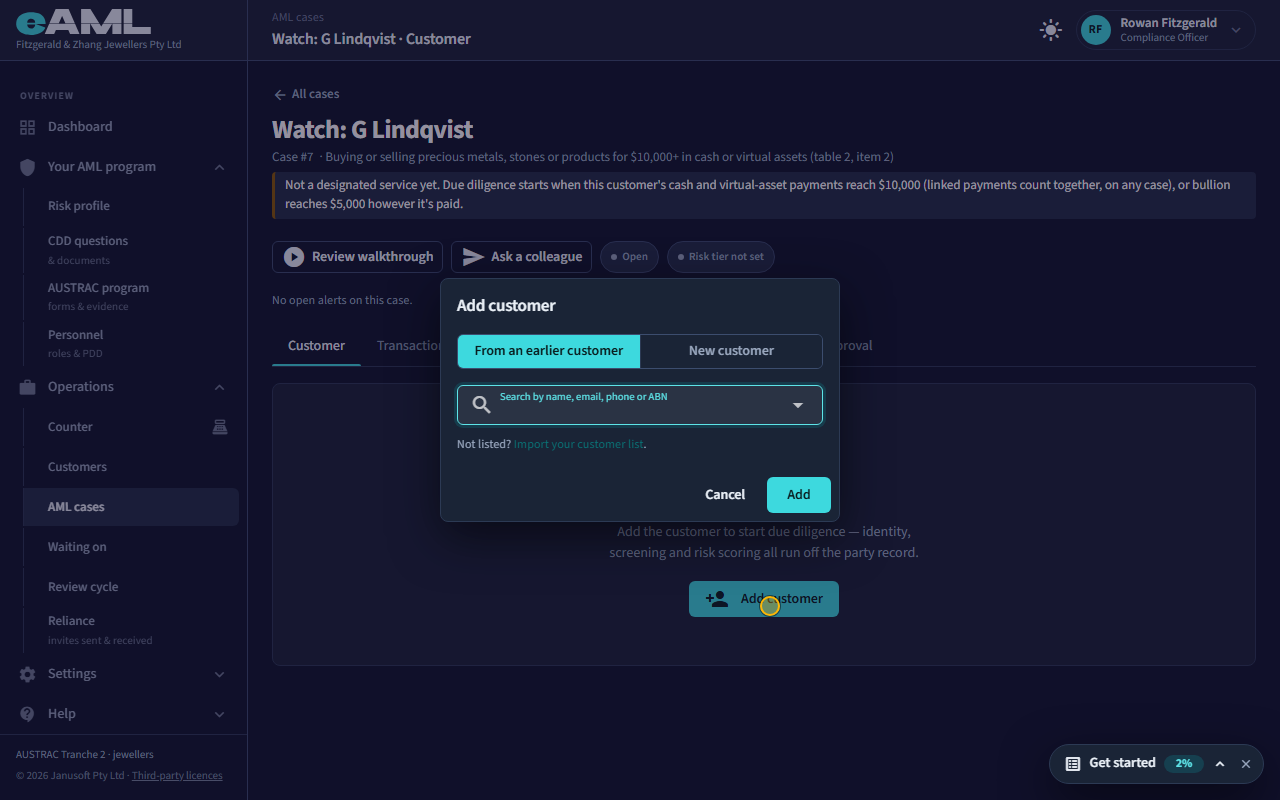
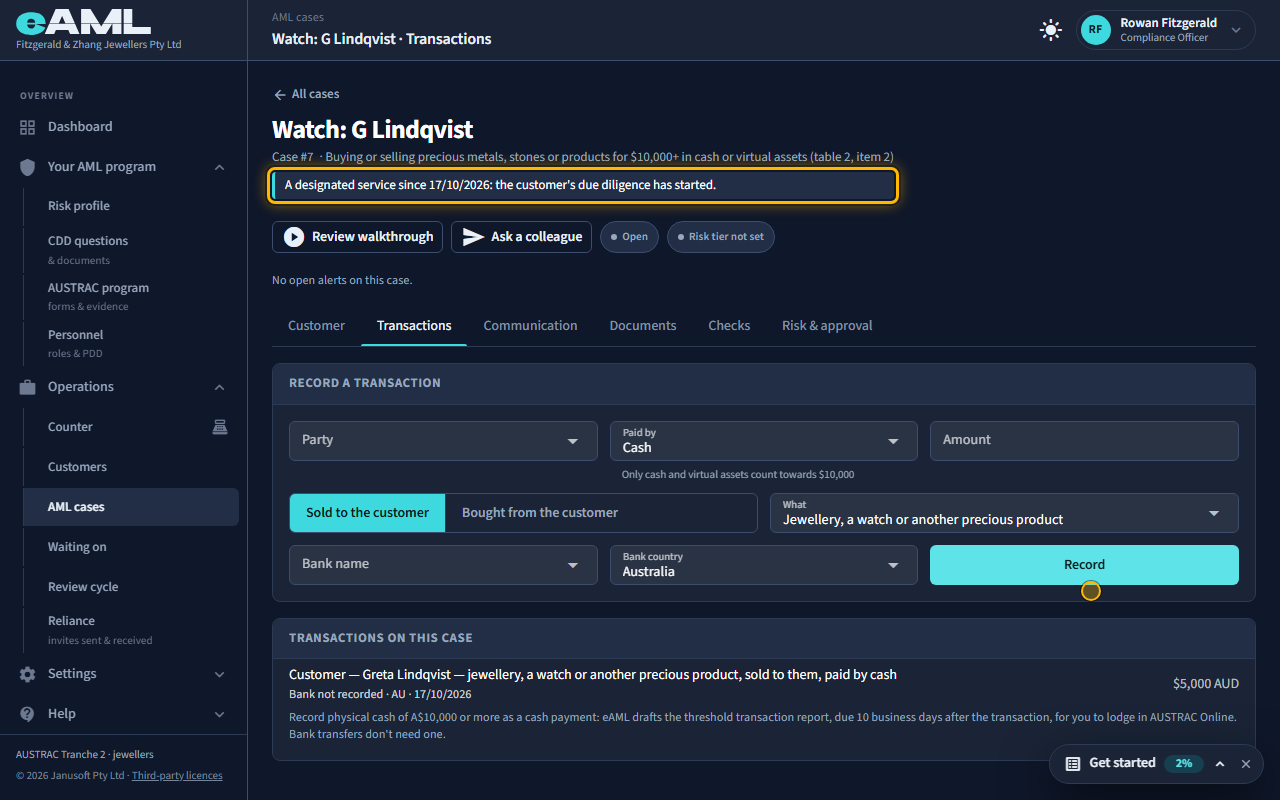
Start a second case, add the same customer From an earlier customer, and record the $5,000 cash payment.
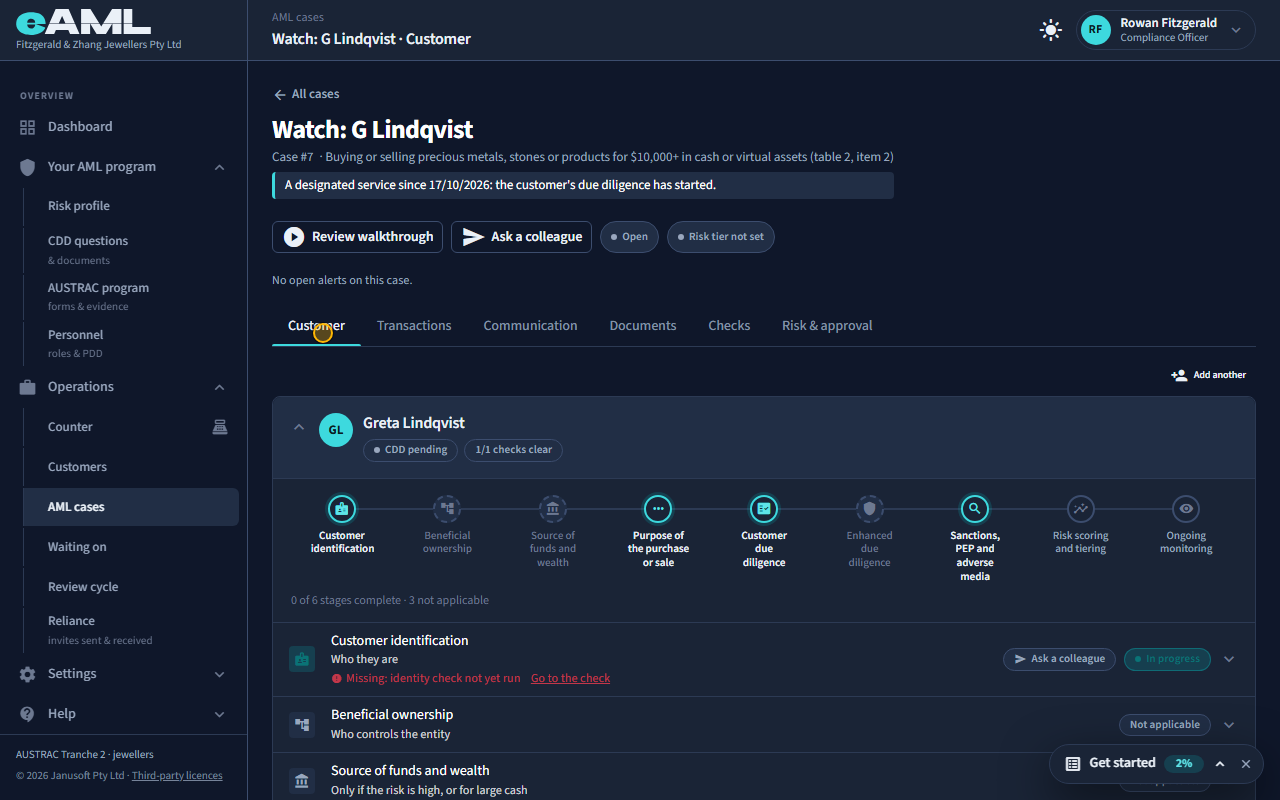
A week later the same customer buys a watch and pays $5,000 in cash, on a new case. eAML counts a customer’s cash and virtual assets together across all your cases, not one case at a time: the same person (by name and date of birth, or the same business by ABN) is one customer, and payments that are close together (within a week, by default) are linked. Start the new case, choose the customer From an earlier customer, and record the payment. Now the two cash payments total $11,000: the sale is a designated service, every case the payments touch says so, and the customer’s due diligence has started.
-
When identity becomes required
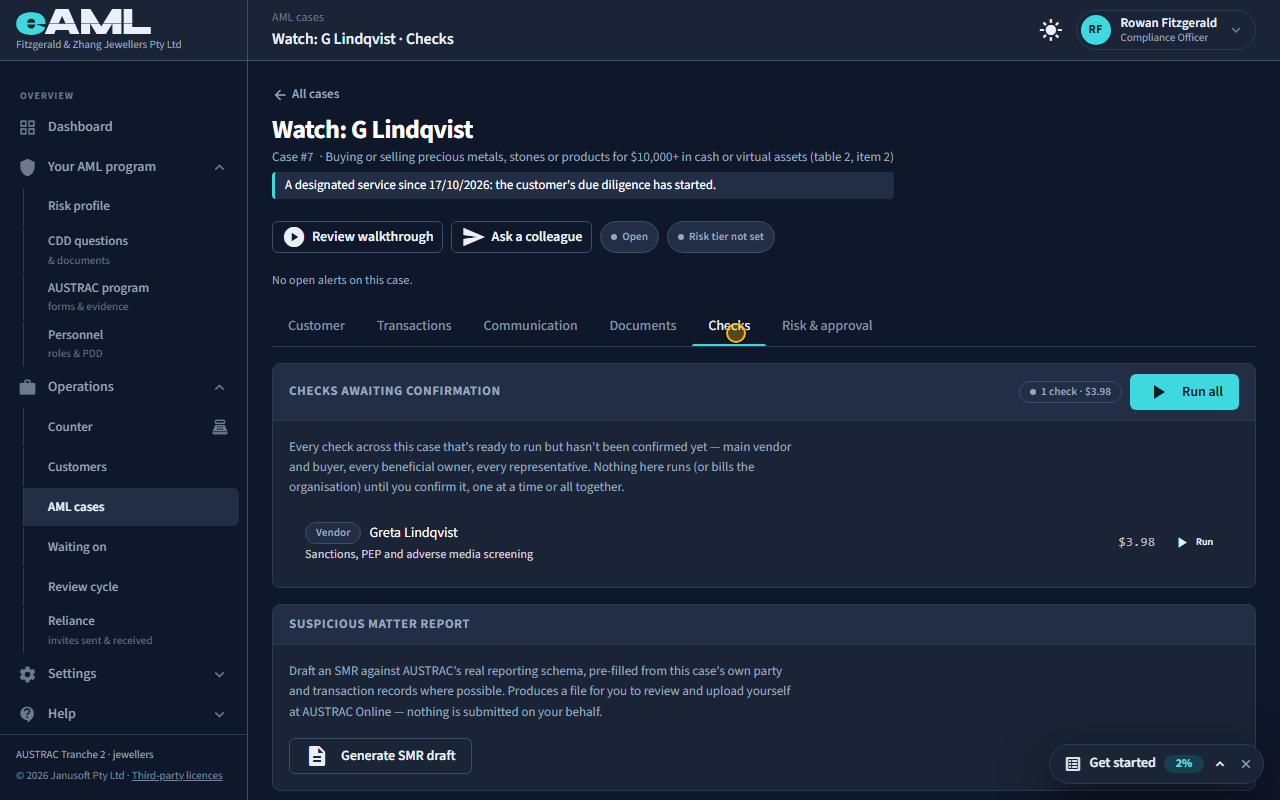
Open the Checks tab: the customer’s screening is waiting for you to confirm it.
From that moment the customer’s due diligence is due: their identity, screening and the questions about the sale appear as steps, on this case and the first. Their identity can be checked by a link to their phone, in person, in another system, or by relying on another firm (T22); the screening is run from the Checks tab (T23). Until the threshold the customer never needed to show anything.
-
Bullion: $5,000, however it is paid
Start a case for Buying or selling bullion, add the customer, and record the payment with What set to Bullion.
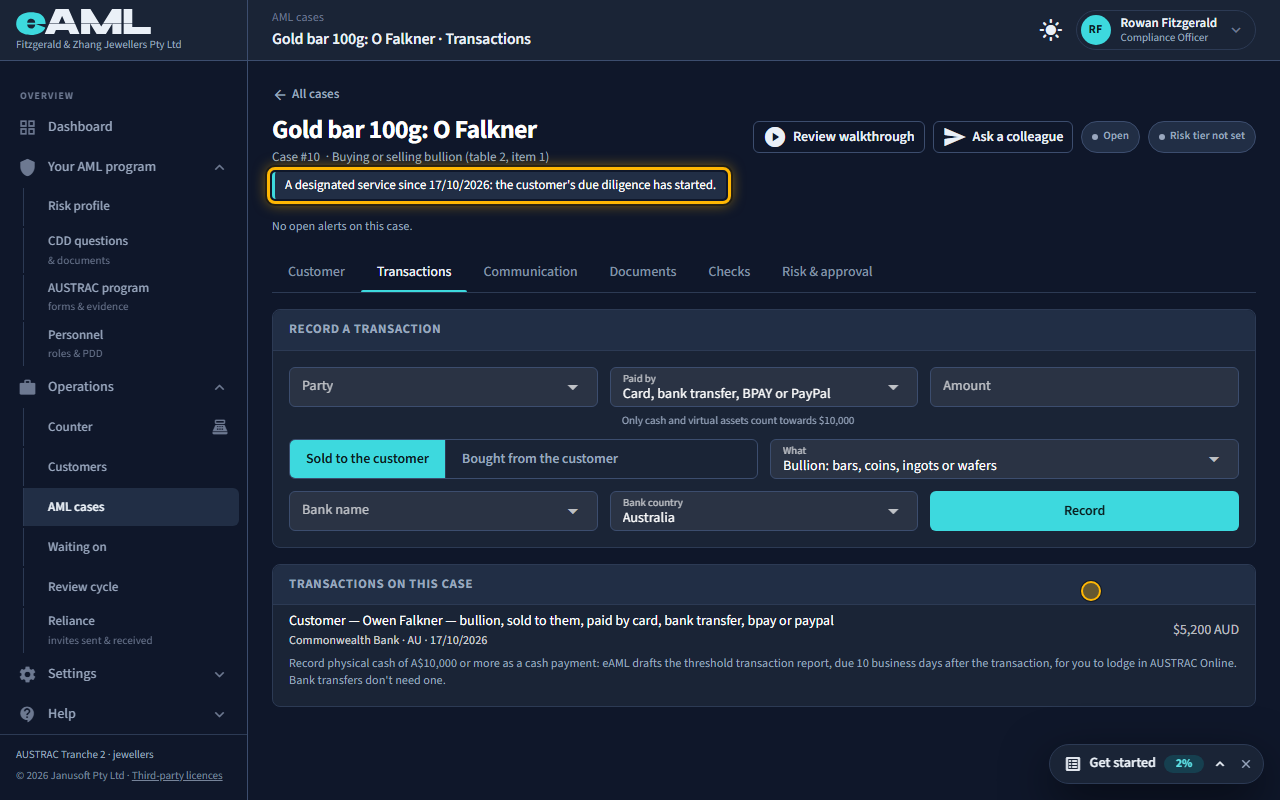
Bullion is different. Buying or selling bullion (bars, coins, ingots or wafers) of $5,000 or more is a designated service however it is paid: card, transfer or cash. Open a case for the bullion service, record the payment with What set to Bullion, and the case becomes a designated service at once. Smaller retail amounts are exempt.
-
The Customers page and earlier checks
Open Customers in the menu and select a customer.
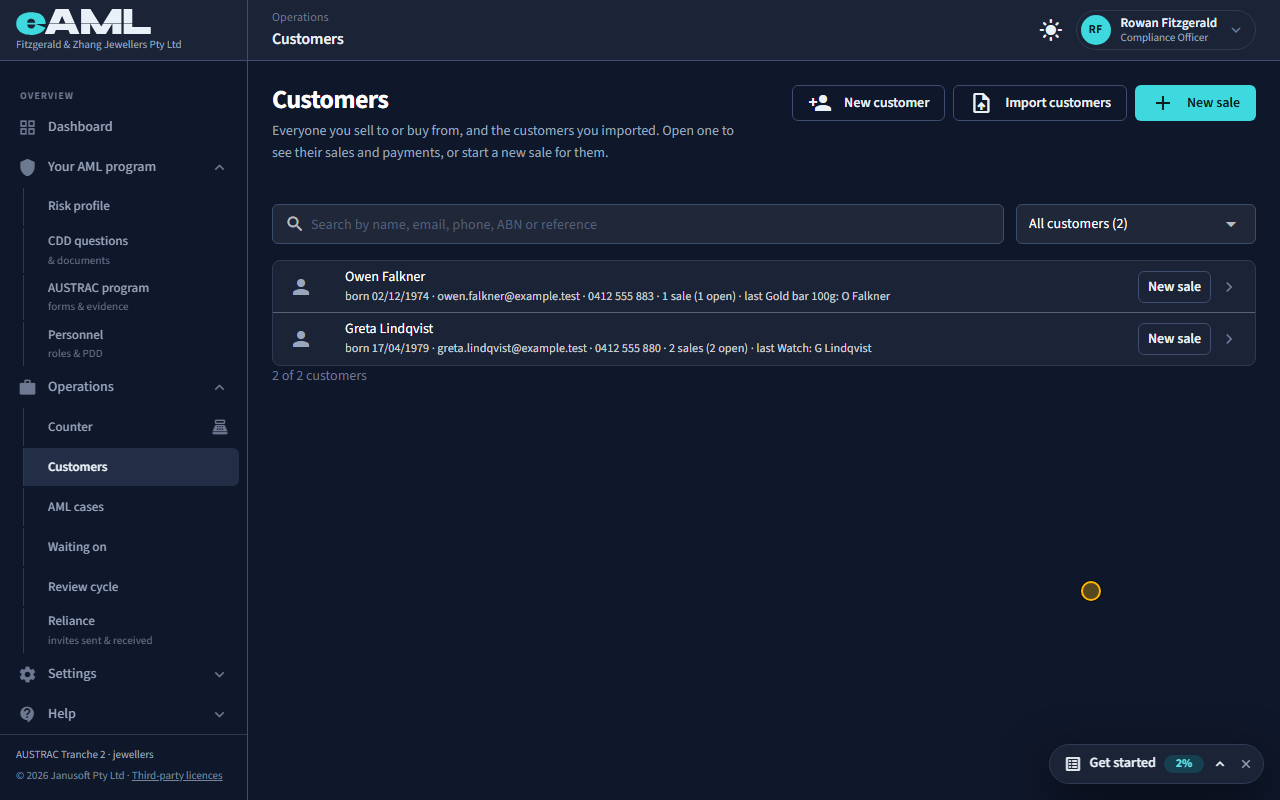
Customers lists everyone you have sold to or bought from, with their sales, from your cases. Open a customer to see every sale and every check. When a customer comes back, add them to the new sale with From an earlier customer: their details are copied, and their card says when they were last checked and offers to use those results here instead of checking again (an identity check is good for a year, screening for 30 days). Use these results and the sale has them.
-
Threshold reports
A threshold transaction report is drafted for a single payment in physical cash of $10,000 or more (T32). Neither of the customer’s cash payments here was that large on its own, so none was drafted: linked smaller payments make the sale a designated service and start the customer’s checks, but they are not a report of their own. A customer who pays in amounts just under the threshold to avoid it is the pattern the just under and structuring flags are for, and may be a suspicious matter to report (T32).
Every screen in this guide was captured from the live application in the same run as the video, so the two always match. If a screen here no longer matches what you see, tell us: the guide is regenerated after each release.