Guide · T05
CDD questions and documents
Before you start
- Signed in as a Compliance Officer or Senior Manager
-
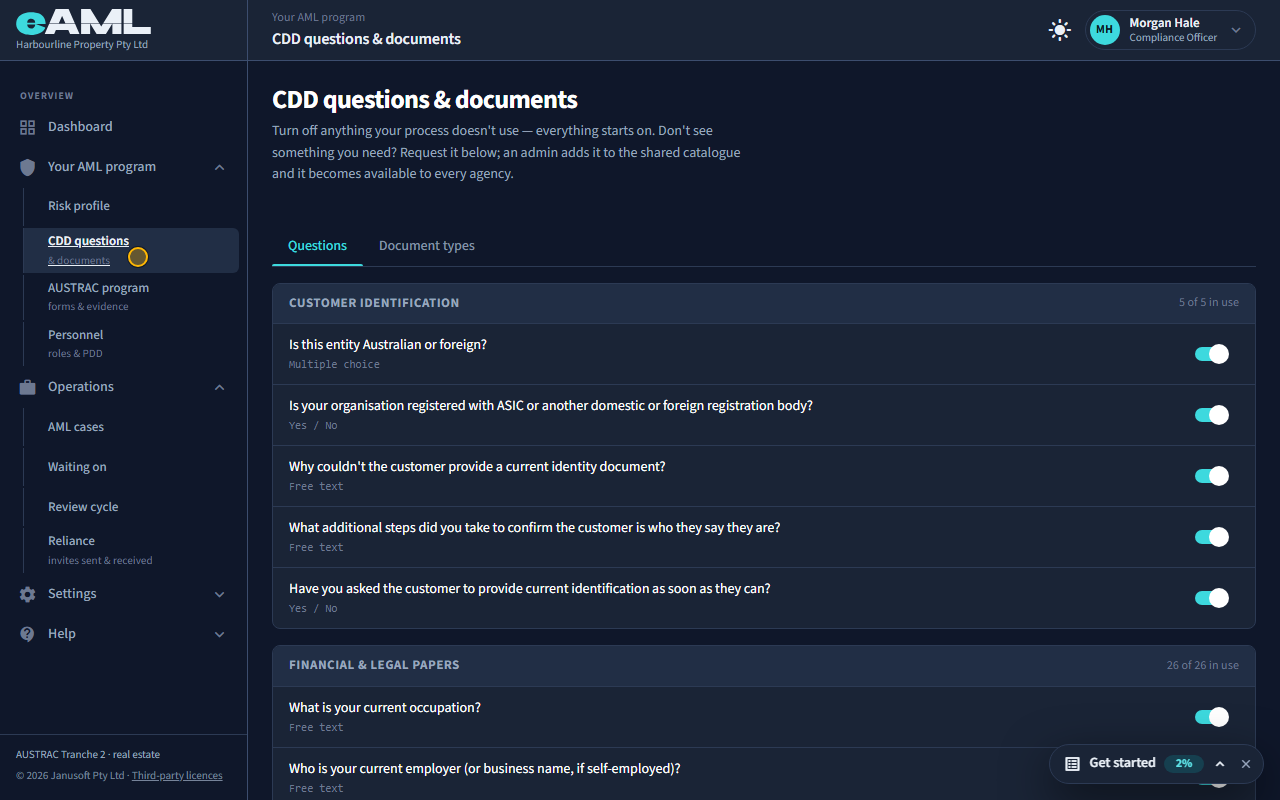
Open CDD questions and documents
In the menu, under Your AML program, select CDD questions & documents.
Customer due diligence (CDD) is built from questions your team and your clients answer, and documents they provide. This page is the shared catalogue of both. Everything starts switched on, which is the full baseline taken from AUSTRAC’s guidance; you switch off what your own process does not use.
-
The questions, grouped by stage
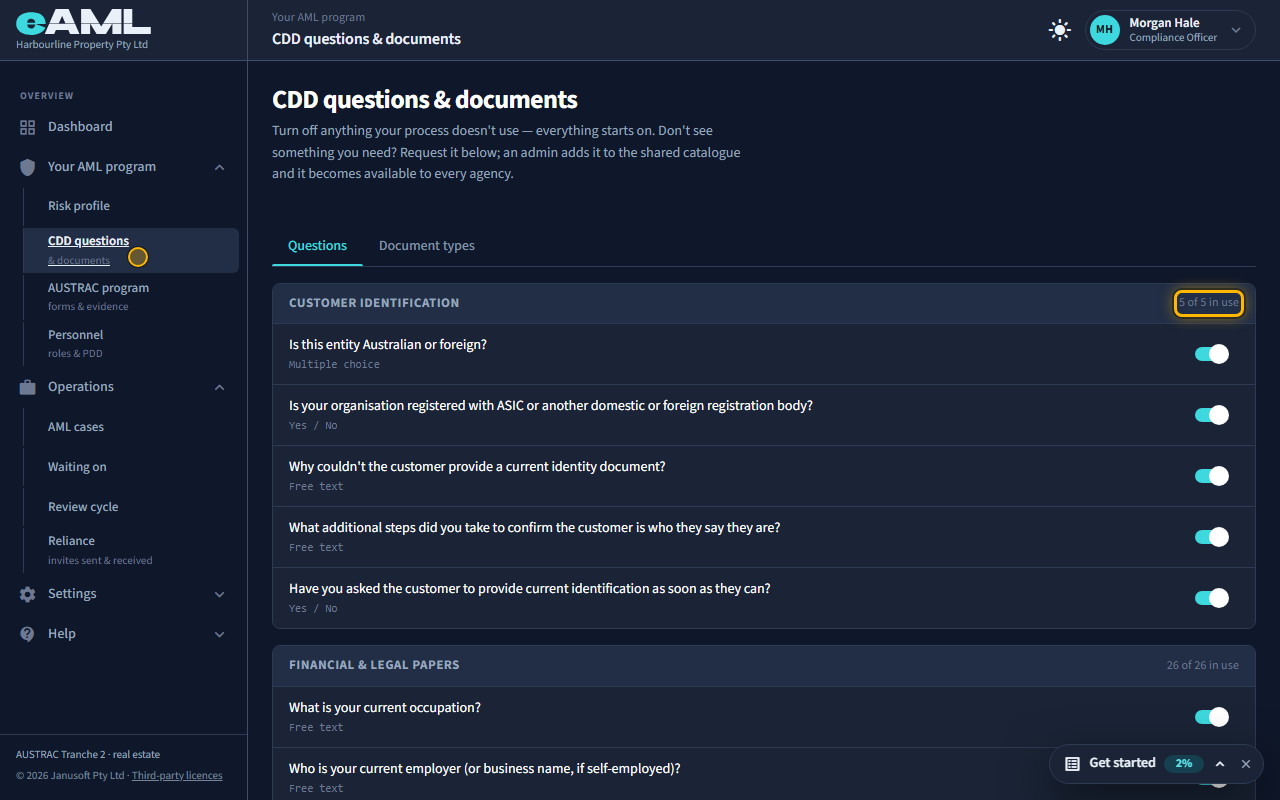
Scroll through the Questions tab.
Questions are grouped by the stage of due diligence they belong to. Each group shows how many of its questions are in use. Each row is the question as it is asked, with the type of answer it takes (text, number, yes or no, or a choice).
-
Switch a question off
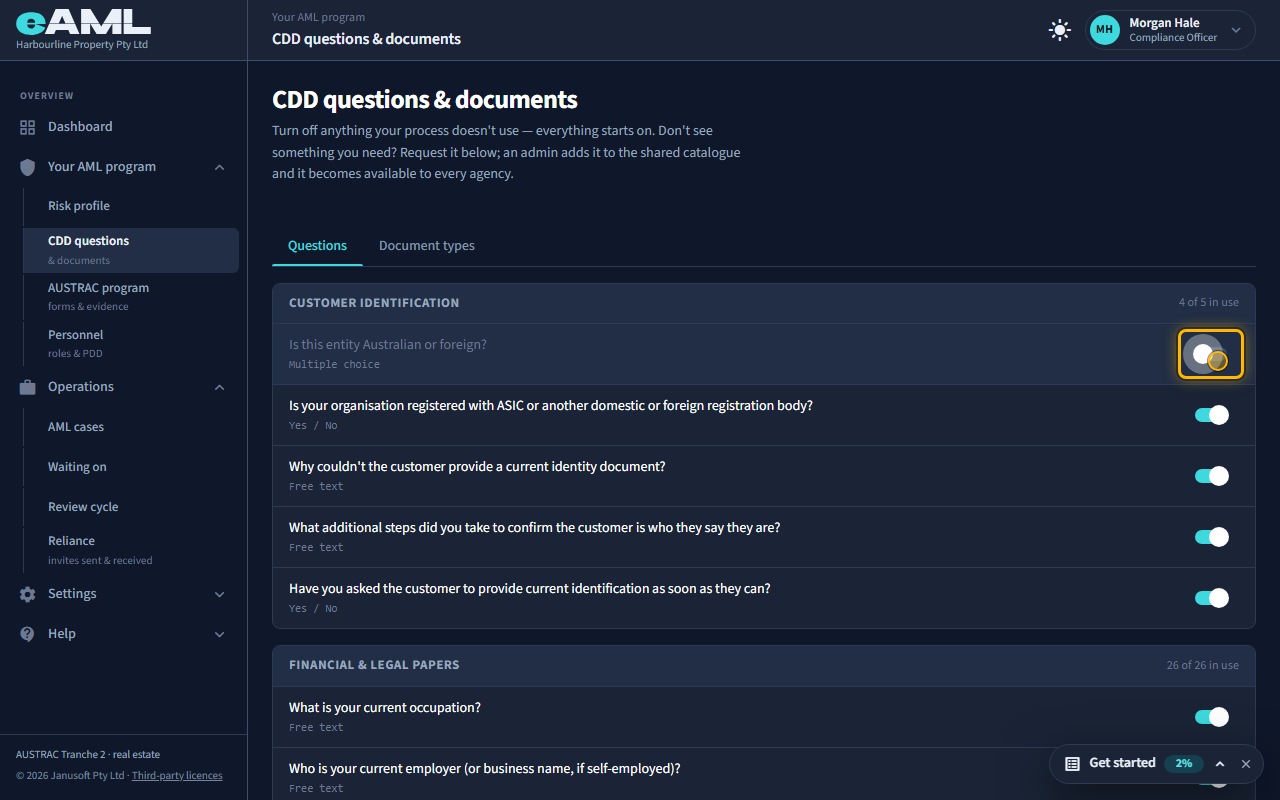
Select the switch at the right of a question.
A switch records that your process does not use a question. The row dims and the group count goes down. You can switch it back on at any time. Note that it is your own configuration only: it never changes the shared catalogue, or any other firm.
Good to know. Today a case still shows every catalogue question for its stage; the switch records your own configuration. Document types behave differently: a switched-off type is no longer offered on a case.
-
Ask for a question that is not in the catalogue
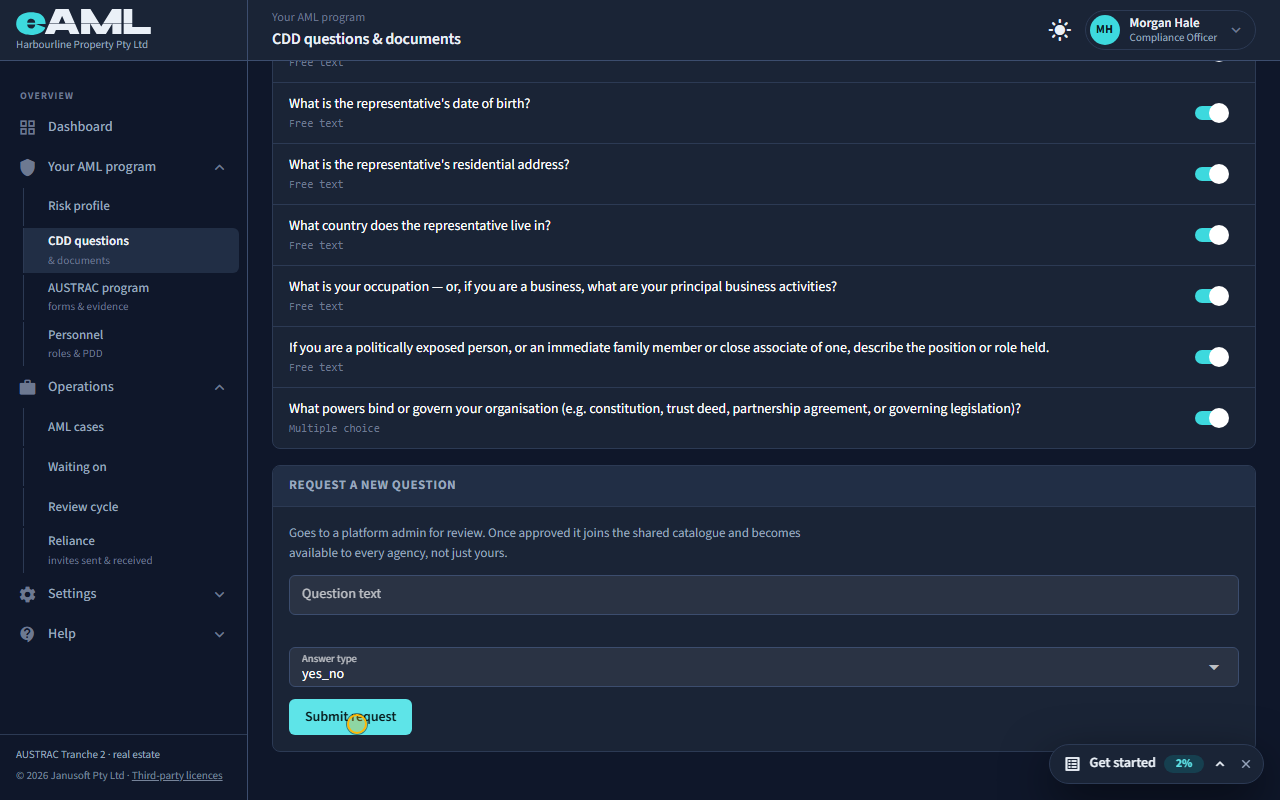
Under Request a new question, enter the text, choose the answer type, and select Submit request.
If you need to ask something the catalogue does not have, request it. The request goes to a platform administrator for review; once approved it joins the shared catalogue and becomes available to every firm, not just yours. Choose the answer type: text, number, yes or no, or a choice (and list the options).
-
Document types: which documents you accept
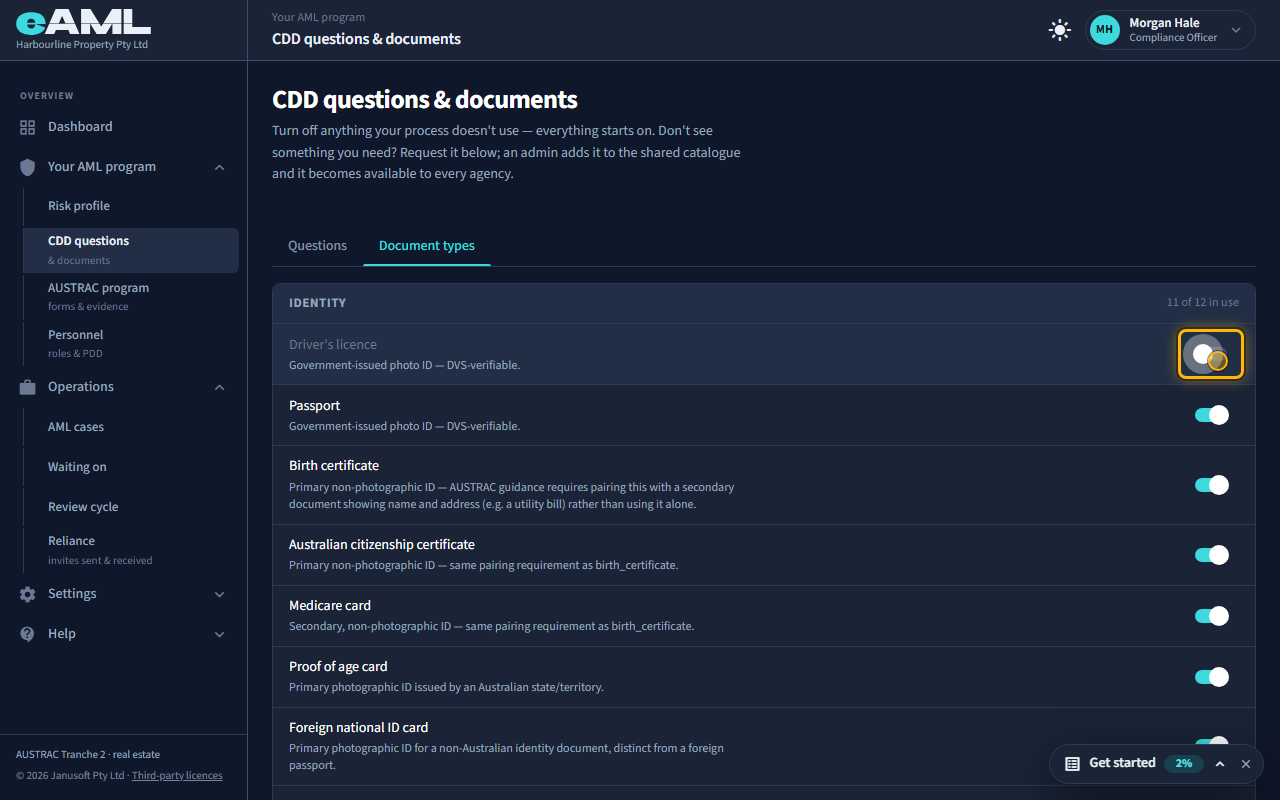
Select the Document types tab, and use the switch beside a document type.
The Document types tab works the same way, grouped by category (identity, corporate, address, and so on). Switch off a document type you do not accept. It is then no longer offered as a choice when documents are added to a case; documents already uploaded stay where they are. A document type you need that is missing can be requested in the same way as a question.
-
What happens to cases that are already open
Changes apply from the moment you save them. Nothing already recorded is removed or rewritten: answers given and documents uploaded stay on the case, as part of its record.
Every screen in this guide was captured from the live application in the same run as the video, so the two always match. If a screen here no longer matches what you see, tell us: the guide is regenerated after each release.